How To Void/Delete Bill after Payment
Step 1: Open Popcorn Cashier Lite
Launch the app on your device.
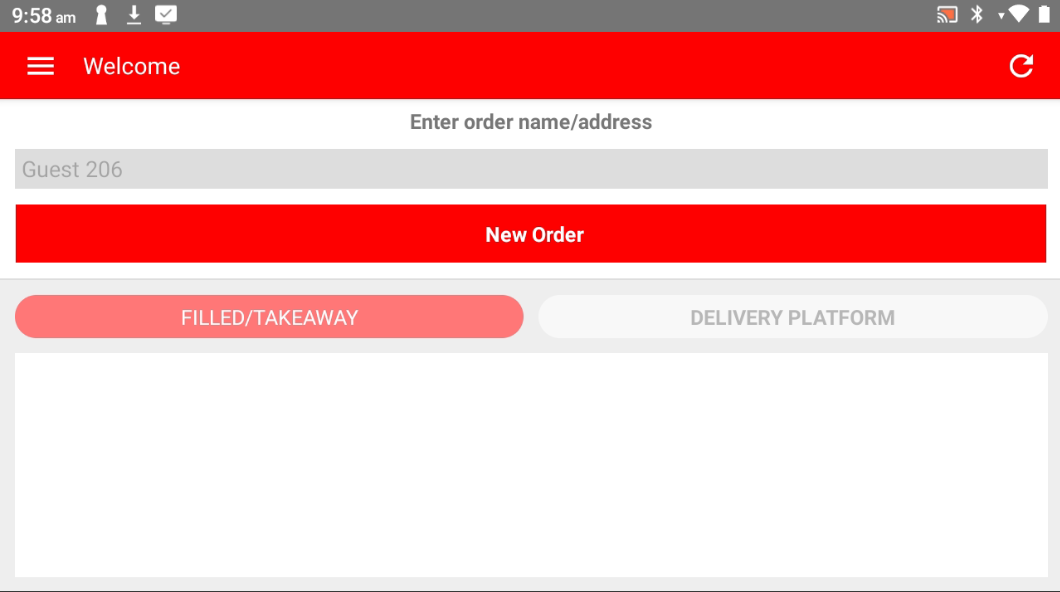
Step 2: Open the Sidebar
Tap the menu icon or swipe from the left to open the sidebar.
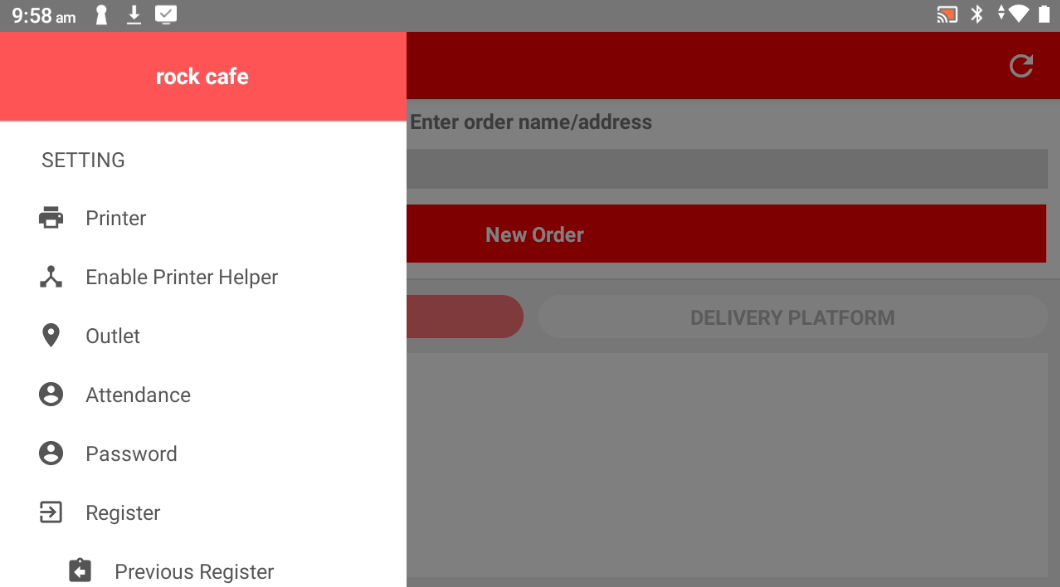
Step 3: Go to Data Invoice
In the Data section, select "Data Invoice" to view all past bills.
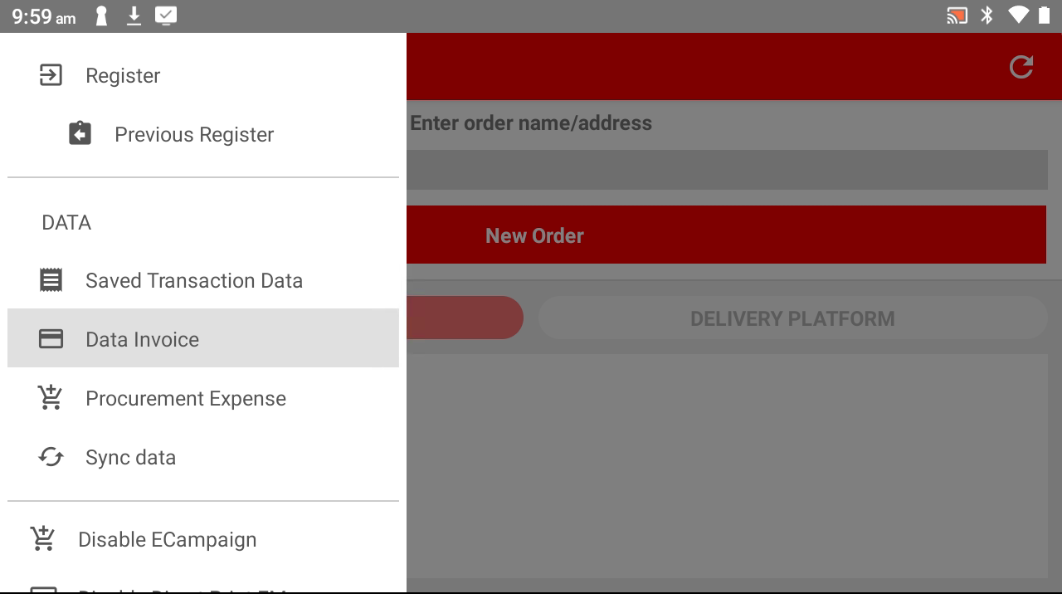
Step 4: Choose the Bill to Void
Scroll or search for the invoice you want to void, then select it.
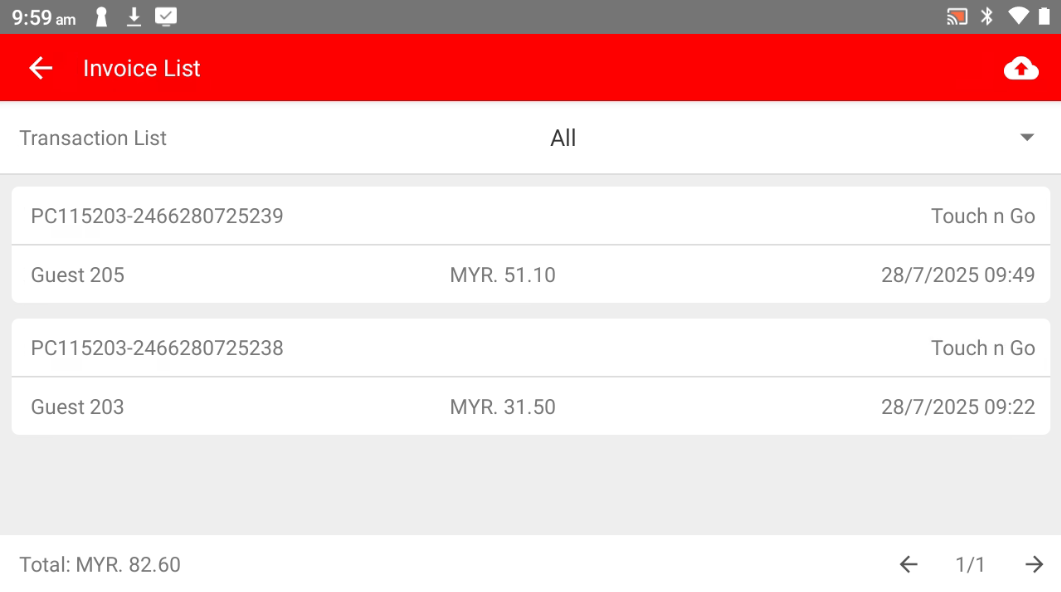
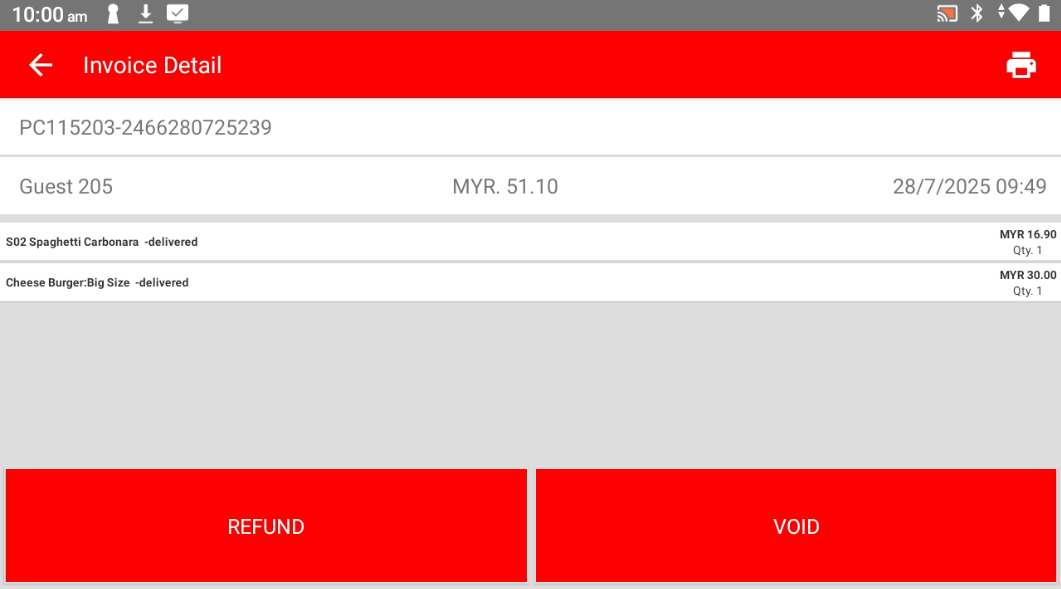
Step 5: Tap "VOID"
Click the VOID button to begin the voiding process.
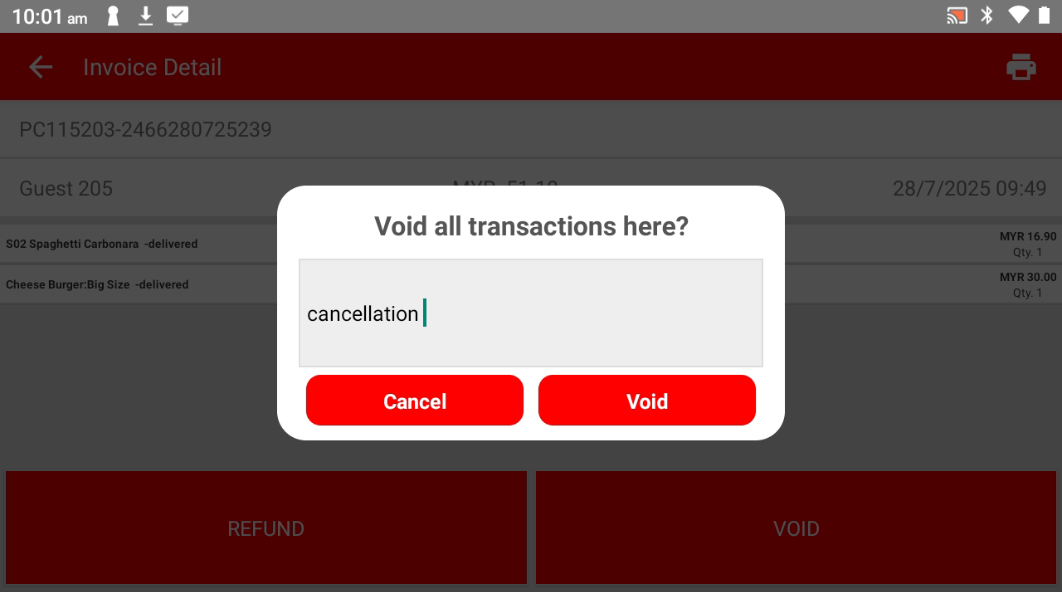
Step 6: Enter the Reason for Voiding
Type in the reason why you’re voiding this transaction.
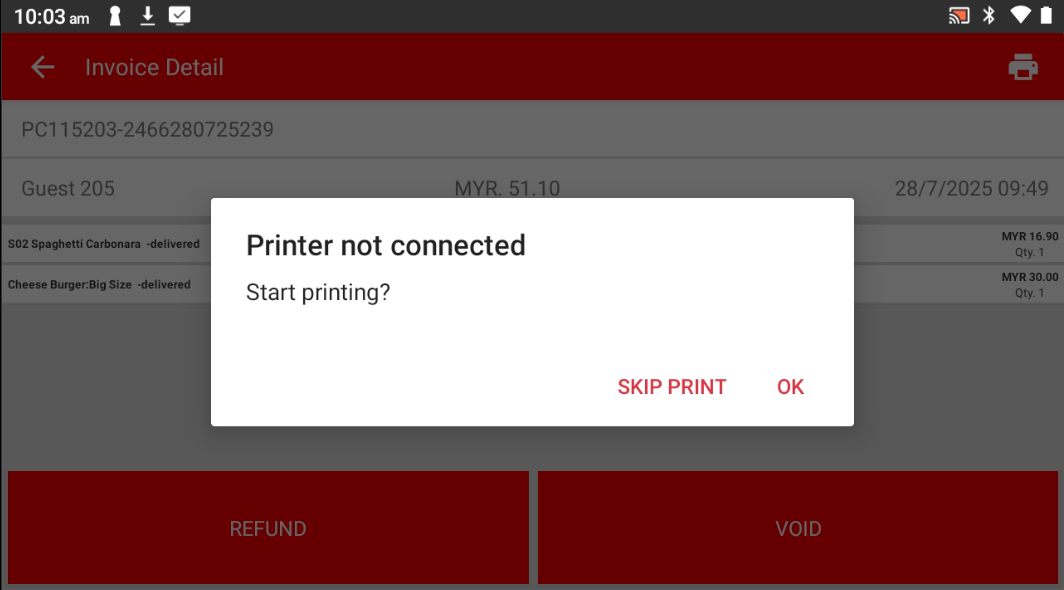
Step 7: Print Receipt (Optional)
Choose whether to print the receipt or skip it
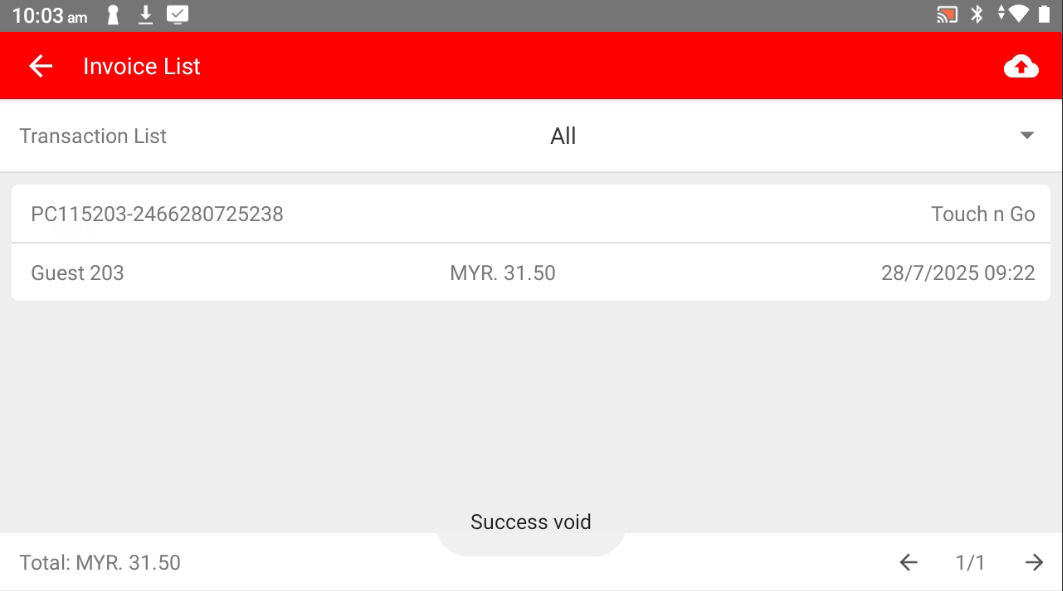
Step 8: Done!
The bill has been successfully voided.
Please refer to the link below:
https://www.youtube.com/watch?v=MvLej5DvJN8&list=PLRi68gNUhBwSRvzJPPddmk0lhFImfwFax&index=5
------------------------------------------------------------------------------------------------------------------------------------------
Still stuck?
Our team is happy to walk you through this step by step.
