How to Enable Dine In Option in Cashier Lite
Go to www.popcorncashier.com
Go to Settings:
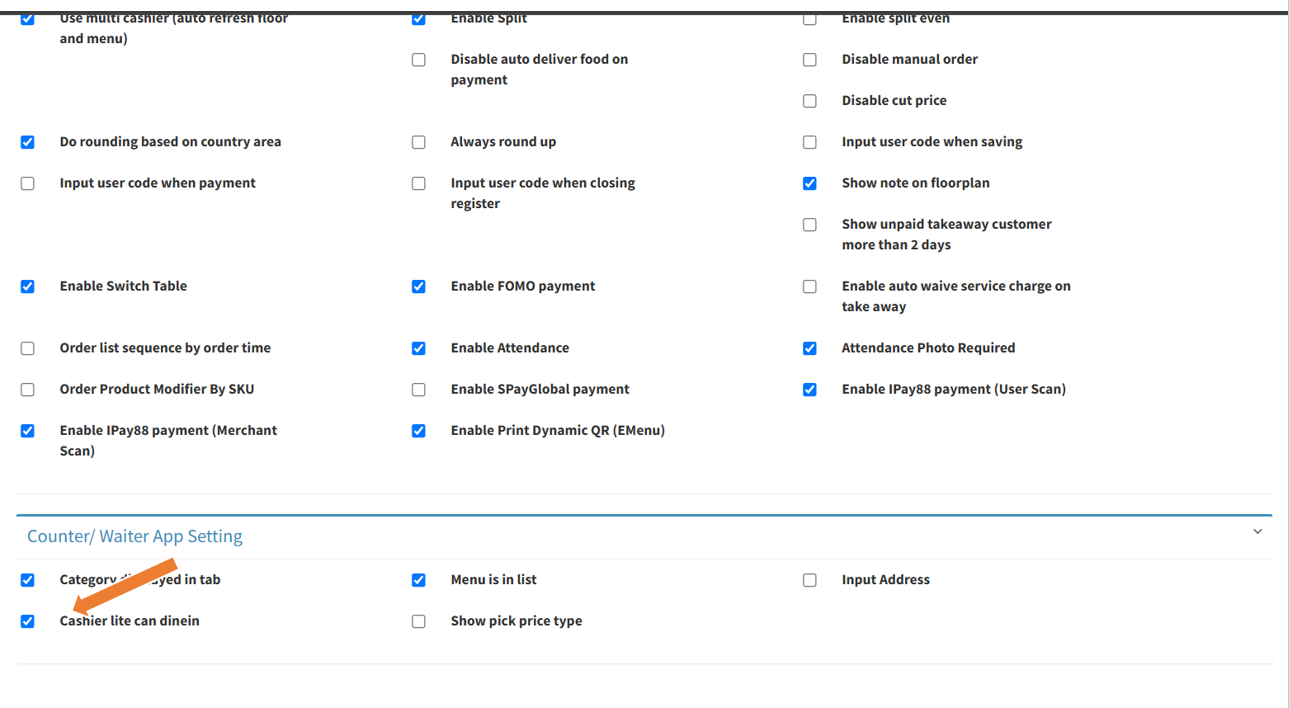
- At the Counter/ Waiter App Setting section. Click the checkbox labeled "Cashier lite can dinein"
- Scroll down and click the Update button to apply the setting.
Go to Popcorn Cashier Lite:
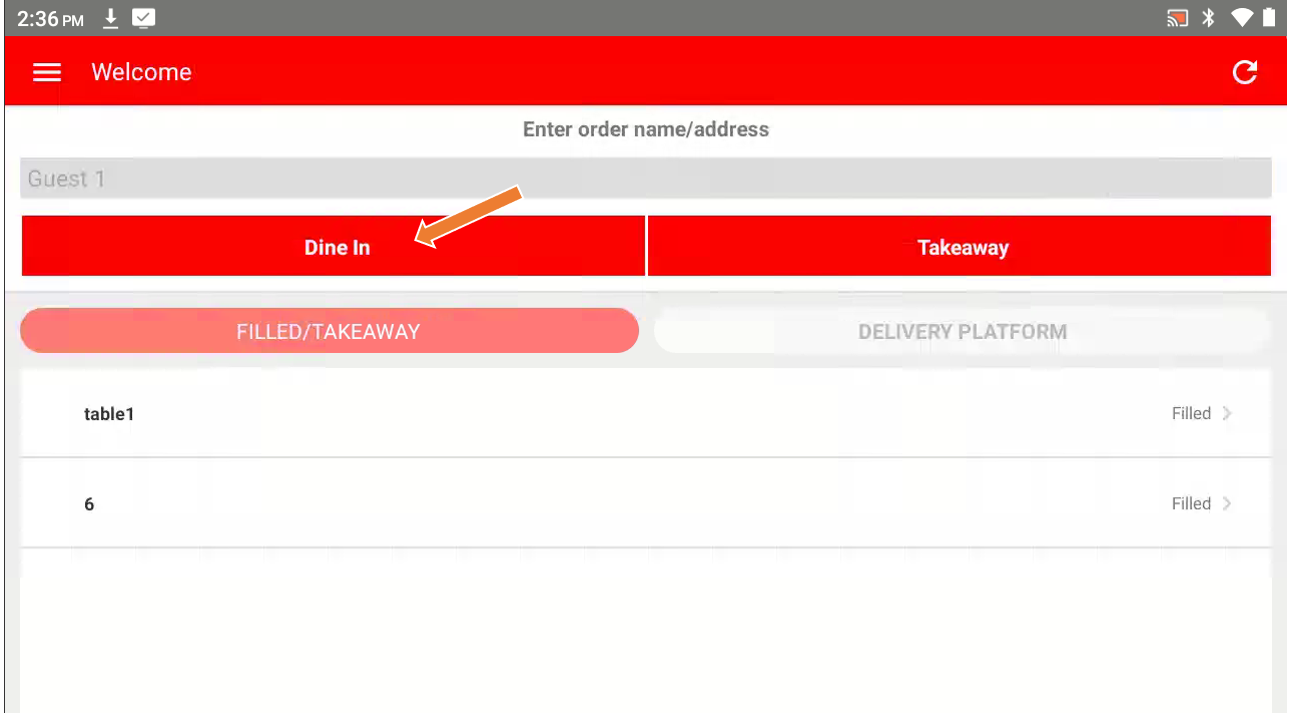
- Click "Dine In" to proceed with a dine-in order.
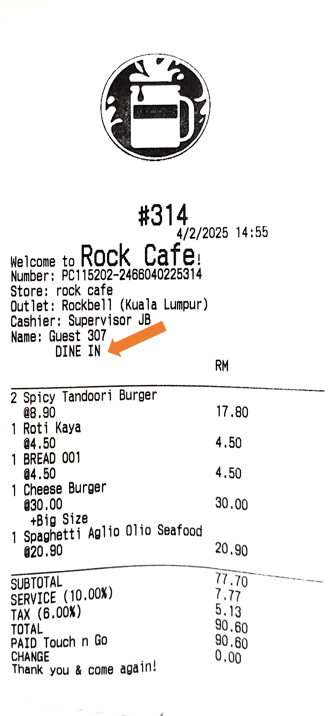
Customer Receipt Overview Sample:
----------------------------------------------------------------------------------------------------------------------------------------------------------
Please refer to the video below for more information:
Still stuck?
Our team is happy to walk you through this step by step.
