How to Check Printer Connection Status
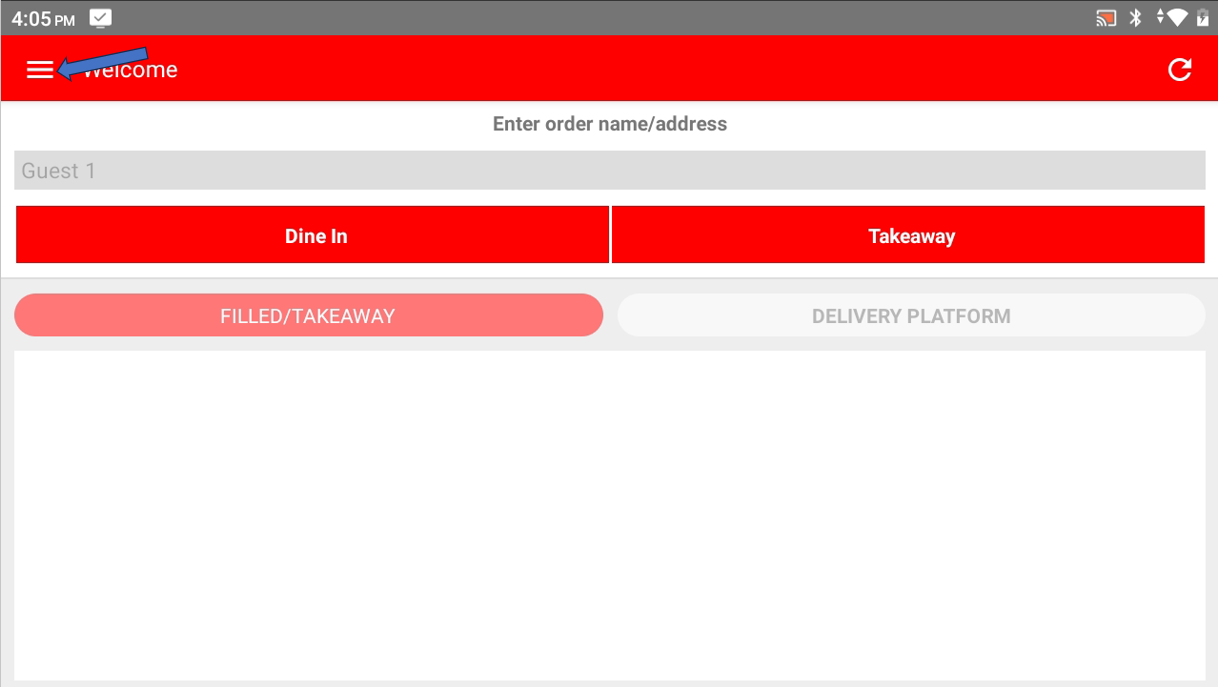
- In Cashier Lite , click on ≡ on the top left corner to open the side bar menu
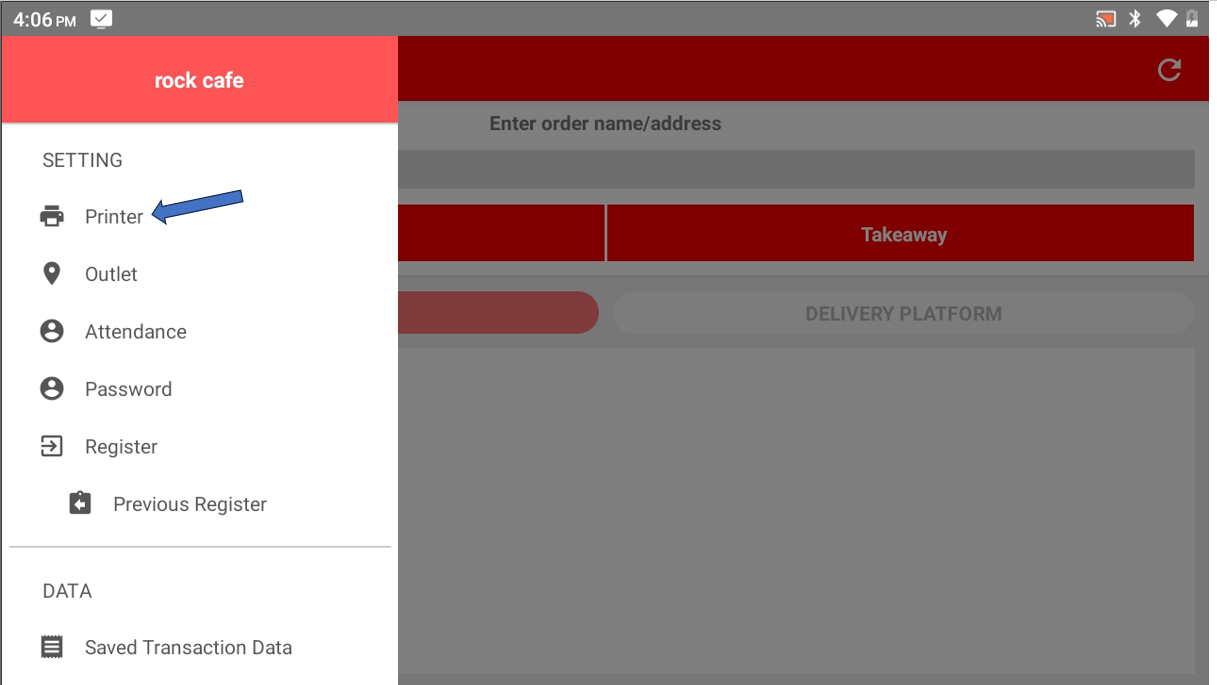
- Select Printer
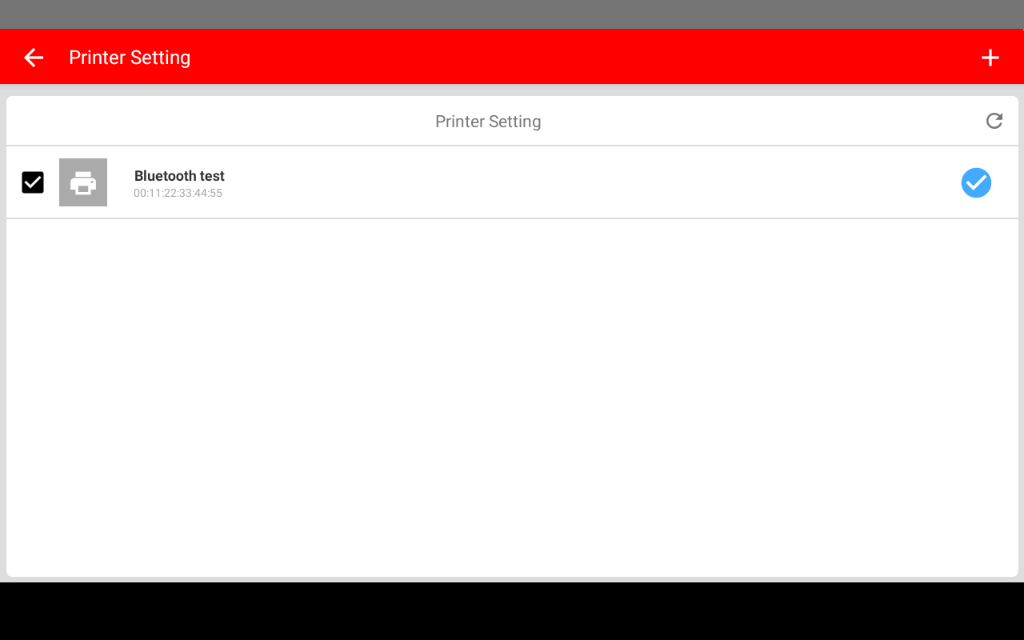
- The page will display the list of printer that already added
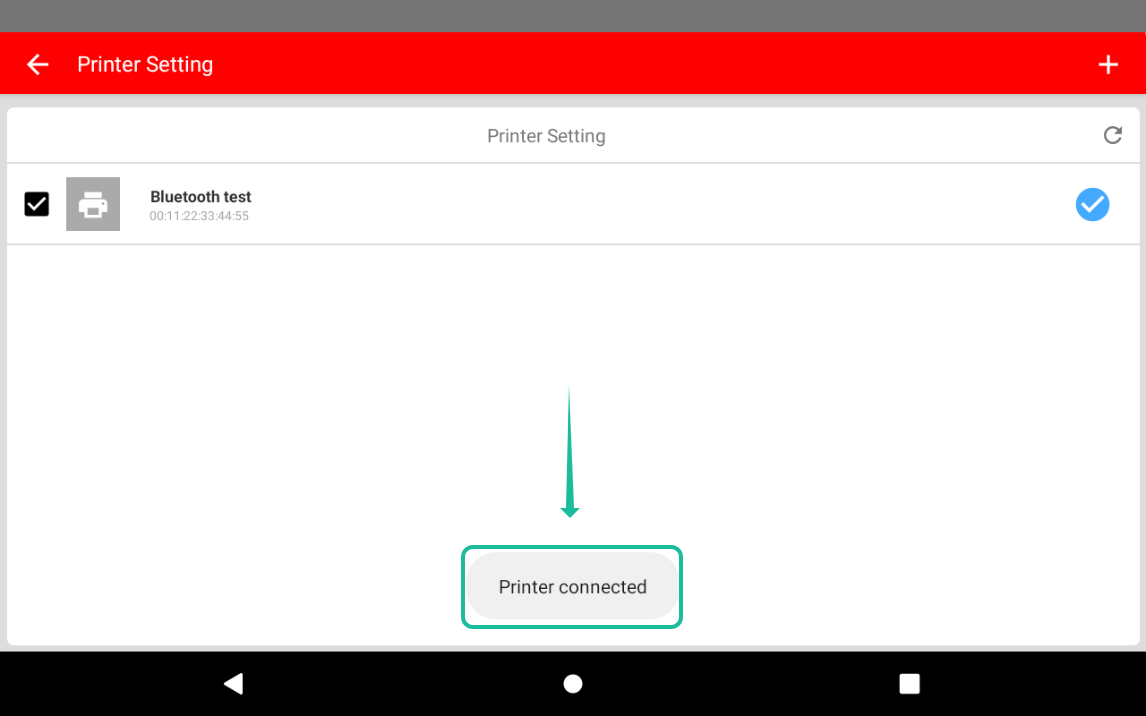
- Click on the printer you want to check, if the connection is stable the page will show Printer connected
Please refer to the link below:
------------------------------------------------------------------------------------------------------------------------------------------
Still stuck?
Our team is happy to walk you through this step by step.
