How to Close Register
Step 1: Open Popcorn Cashier Lite
Launch the app on your device.
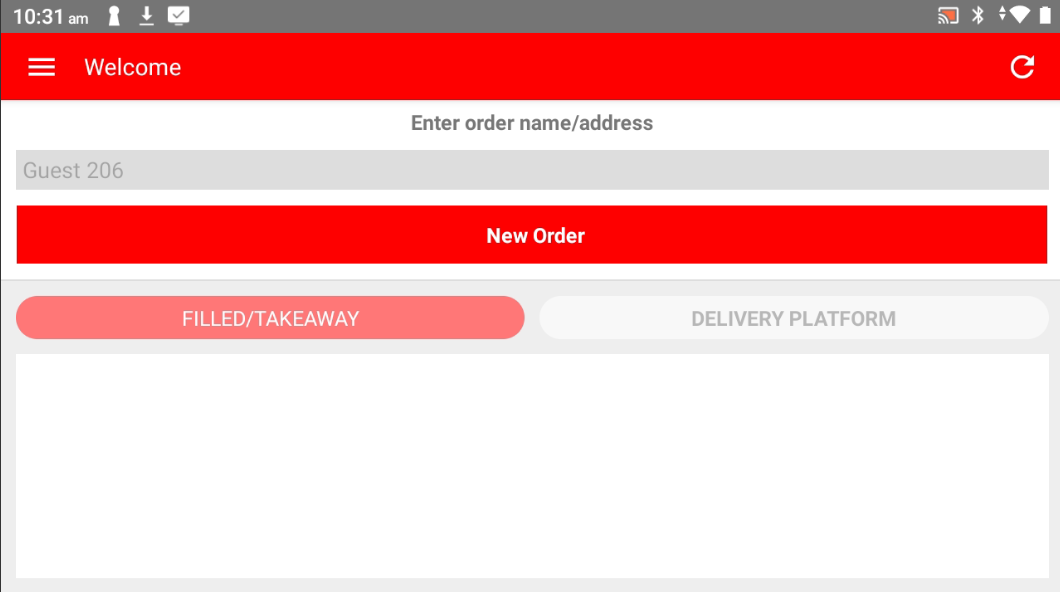
Step 2: Open the Sidebar
Tap the menu icon or swipe from the left to open the sidebar.
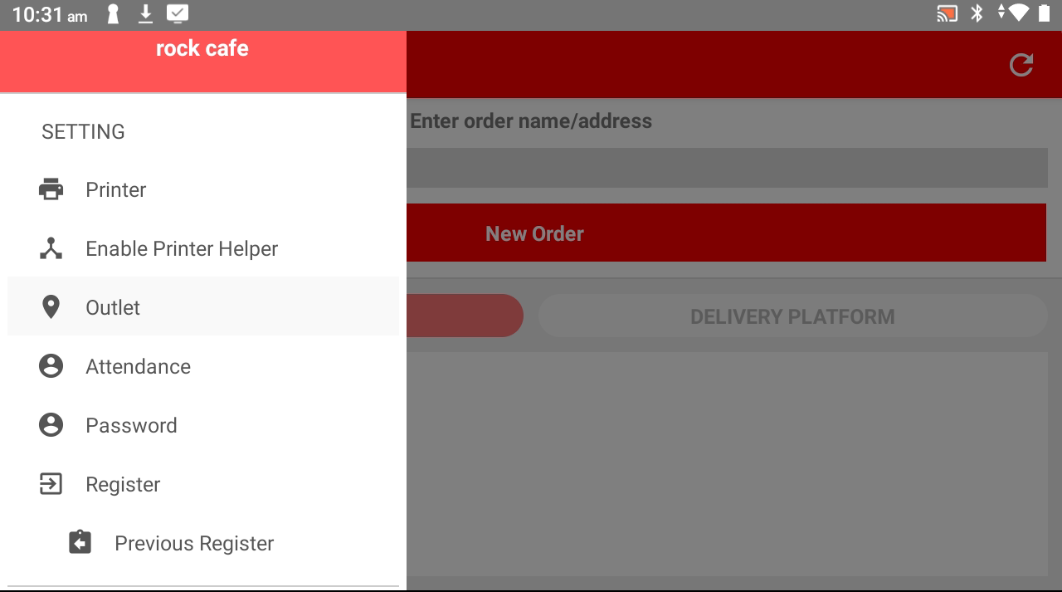
Step 3: Go to Register
In the sidebar menu, locate and tap on "Register".
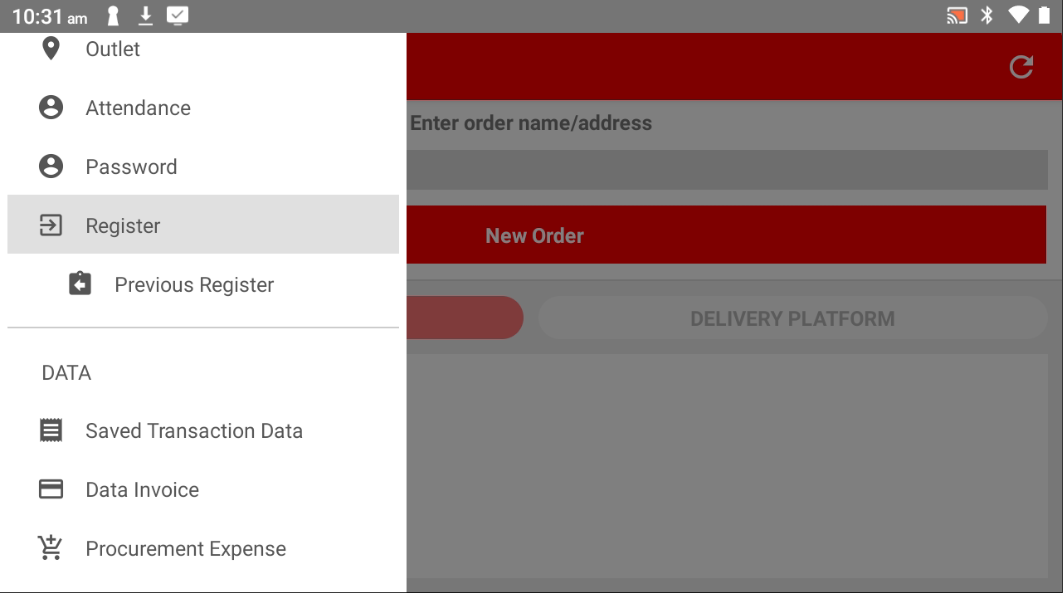
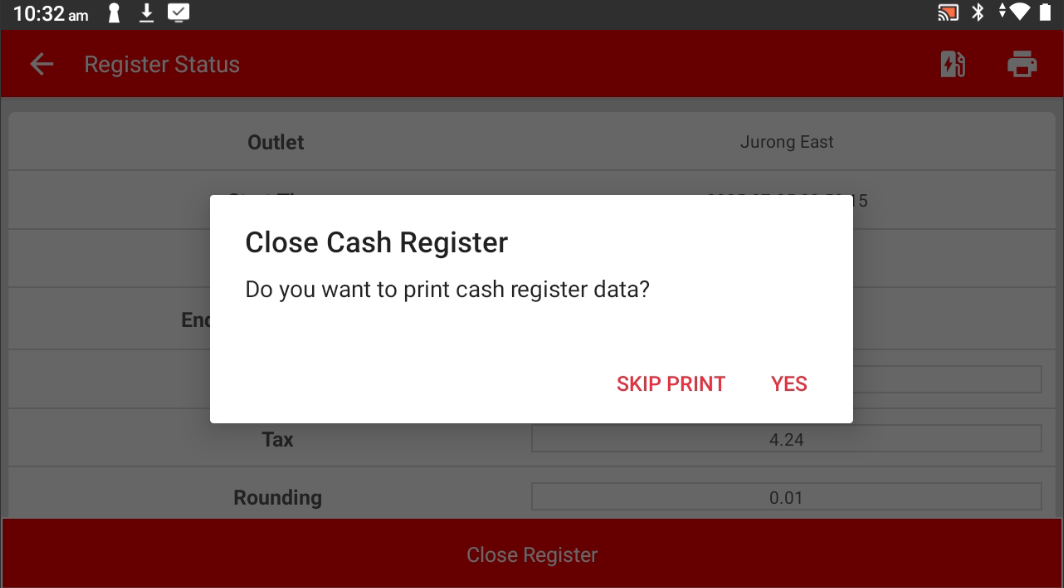
Step 4: Tap "Close Register"
Press the "Close Register" button to end the current shift.
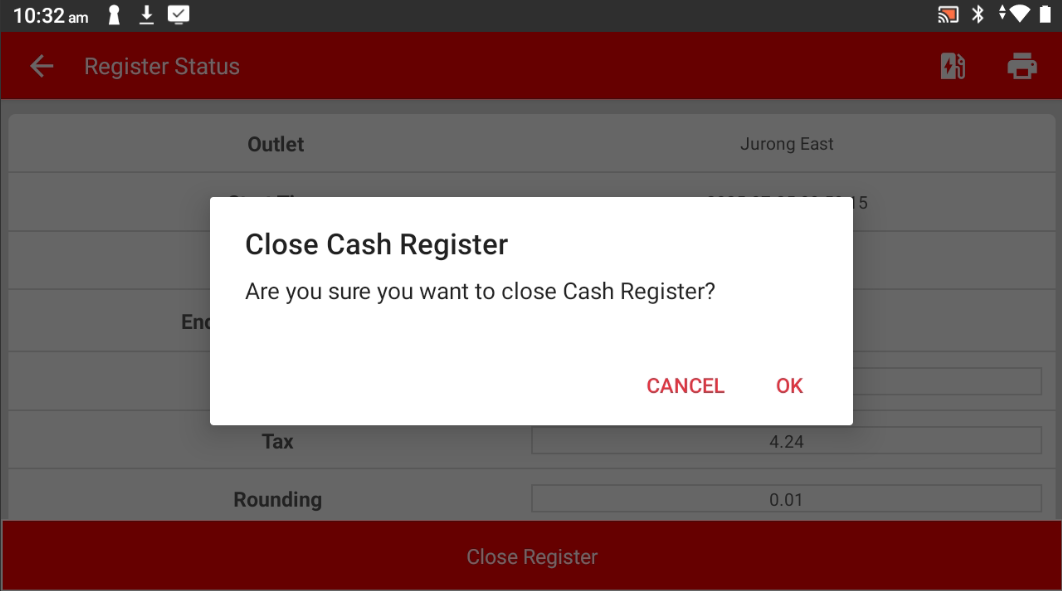
Step 5: Choose to Print or Not
Select whether you want to print the expense record.
Please refer to the link below:
https://www.youtube.com/watch?v=aB9ZbywdG4E&list=PLRi68gNUhBwSRvzJPPddmk0lhFImfwFax&index=2
------------------------------------------------------------------------------------------------------------------------------------------
Still stuck?
Our team is happy to walk you through this step by step.
