How to Cancel Item
Step 1: Open Popcorn Cashier Lite
Launch the app on your device.
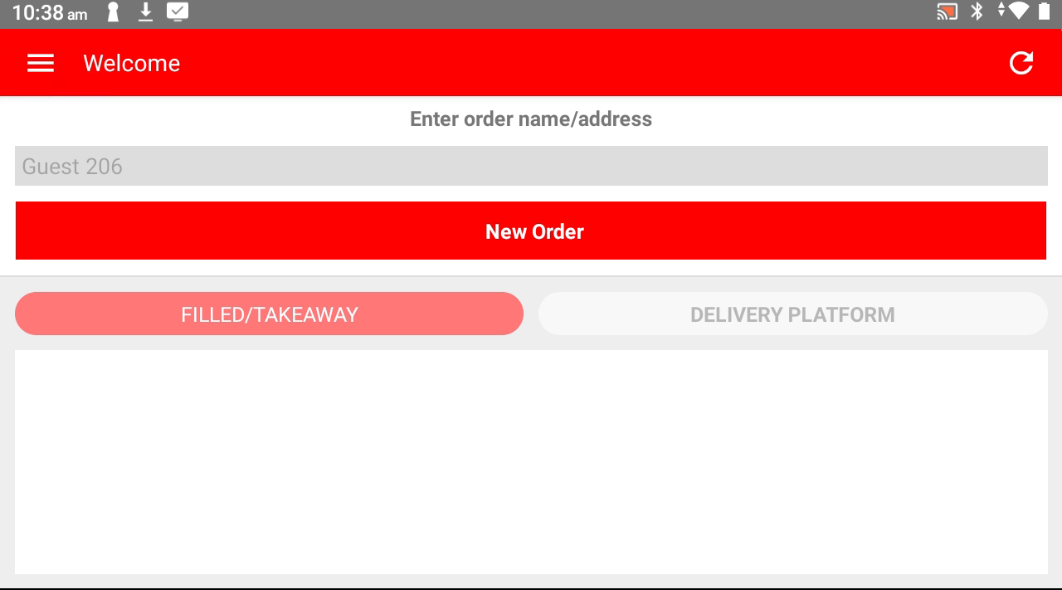
Step 2: Start a New Order
Tap "New Order" on the home screen.
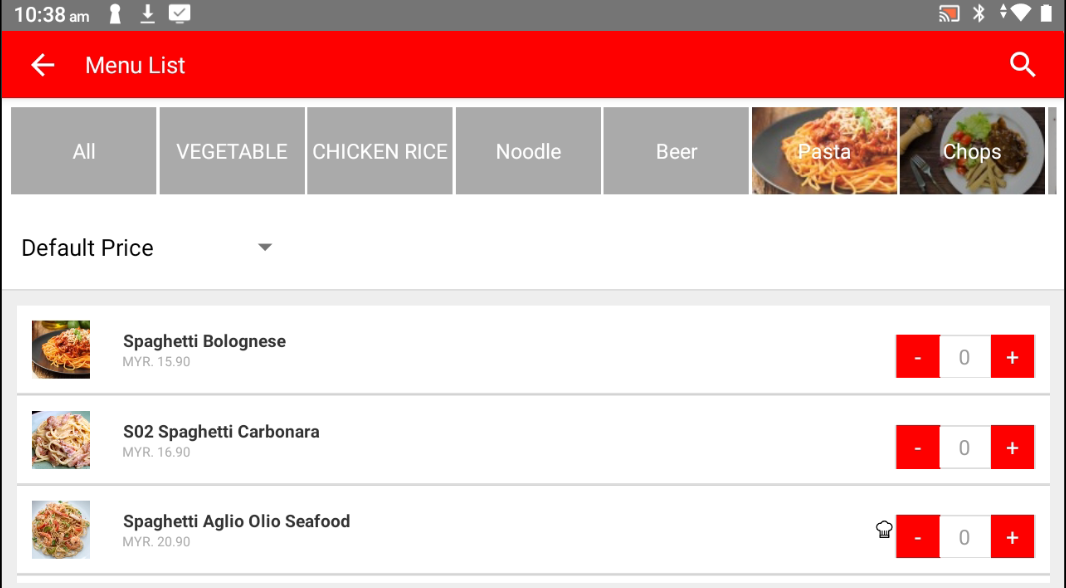
Step 3: Add the Product
Select the product(s) the customer wants to order.
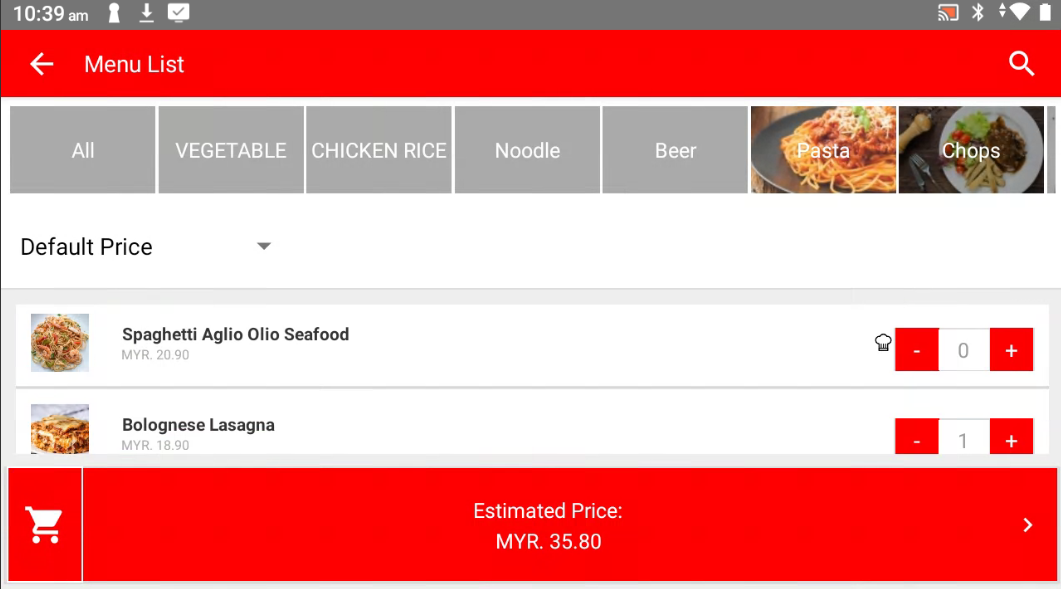
Step 4: Tap "Estimate Price"
Review the selected items and check the order summary.
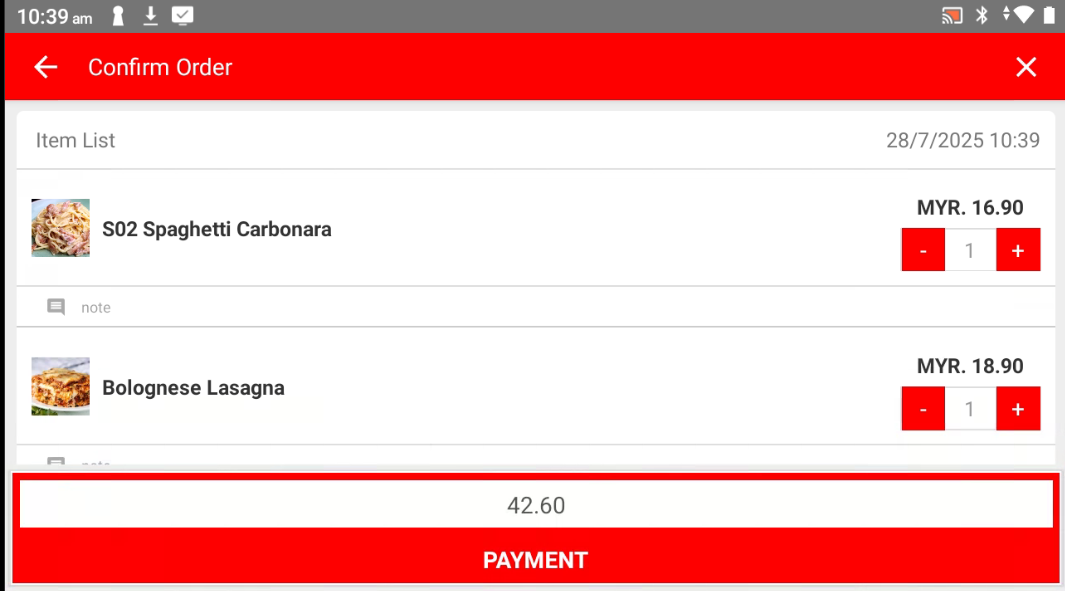
Step 5: Tap "-" (Minus) to Cancel an Item
Tap the "-" button next to the product you want to remove from the order.
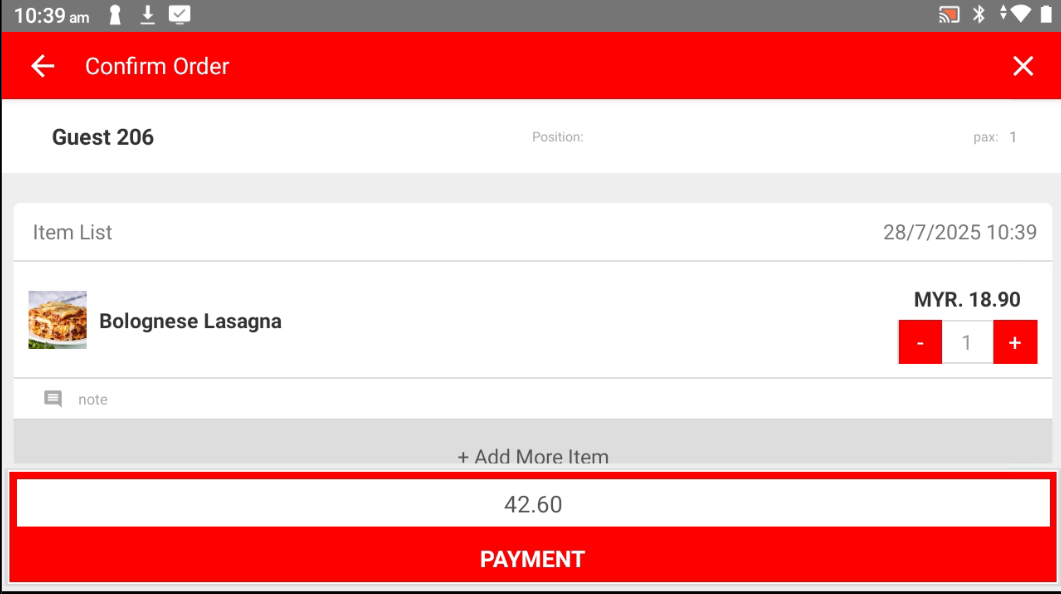
Please refer to the link below:
------------------------------------------------------------------------------------------------------------------------------------------
Still stuck?
Our team is happy to walk you through this step by step.
