Tax & Service Charge
Go to Management > Invoice Setting > Tax & Services:
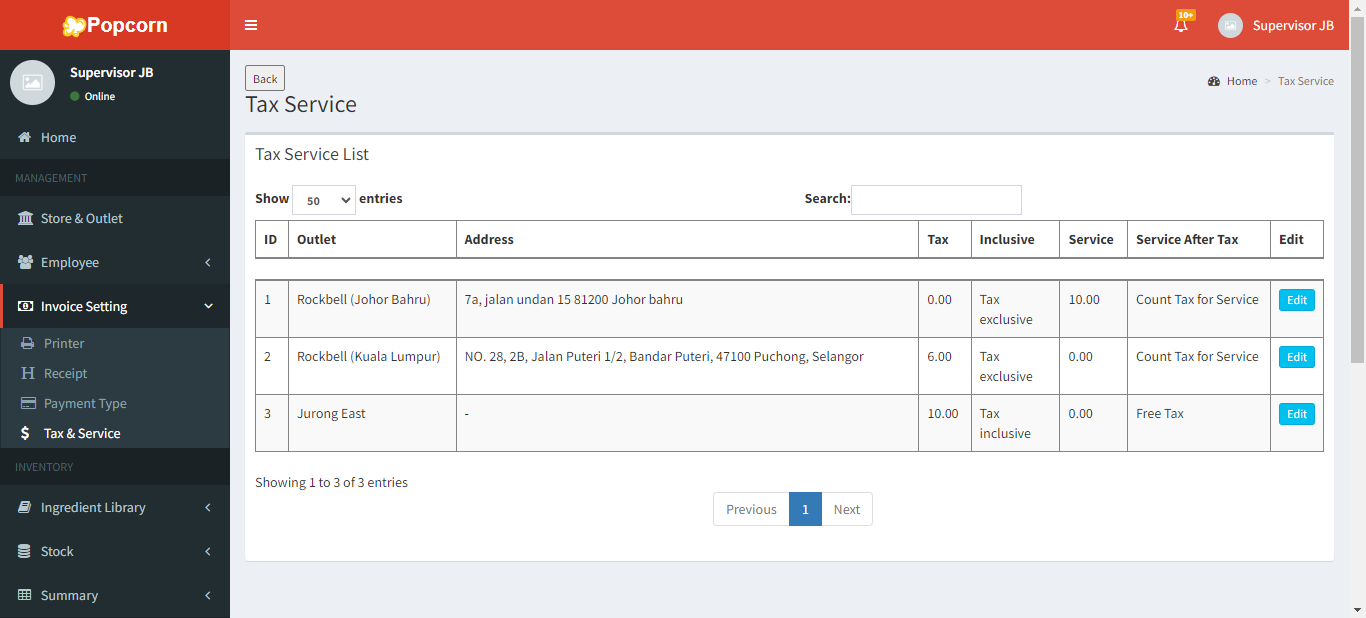
Click on  and scroll down to find the Tax & Service Charge section.
Tax & Services: Maintain Tax & Service Charge and it will automatically apply to the products
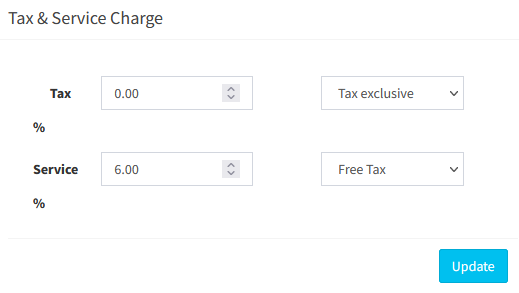
- Tax Option including:
- Tax exclusive: The tax amount is calculated from the product’s gross amount
- Tax inclusive: The product’s price already include the tax amount
- Tax exclusive from subtotal: Tax amount is calculated from the subtotal instead of the product’s unit price
- Tax inclusive from subtotal: Subtotal already include the tax amount
- Service Option including:
- Service Charge is taxed: Service charge is calculated from Subtotal, then Tax Amount is calculated from Subtotal + Service Charge
- Service charged is taxed from subtotal: Service charge is calculated from Subtotal, then Tax Amount is calculated from Subtotal + Service Charge
------------------------------------------------------------------------------------------------------------------------------------------
Please refer to the video below for more information:
Still stuck?
Our team is happy to walk you through this step by step.
