How to Set Dual Screen Banner and Transaction Banner
*Recommended device for dual screening: IMIN D4-504 Dual Screen
Dual Screen Banner:
- Go to Transactions > Product Library > Dual Screen Banner > Dual Screen Banner List
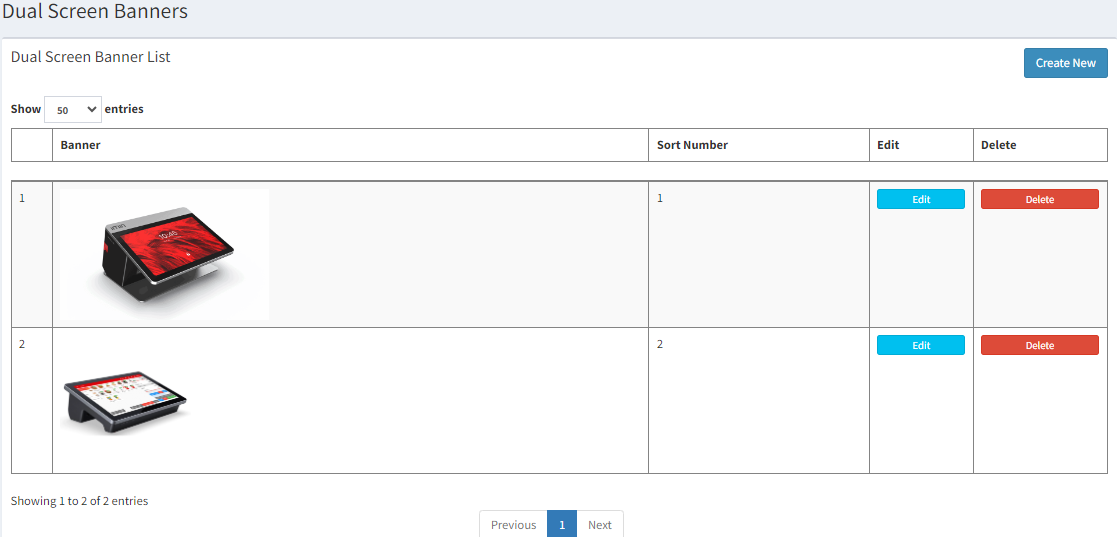
- Click
 to create add in new banner
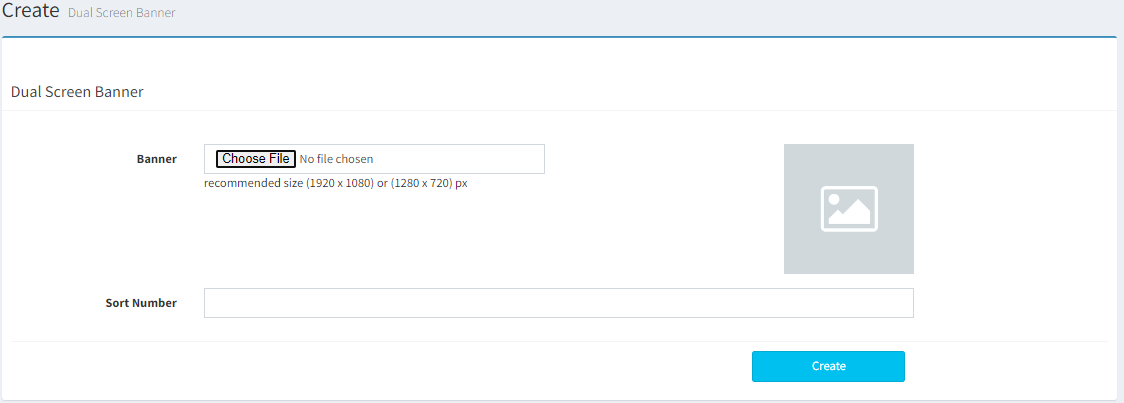
- Upload the picture of the banner from your device and click on
 to save
Transaction Banner:
- Go to Transactions > Product Library > Dual Screen Banner > Dual Screen Transaction Banner
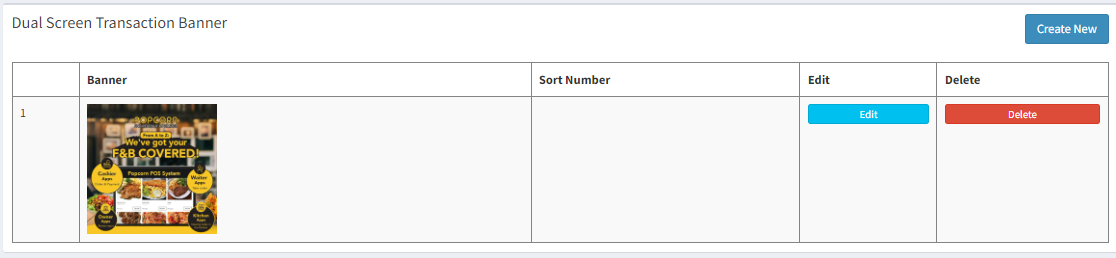
- Click on
 to upload new banner
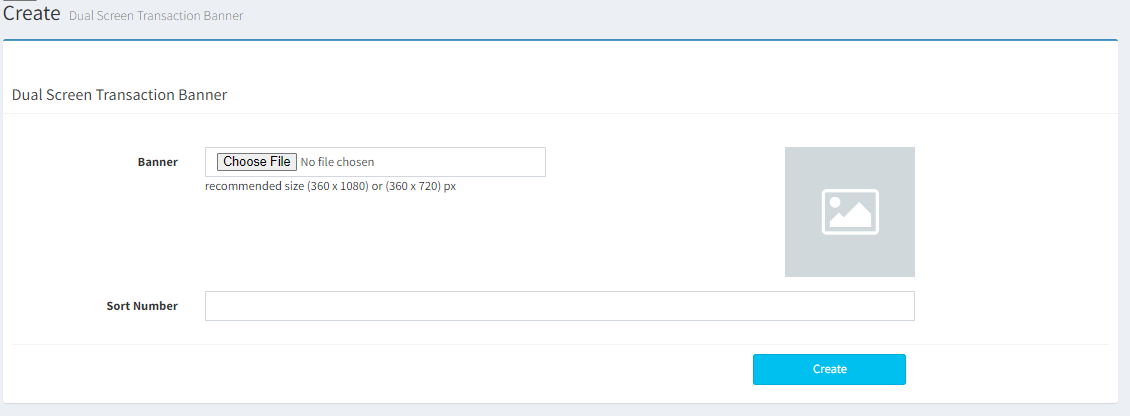
- Upload the picture of banner from your device and click on
 to save
------------------------------------------------------------------------------------------------------------------------------
Please refer to video below for more information:
Still stuck?
Our team is happy to walk you through this step by step.
