How to Enable Multi Payment Mode
- Go to Setting > Cashier App Setting:
Multi Payment: Allows customer to make payment in more than one method/way
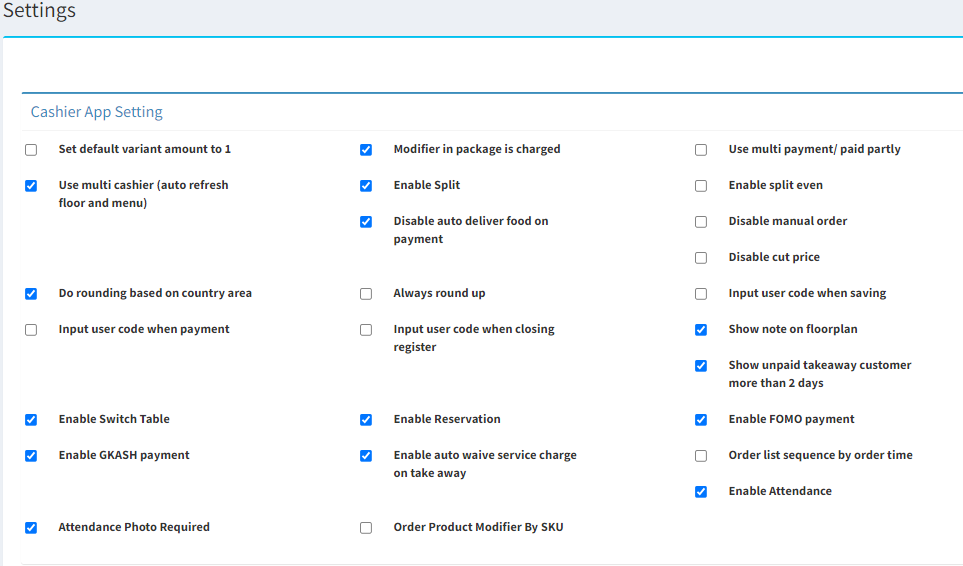
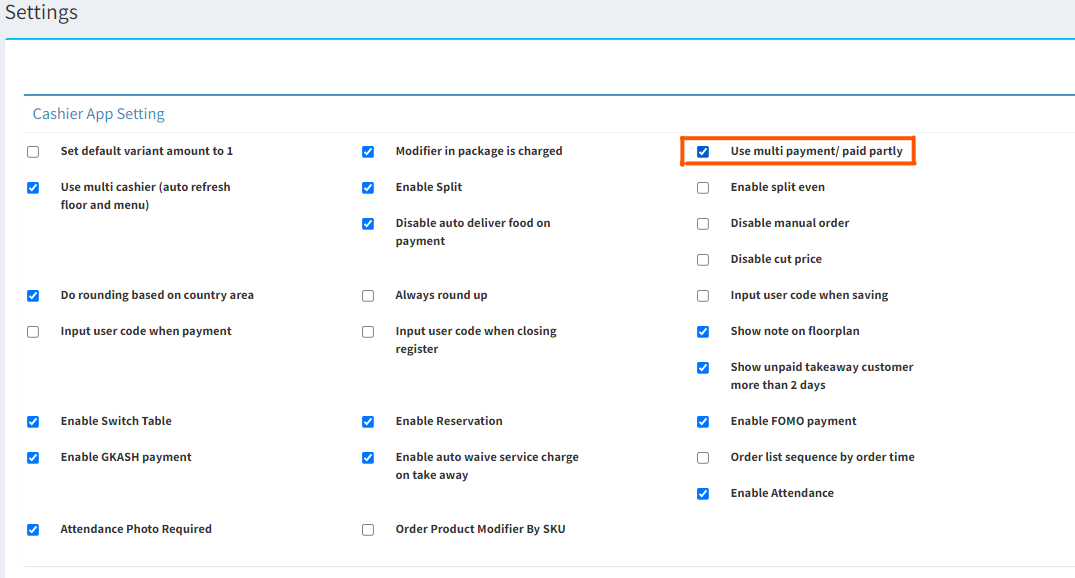
- Tick on Use multi payment/paid partly
- Scroll down and click
 to update the change
------------------------------------------------------------------------------------------------------------------------------------------------------
Please refer to the video below for more information:
Still stuck?
Our team is happy to walk you through this step by step.
