How to Create Product Category
Go to Transaction > Product Library > Product Category:
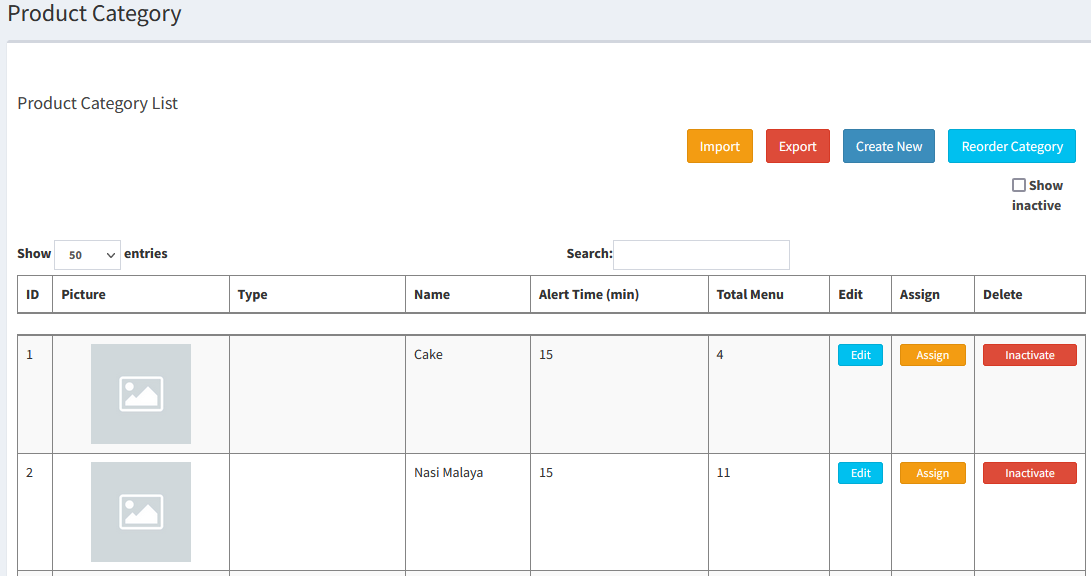
- Create new by clicking
 :
:
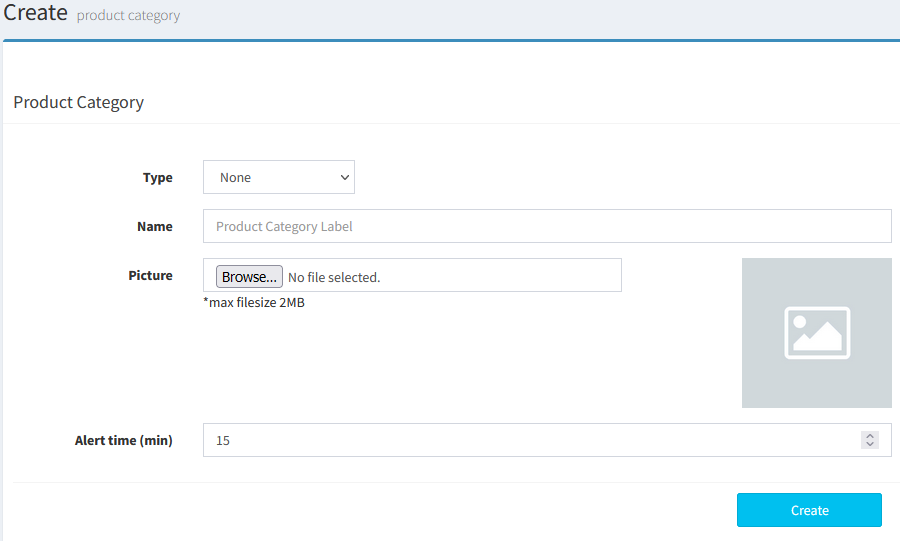
- Type: None/Food/Drinks & Beverage
- Name: Product Category Name
- Picture: Can put in photo
- Alert Time: For kitchen use
- Another way to create new Product Category (Use Excel File):
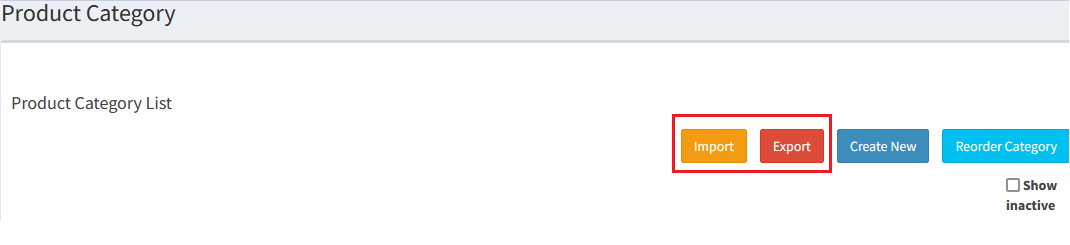
- Select Export, then key in the product category in the Excel File
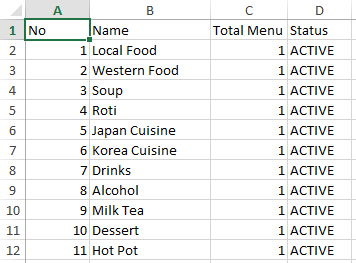
- Then select Import and select the Excel File
----------------------------------------------------------------------------------------------------------------------------------------------------------
Please refer to the video below for more information:
Still stuck?
Our team is happy to walk you through this step by step.
