How to Create New Product
Go to Transaction > Product Library > Product:
- Can create New Product & New Package
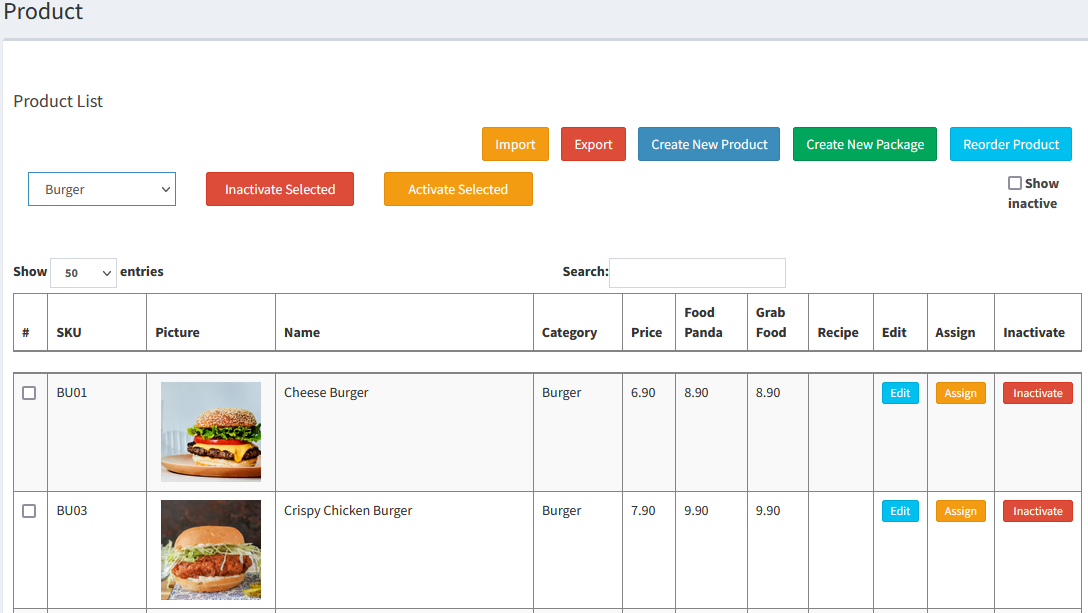
- Create New Product:
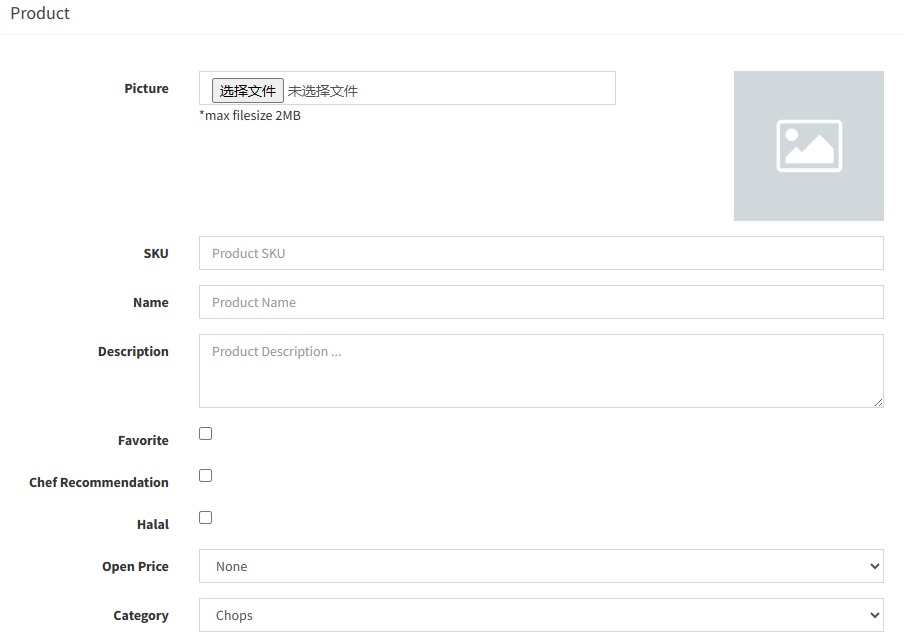
- Picture: Product’s photo
- SKU: Product Code (e.g.Nasi Goreng, SKU= NG01)
*Please avoid any Chinese character and Symbol(like @#$%^&*) for SKU - Name: Product Name
- Description: Product Description
- Open Price: Select type open price
- Category: Select the belonging category
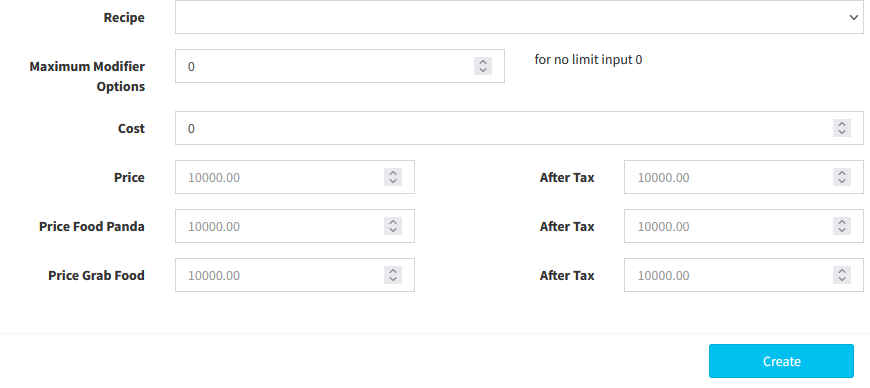
- Recipe: Select the Recipe (this is for inventory control function)
- Maximum Modifier Options: Can set the maximum number of modifier option
- Cost: Product’s cost price
- Price: Product’s selling price
- Price Food Panda/Grabfood: This is the price for different types of product pricing(please refer to topic: How to Set Different Pricing)
- Another way to create new Product (Use Excel File):
- Select
 and open the Excel File, then key in the product information in the Excel File
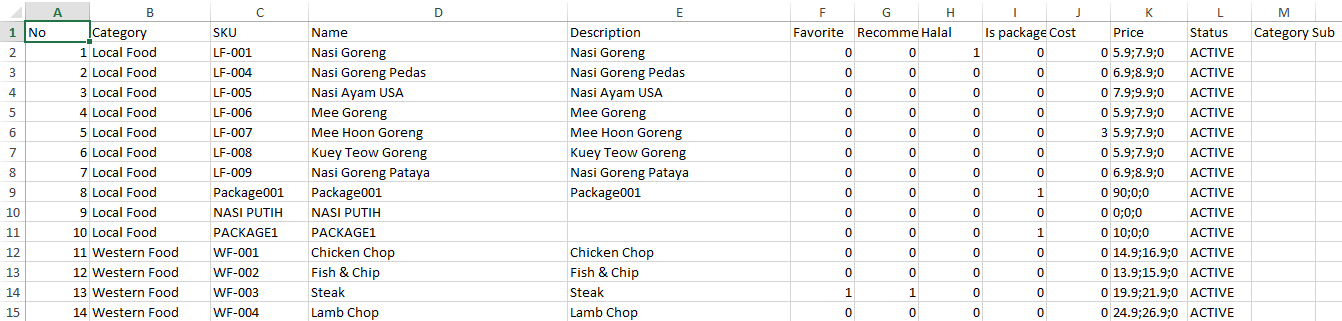
- Then select
 and select the Excel File to import the product list
- Create New Package:
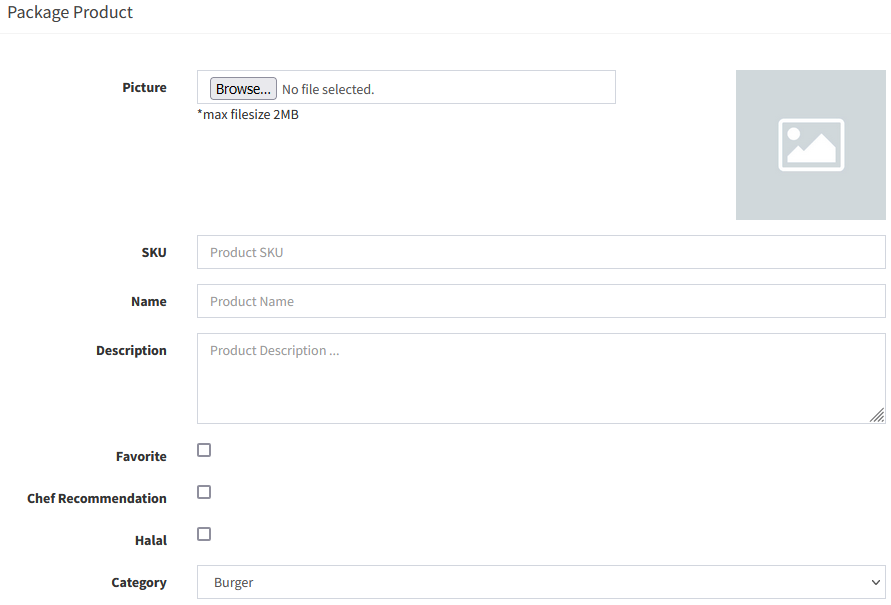
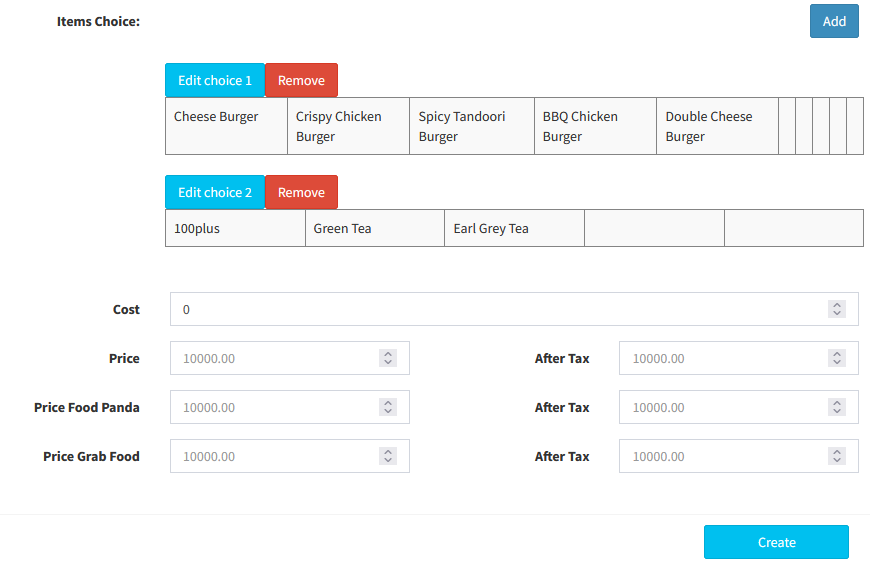
- For package, Items Choice is required.
- Click
 to add a new choice
----------------------------------------------------------------------------------------------------------------------------------------------------------
Please refer to the video below for more information:
Still stuck?
Our team is happy to walk you through this step by step.
