How to Create Voucher
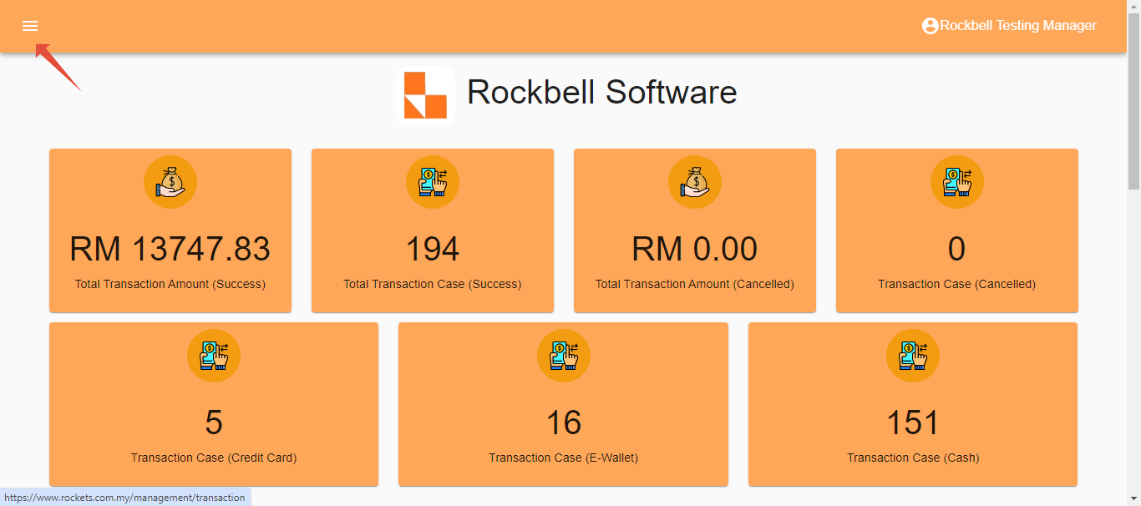
After login to Rocket Backend Portal(https://rockets.com.my/login), click on ☰ to open side menu
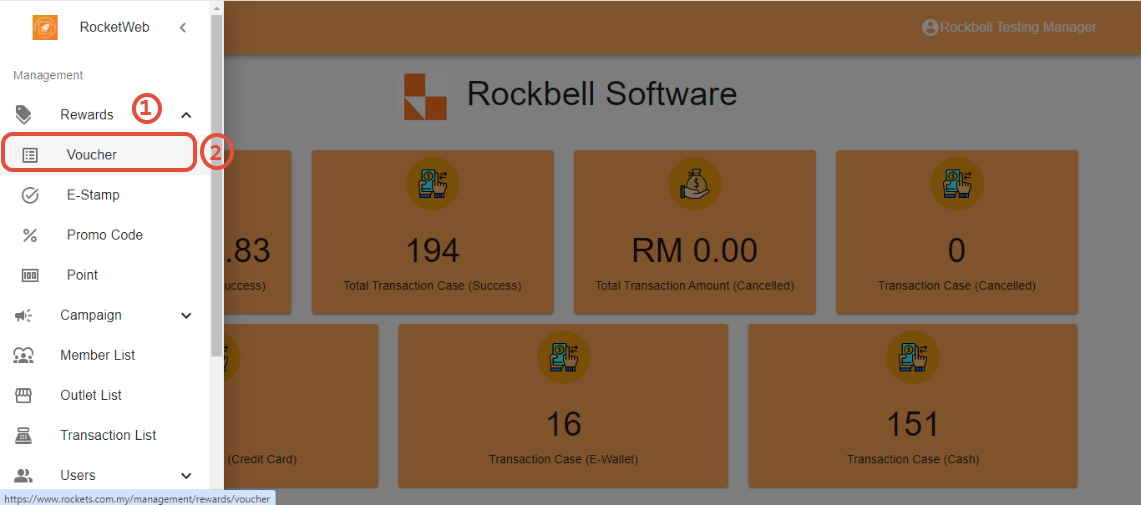
Click on Rewards, then click on Voucher
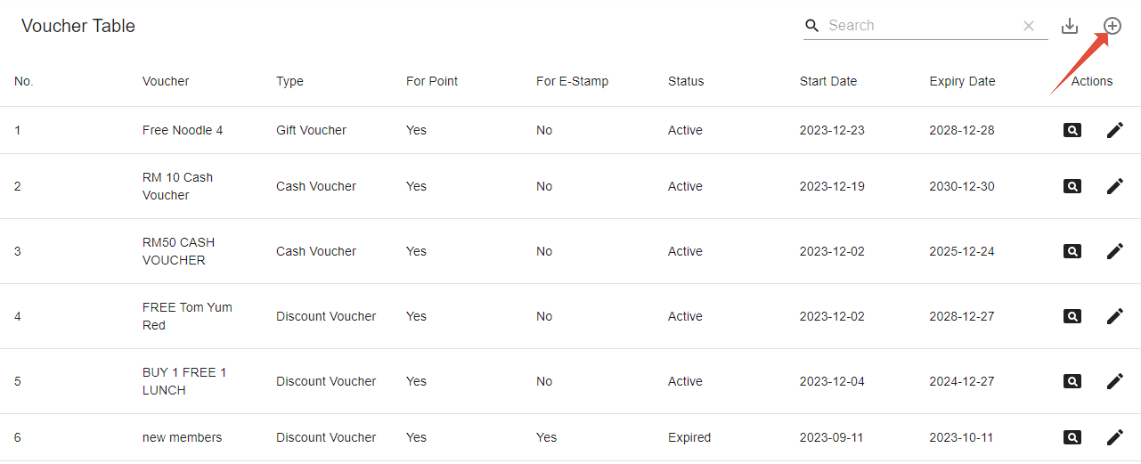
In the voucher table, click on ⊕(add) symbol on the top right corner of the table to create new voucher
Fill in all the information required to create the voucher, then click on Create
*Voucher Type we currently support discount voucher and cash voucher
*We currently support voucher redeemable by point only, make sure to always select redeemable by point even if the voucher doesn't require points for redemption
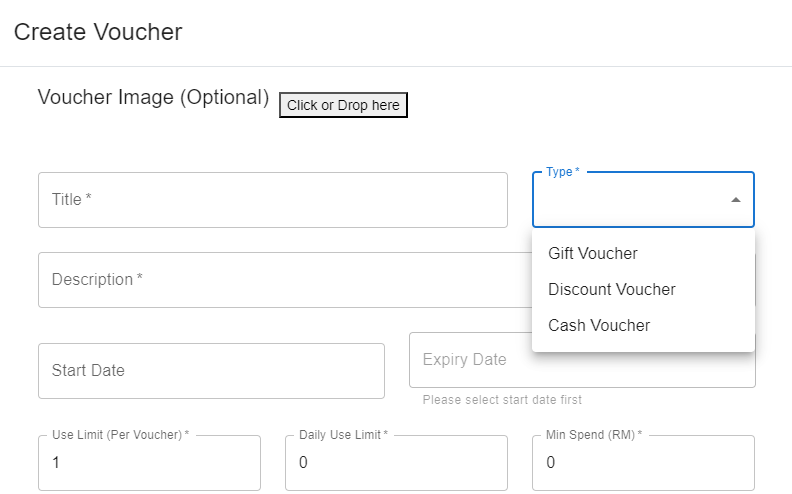
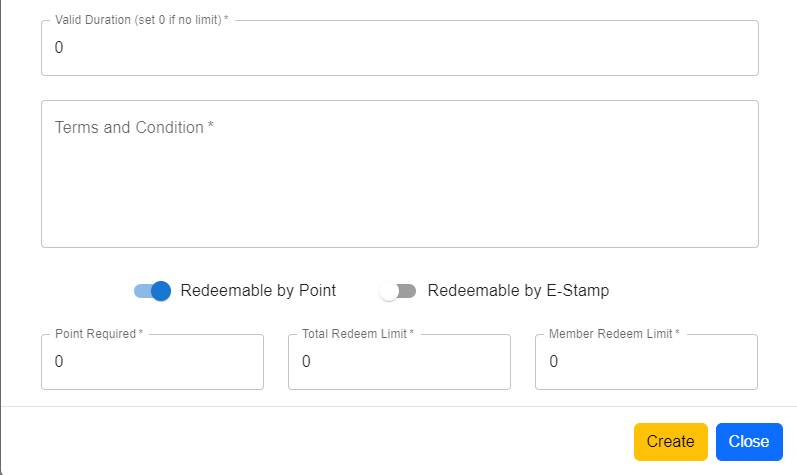
- Voucher Type: - Gift Voucher
- Discount Voucher: Deduct the amount of purchase using percentage (E.g. 10%, 20%)
- Cash Voucher: Deduct the amount of purchase with direct specified amount (E.g. RM10, RM15) - Use Limit (Per Voucher): The maximum times of a specific voucher (one voucher) can be used
- Daily Use Limit: The maximum times of a specific voucher can be used by a specific customer in a day
- Min Spend (RM): The minimum amount of purchase (in RM) required in order to apply the voucher
- Valid Duration: The period of time that the voucher is able to be use once redeemed (expiry time)
*There will be no need of valid duration if the expiry date is set - Maximum Discount: The maximum amount that can be deducted in a transaction while using the voucher (E.g. 15%OFF capped at RM100)
- Total Redeem Limit: The limit quantity of this voucher opening for redemption (E.g. Limited for the first 100 person)
- Member Redeem Limit: The limit quantity of this specific voucher can the member redeem
--------------------------------------------------------------------------------------------------------------------------------------
Still stuck?
Our team is happy to walk you through this step by step.
