Version 2.4C - 16 December 2023
New Features in V2.4c
No | Features | Description |
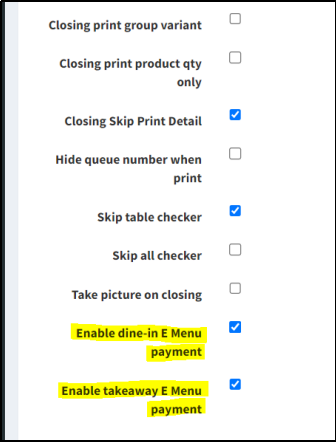
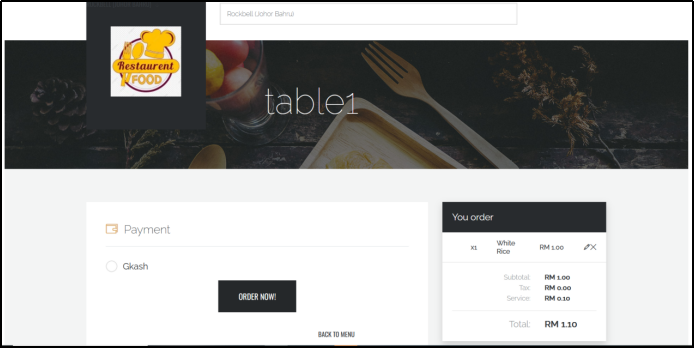
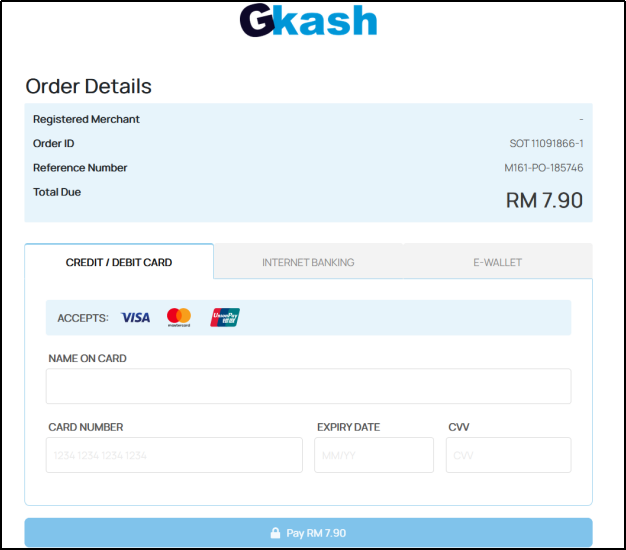
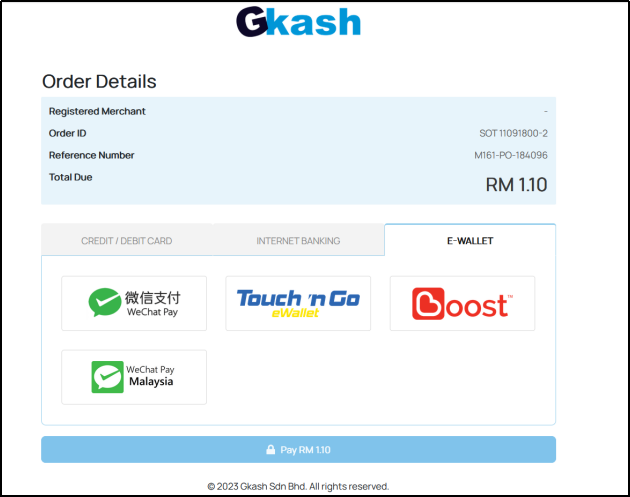
1 | E-Menu Payment Gateway | QR Order linked with GKASH payment gateway |
2 | Edit Open Price Item After Save | Able to edit Open Price after order is saved |
3 | Voided Receipt Displays Decimal Points | Voided Bill Printout Displaying Full Amount with Decimal Points |
4 | Speed Up Performance | Upgrade & Speed up the performance on Product Listing & Reports |
| 5 | Capture Correct User ID & Date for Voided Bill | The Void Report now able to capture correct user ID , date and time for voided bills |
| 6 | Add in Package Item ‘Only Show In Package’ | Able to hide specific package item from E-menu, but these items can only be displayed under the package |
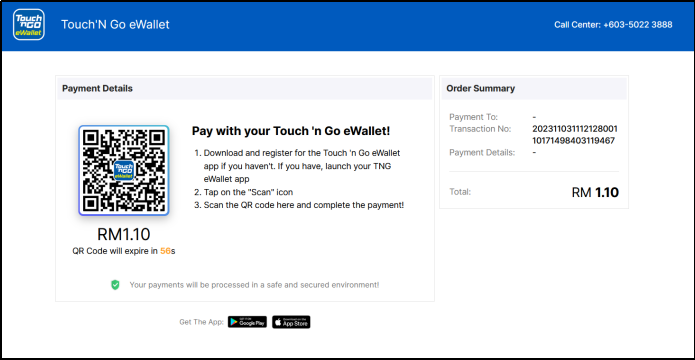
Enhancement 1: EMenu Payment Gateway Feature
- User can direct make payment through Credit/Debit Card, FPX & E-Wallet on E-Menu
Enhancement 2: Edit Open Price Item After Order is Saved
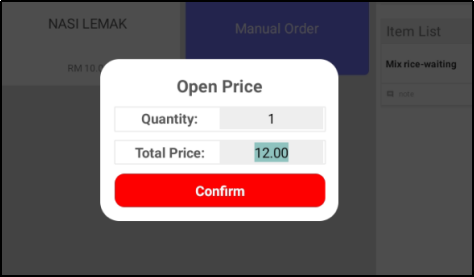
- Commonly used in seafood restaurants for fish and crab dishes
- Waiter/Cashier can edit the price even after order is saved
Enhancement 3: Voided Bill Printout Displaying Amount with Decimal Points
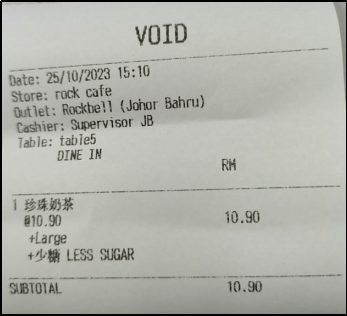
- On the previous version, it could only display integers and couldn't show decimal points.
- For this version, it has been enhanced to be able to print out decimal points.
Enhancement 4 : Upgrade performance and speed on the Product Listing
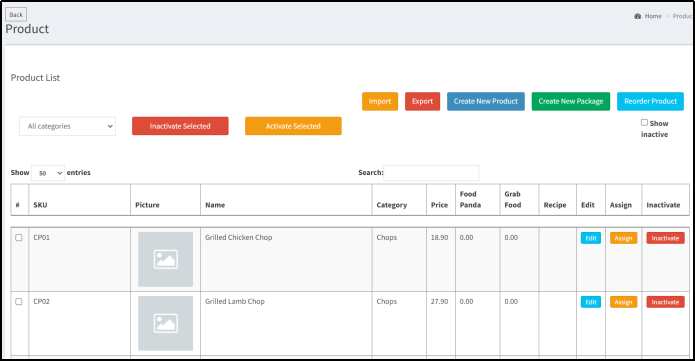
- The speed and performance on Product Listing Page has been enhanced.
- Users now can find and view products quickly and efficiently.
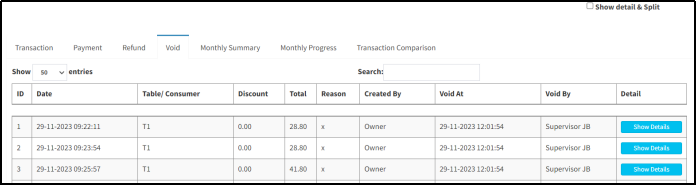
Enhancement 5 : Capture Correct User ID & Date for Voided Bill
- The Void Report now able to capture correct user ID , date and time for voided bills.
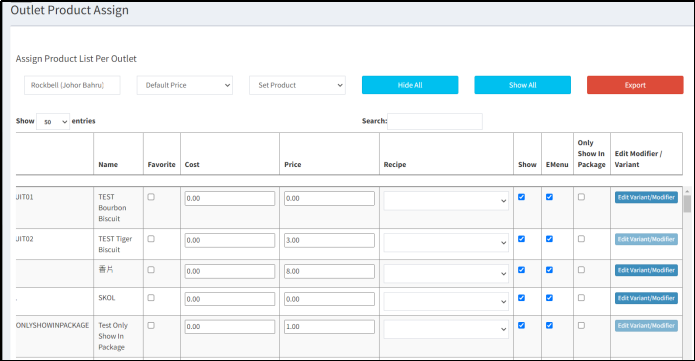
Enhancement 6 : Add a New Option for Package Item ‘Only Show In Package’
- You can now find a new checkbox labeled 'Only Show In Package' on the outlet menu book.
- You can hide specific package item from E-menu, but these items can only be displayed under the package.
Still stuck?
Our team is happy to walk you through this step by step.
