Version 2.3 - 6 June 2023
New Features in V2.3
No | Features | Description |
1 | Dual Screen | Add in Customer Display Screen Function. Suitable for dual screen machine like IMIN D4-504(Dual Screen) |
2 | Open Price | Suitable for Seafood Restaurant & Nasi Kandar Restaurant (Able to key in price in more flexibly) |
3 | Improve the Product Order List to Match the Order Sequence | Make the list of products follow the order in which they are usually placed |
| 4 | Auto Waive Service Charge on Take Away Bill | Free service charge will be automatically applied to the take-away bill |
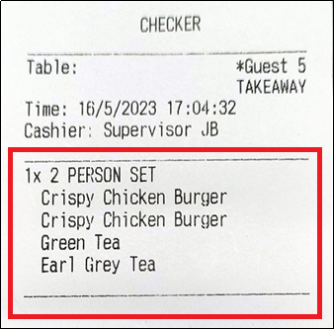
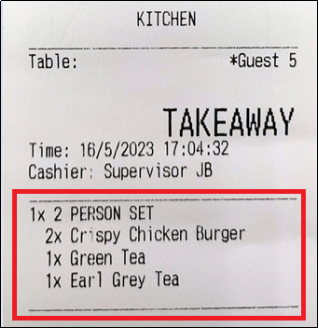
| 5 | Package Item Shows Ordered Quantity | The items in the package can display their quantity on both the kitchen and table checker |
ENHANCEMENT 1: DUAL SCREEN
Dual Screen Banner:
*Second Screen able to show out advertisement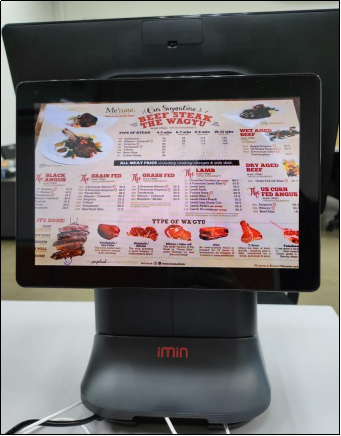
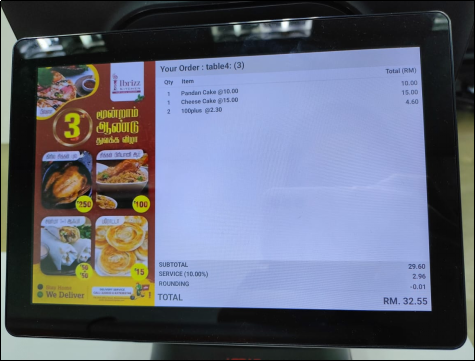
Dual Screen Transaction Banner:
*Customers are able to see and check their orders and amounts in real time
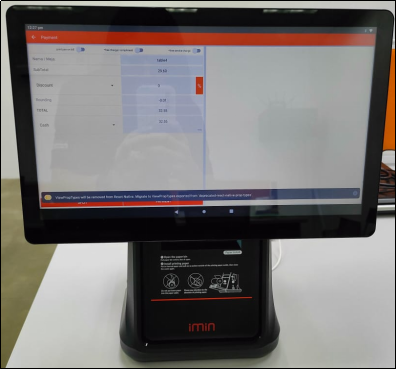
*View of Cashier
Backend Setting:
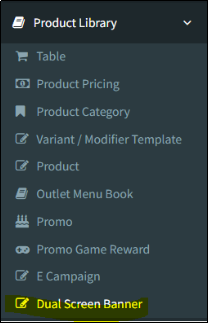
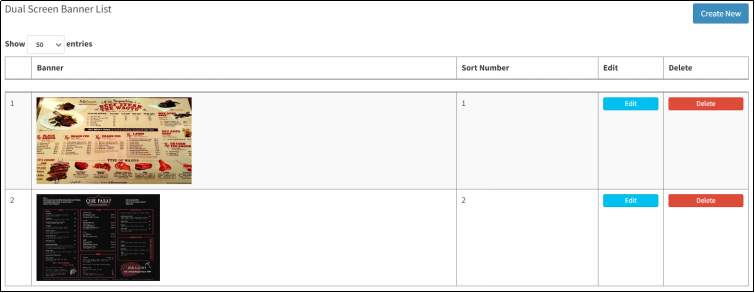
*Able to input advertisement photos from backend portal to display the photo on second screen
(recommended size 1920 x 1080px or 1280 x 720px)
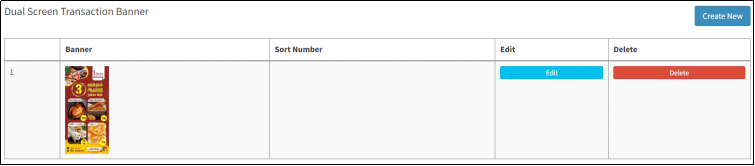 *(recommended size 360 x 1080px or 360 x 720px)
ENHANCEMENT 2: OPEN PRICE
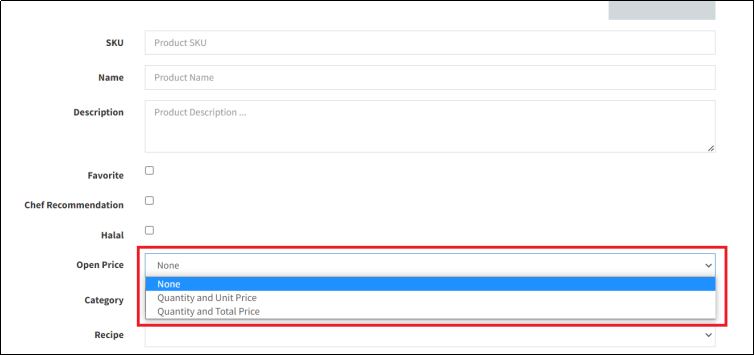
We have 2 types of Item Open Price:
A) Open Price with Quantity and Total Price Only (Nasi Kandar…)
B) Open Price with Quantity & Unit Price (Ikan Bakar, Seafood….)
Backend Setting:
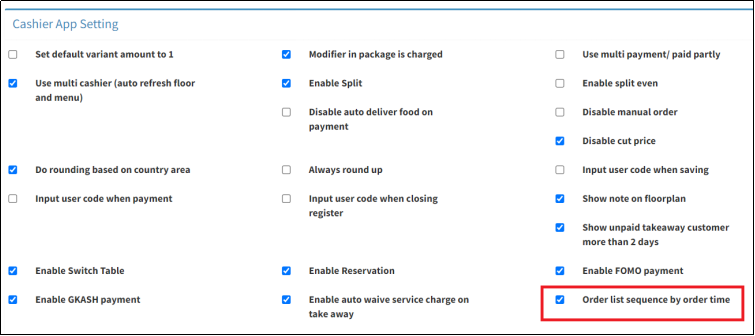
ENHANCEMENT 3: ENHANCE THE PRODUCT ORDER LIST TO FOLLOW THE ORDER SEQUENCE (POPCORN POS CASHIER APPS)
Backend Setting:
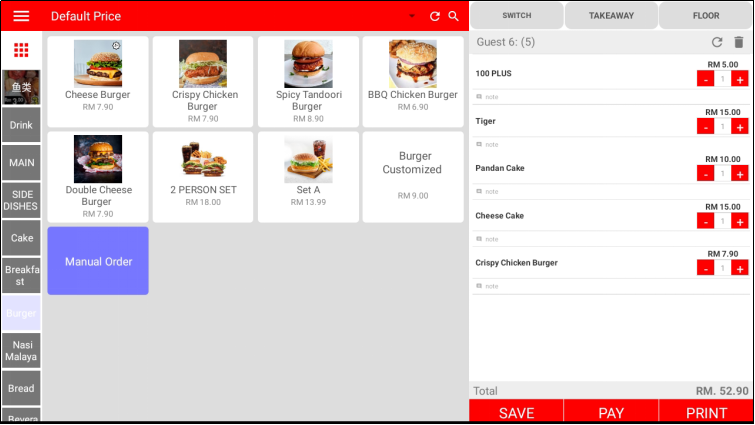
In the previous version (V2.2), the Product Order List will automatically arrange the sequencing, following the Product SKU, please refer to the photo below for more details:
Before save the order:
After saved the order:
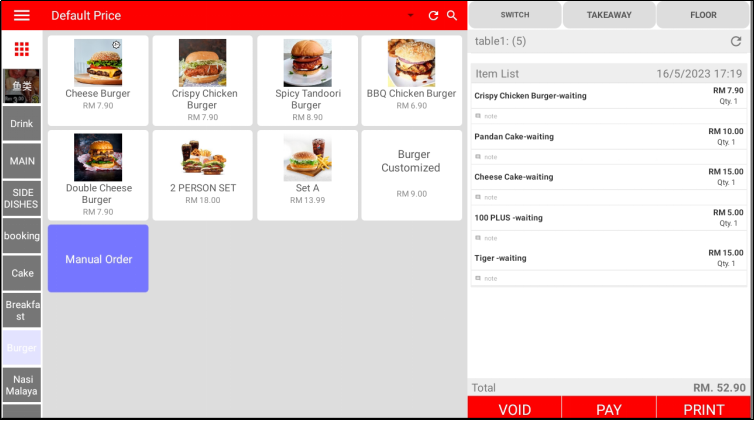
The new updated version will follow the order sequence rather than the Product SKU
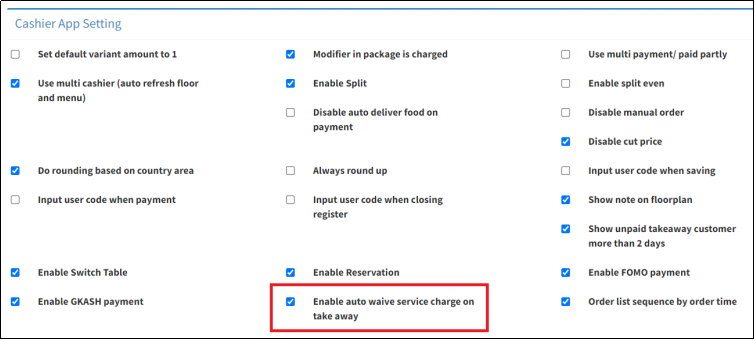
ENHANCEMENT 4: ENABLE AUTO WAIVE SERVICE CHARGE ON TAKE AWAY
In this updated version, free service charge will be automatically applied to the take-away bill
Backend Setting:
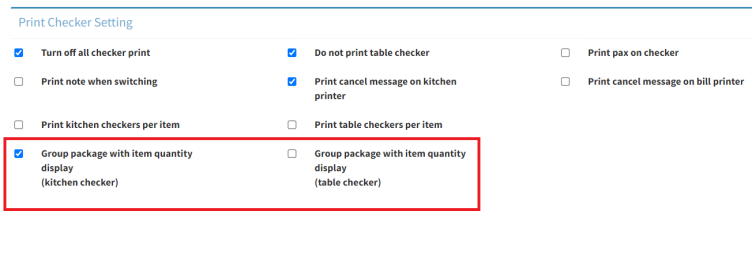
ENHANCEMENT 5: PACKAGE ITEMS ARE ABLE TO SHOW THE QUANTITY ON THE KITCHEN AND TABLE CHECKER
In the previous version, the table and kitchen checker were not able to display the quantity for the package items. Please see the photo below for more details:
Backend Setting:
Still stuck?
Our team is happy to walk you through this step by step.
