How to Take Order
- Open Popcorn Waiter App

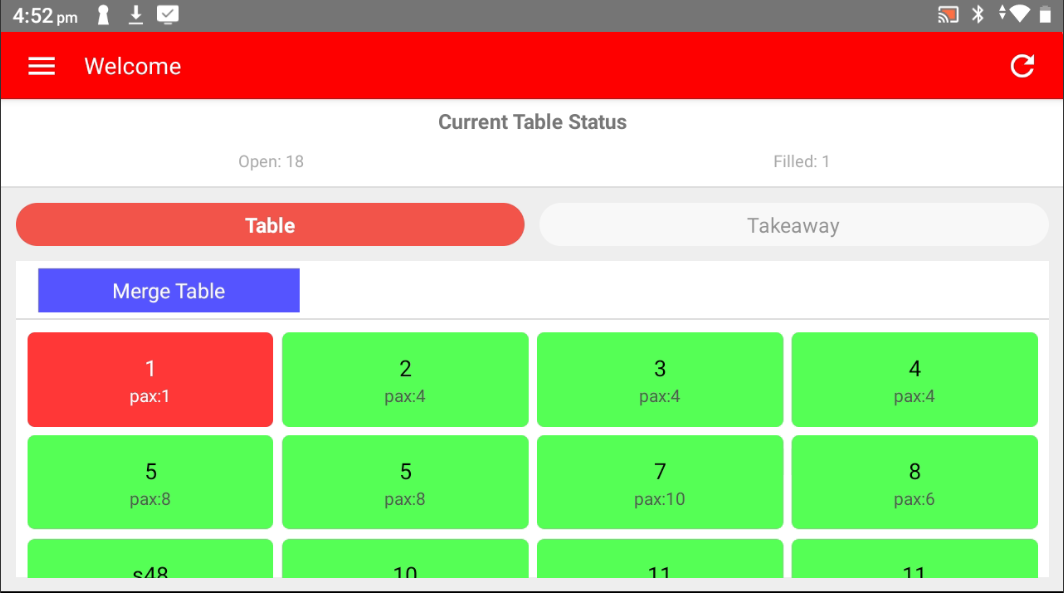
- Select the table to take order
Green: Available
Red: Seated/Filled
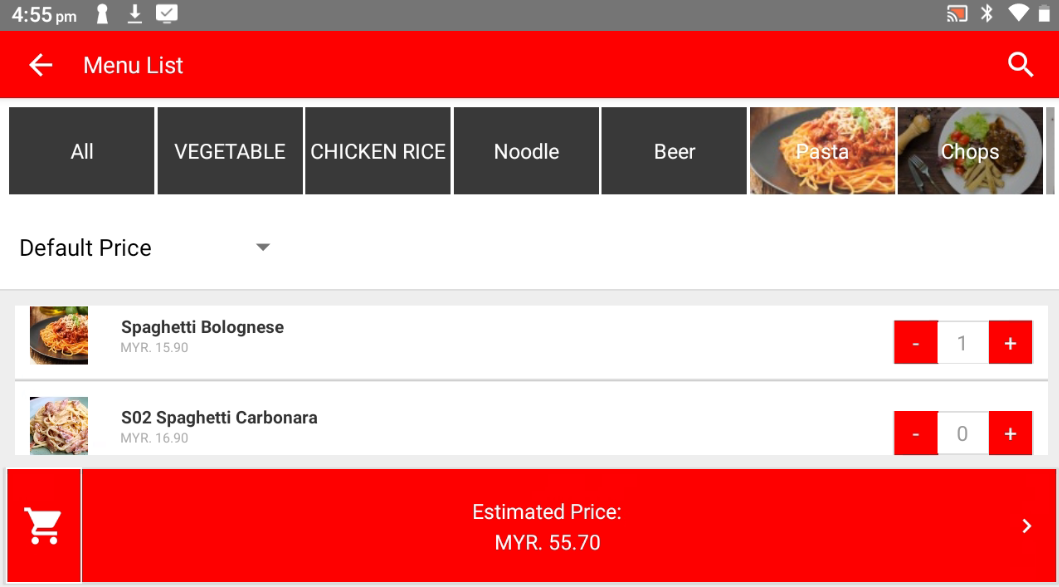
- Select the product ordered
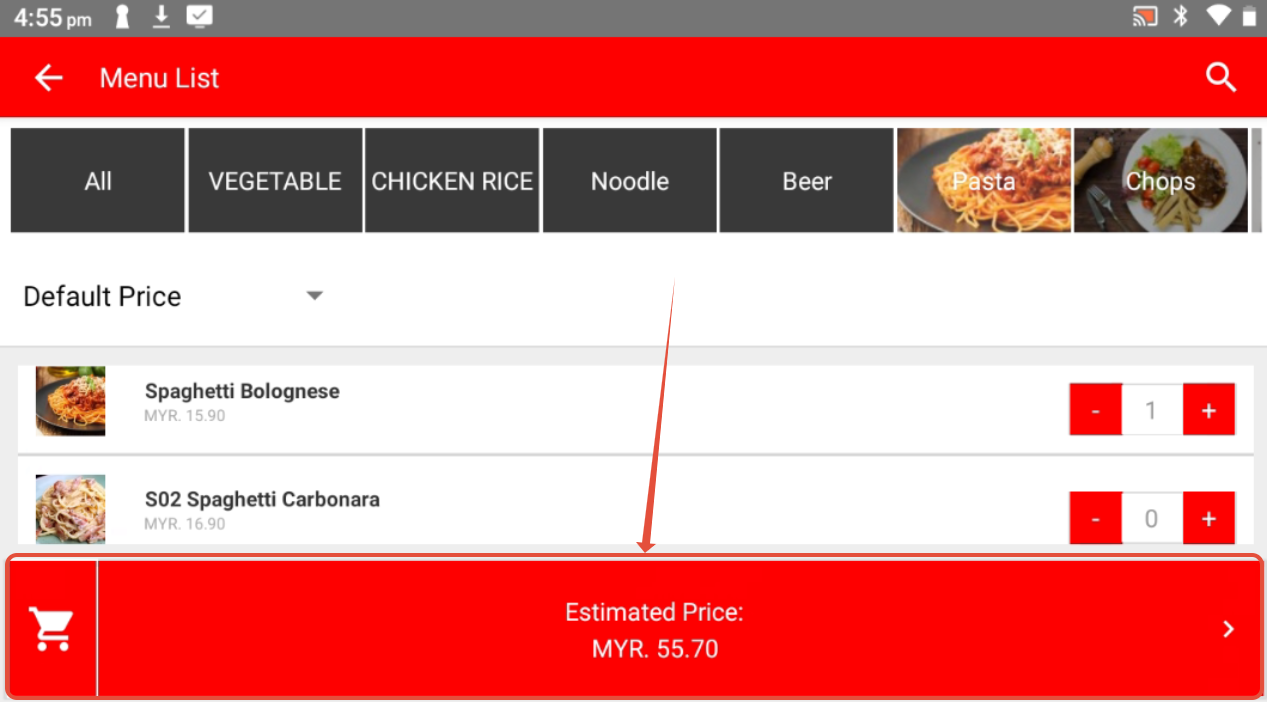
- Click on Shopping Cart icon below to process
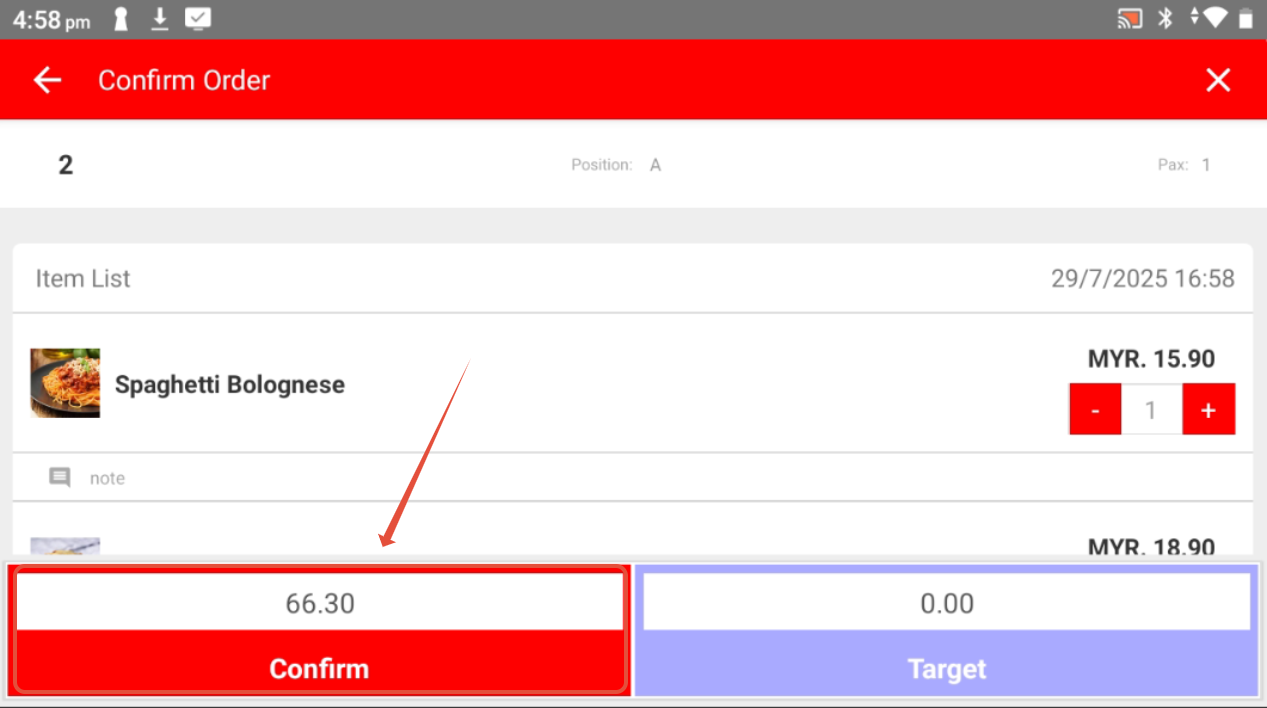
- Confirm the order and click on Confirm
-------------------------------------------------------------------------------------------------------------------------
Please refer to video below for more information:
Still stuck?
Our team is happy to walk you through this step by step.
