How to Merge Table
- Open Popcorn Waiter App

- Click on Merge Table
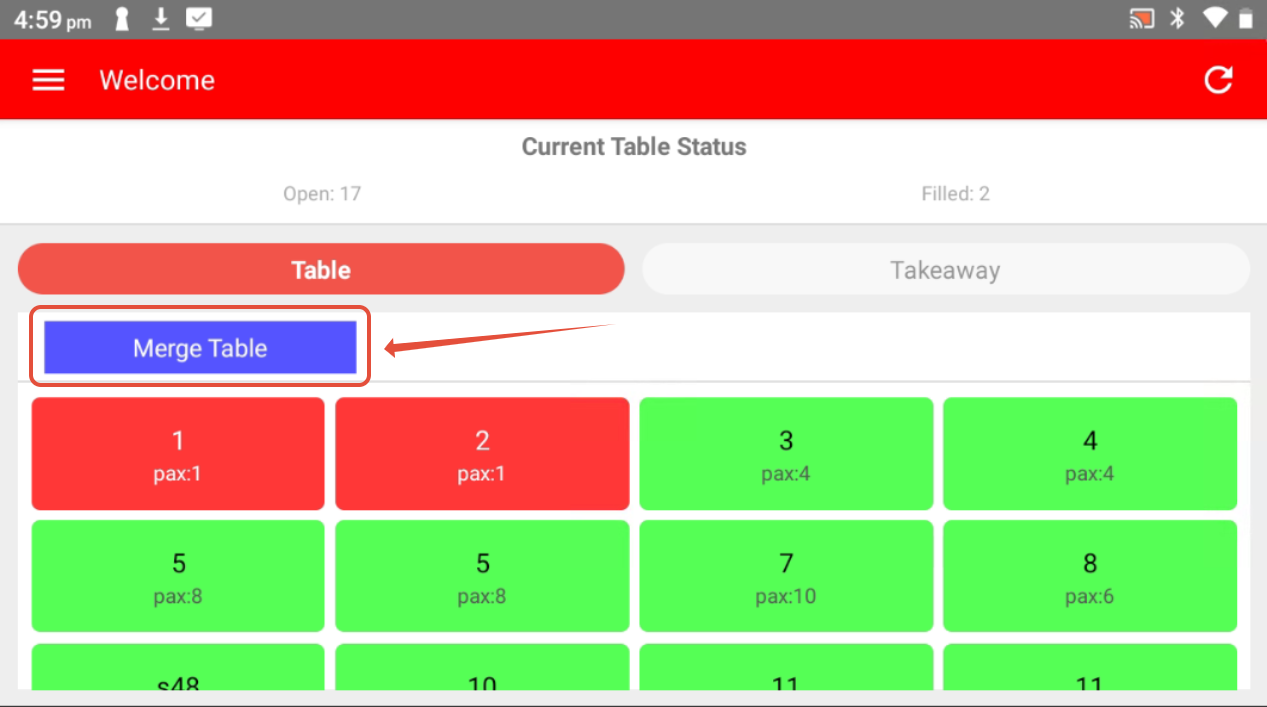
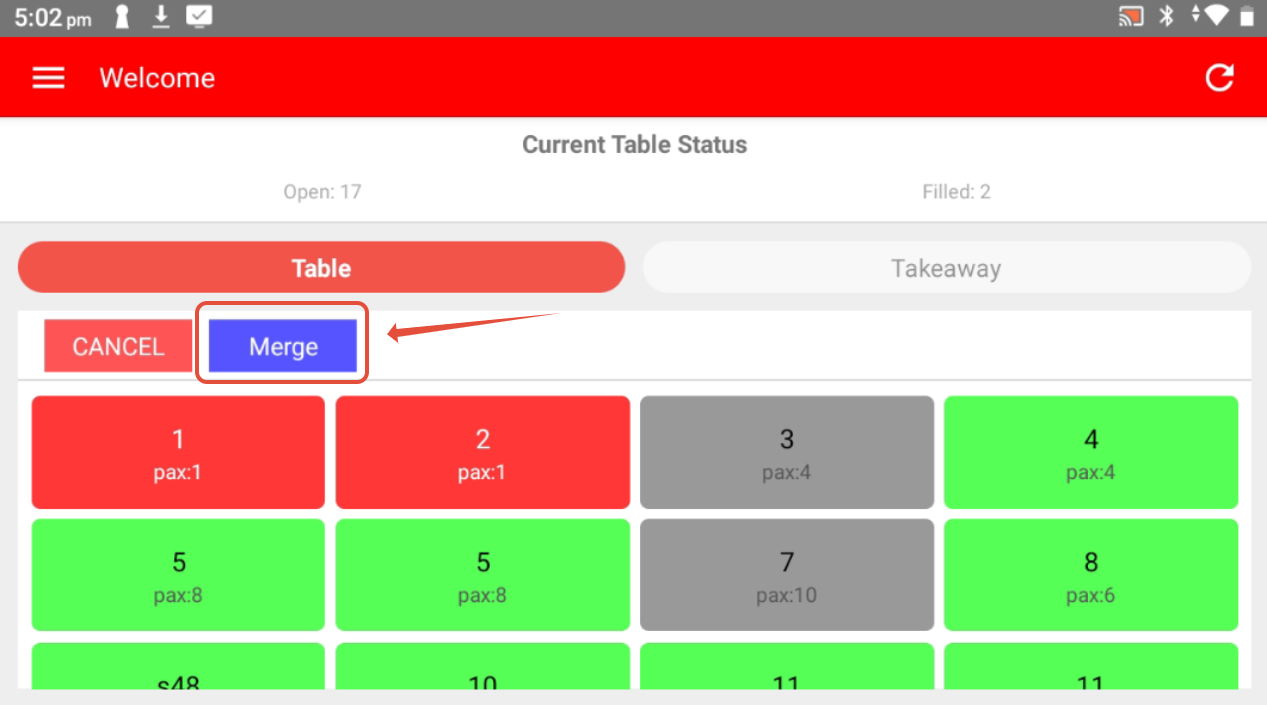
- Select the tables to merge (selected table will turn gray), then click on Merge
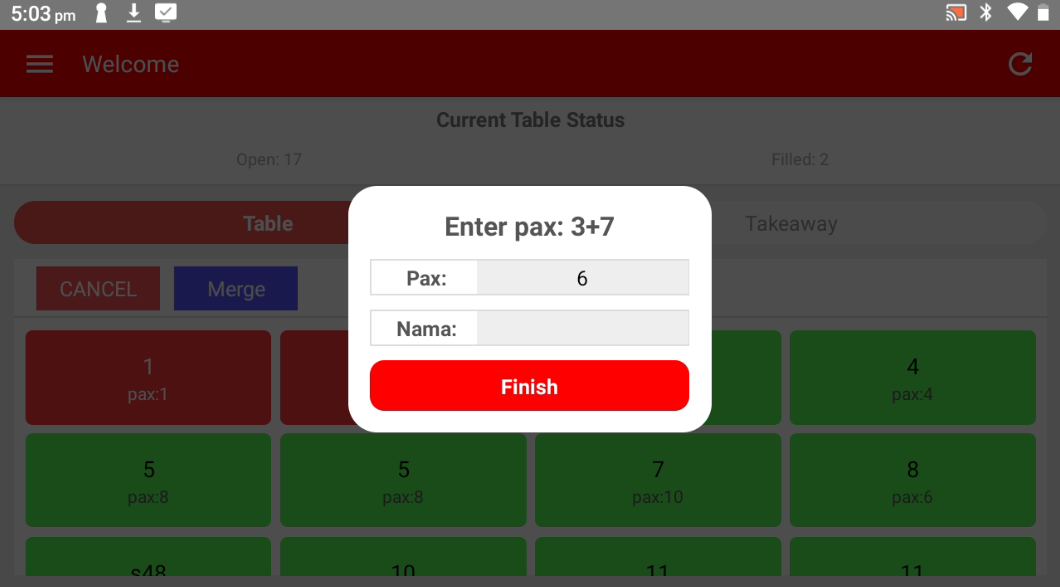
- Enter the number of person (optional) and click on Finish
------------------------------------------------------------------------------------------------------------------
Please refer to video below for more information:
Still stuck?
Our team is happy to walk you through this step by step.
