How to Check Printer Connection Status
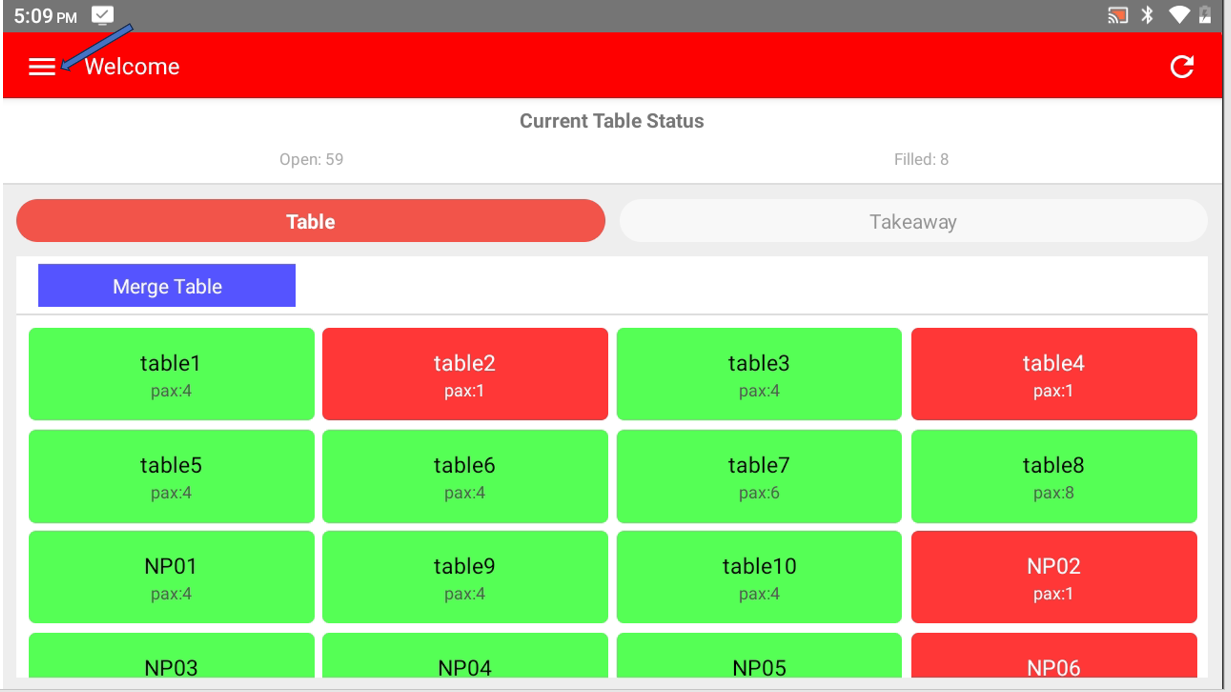
- In Popcorn Waiter App , click on ≡ on the top left corner to open the side bar menu
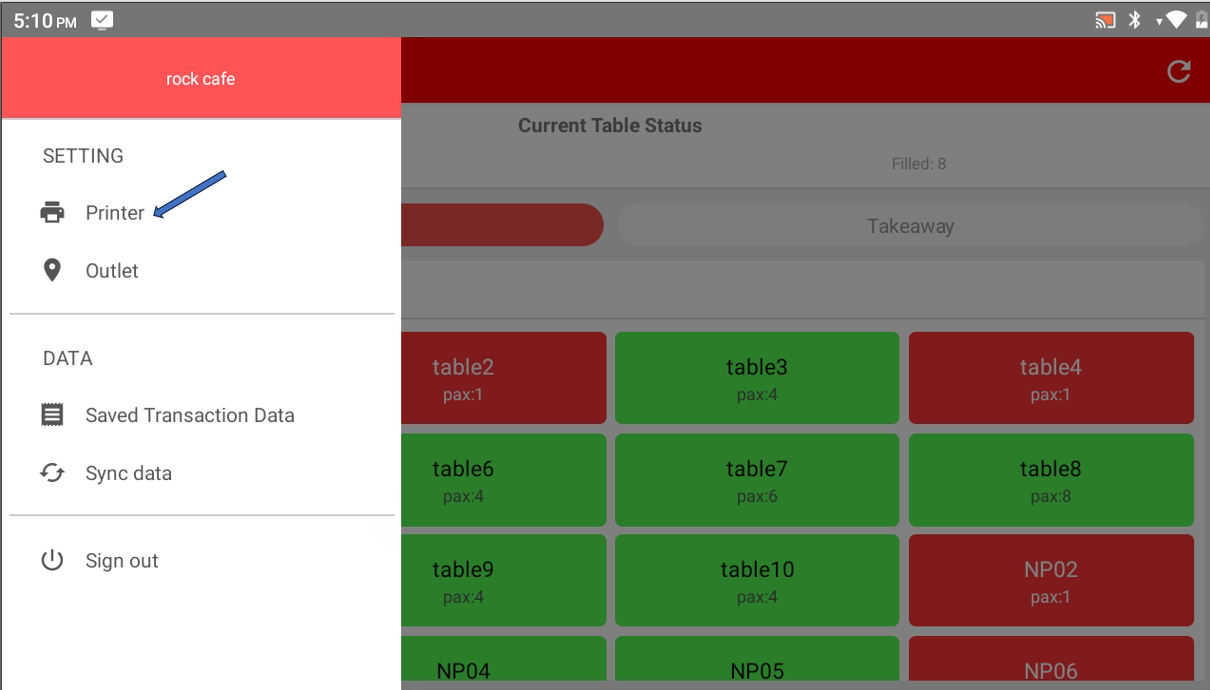
- Select Printer
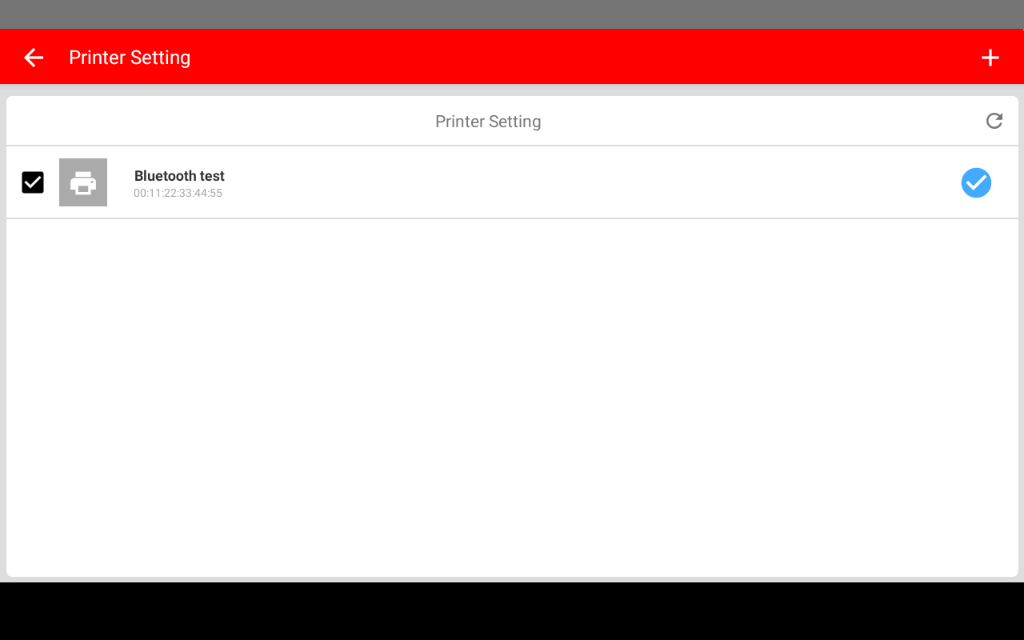
- The page will display the list of printer that already added
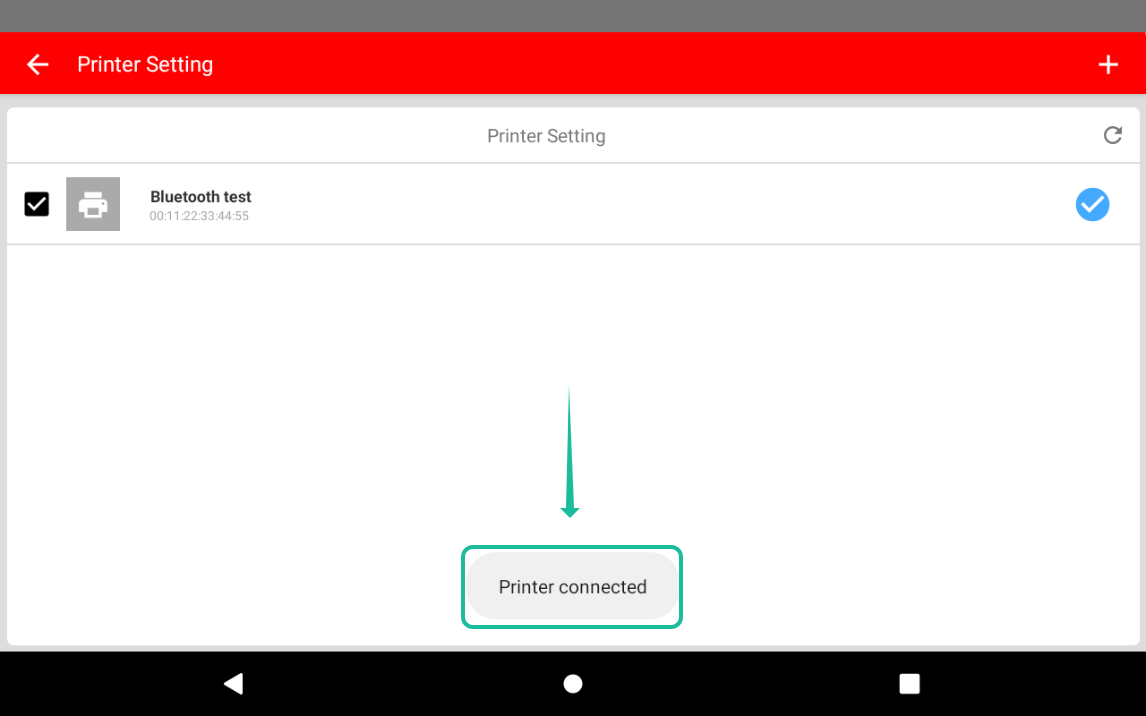
- Click on the printer you want to check, if the connection is stable the page will show Printer connected
Still stuck?
Our team is happy to walk you through this step by step.
