How to Install Edge By Popcorn
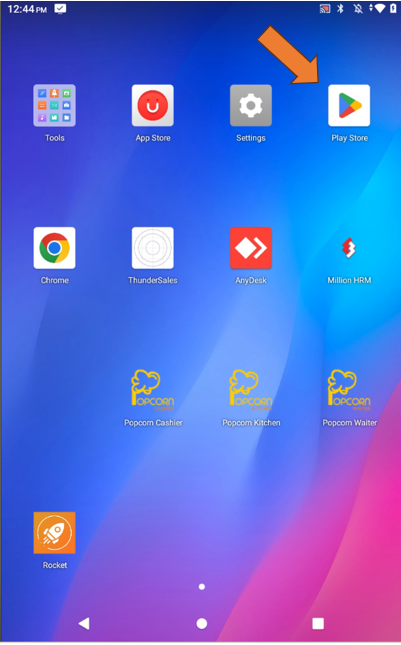
Open the Google Play Store on your device.
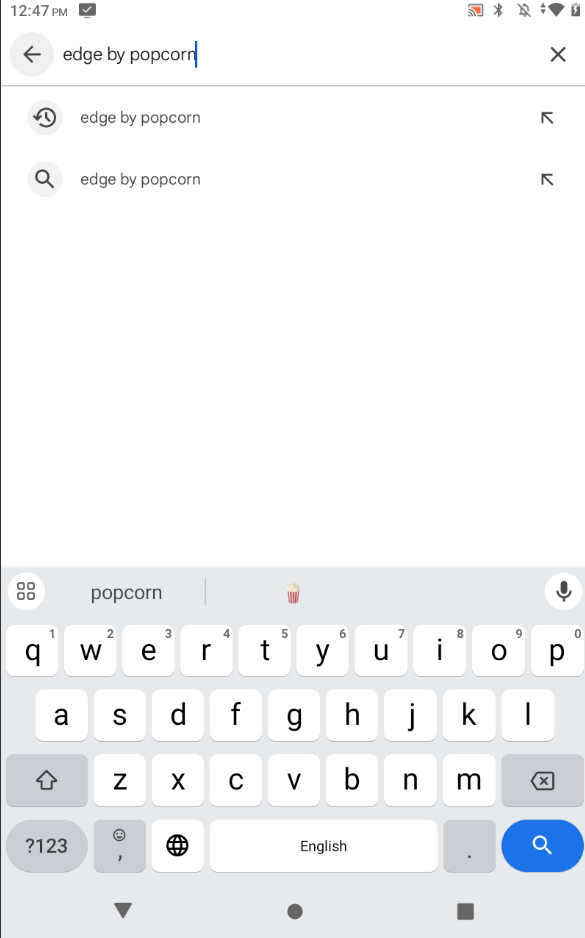
In the search bar, type "Edge by Popcorn" and press search.
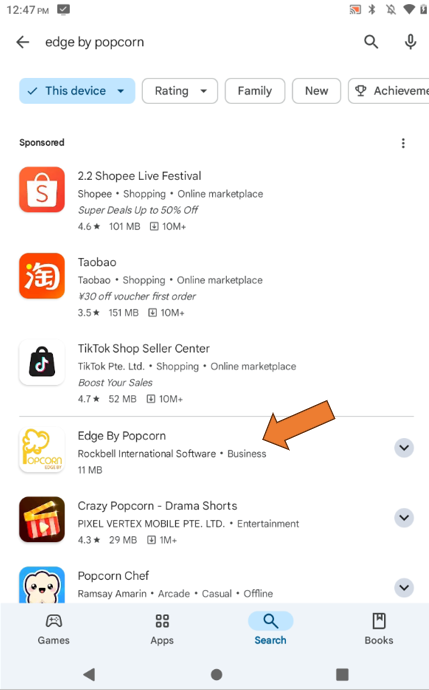
Locate the Edge by Popcorn app in the search results.
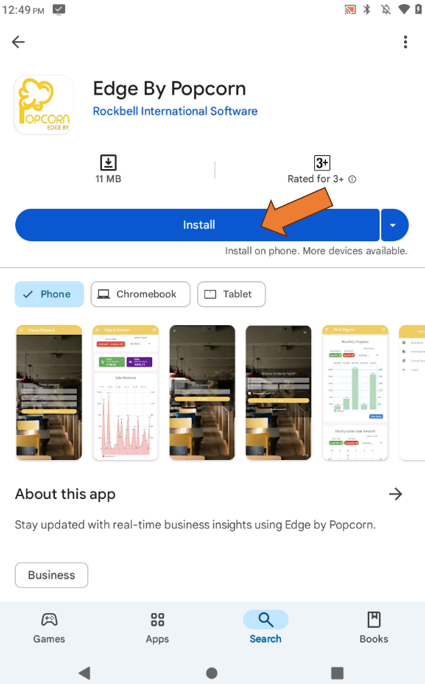
Tap "Install" to begin downloading the app.
----------------------------------------------------------------------------------------------------------------------------------------------------------
Please refer to the video below for more information:
Still stuck?
Our team is happy to walk you through this step by step.
