How to Change Your Password in Edge by Popcorn
Method 1
Go to www.popcorncashier.com
Go to Profile:
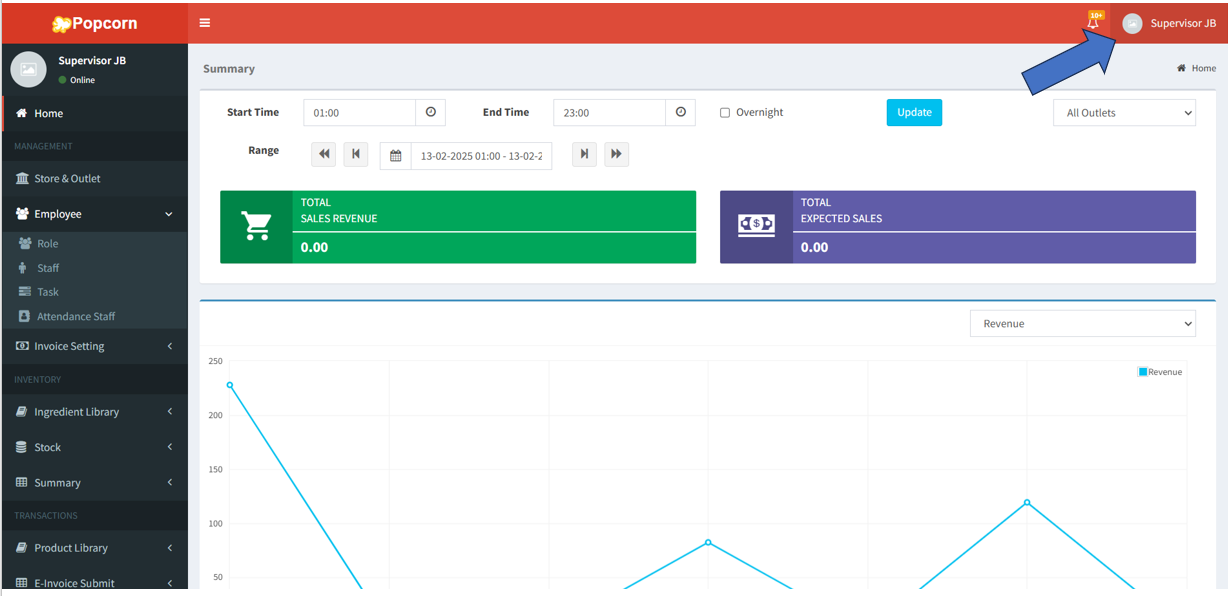
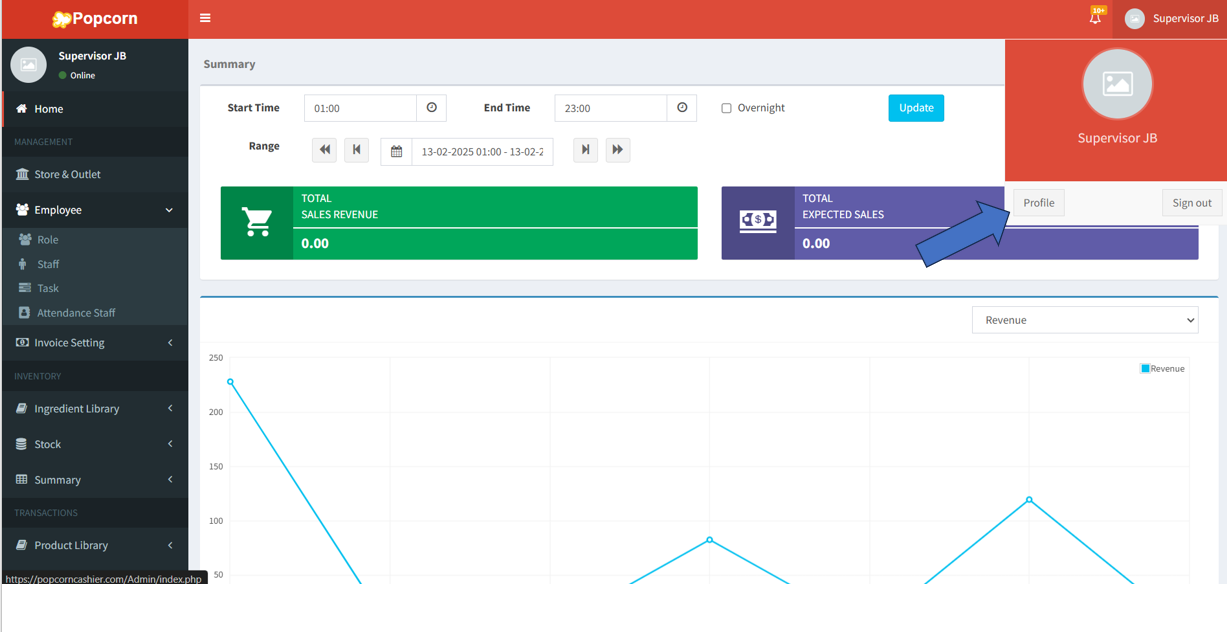
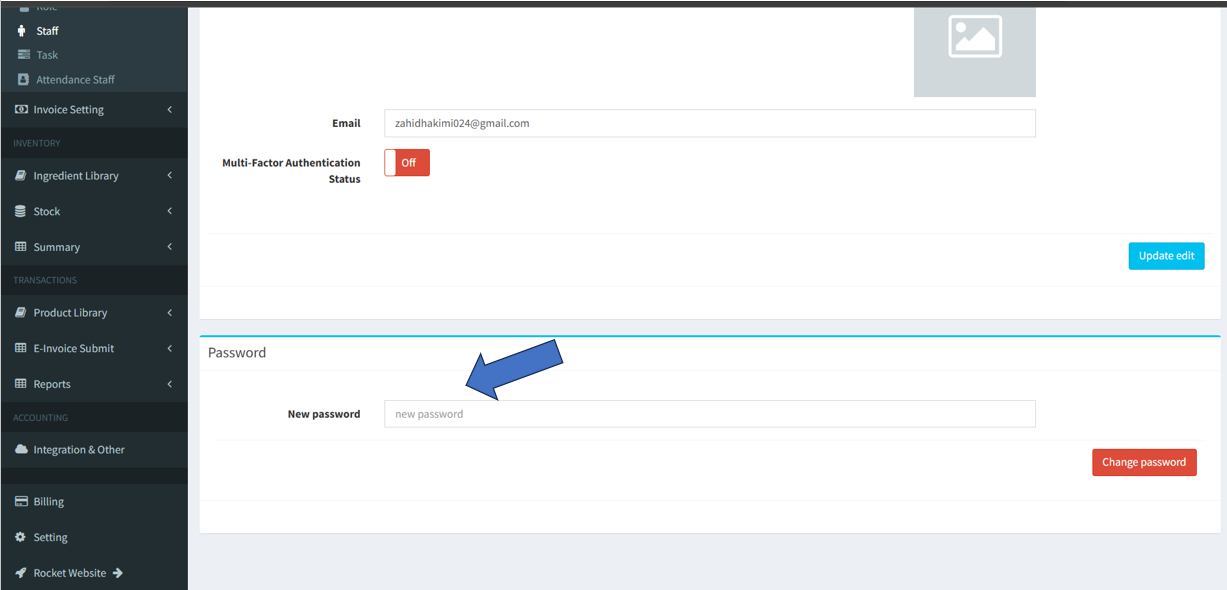
- In the New Password field, type your desired new password.
- Tap the "Change Password" button to save the changes.
--------------------------------------------------------------------------------------------------------------------------------
Method2
Go to Edge by Popcorn App:
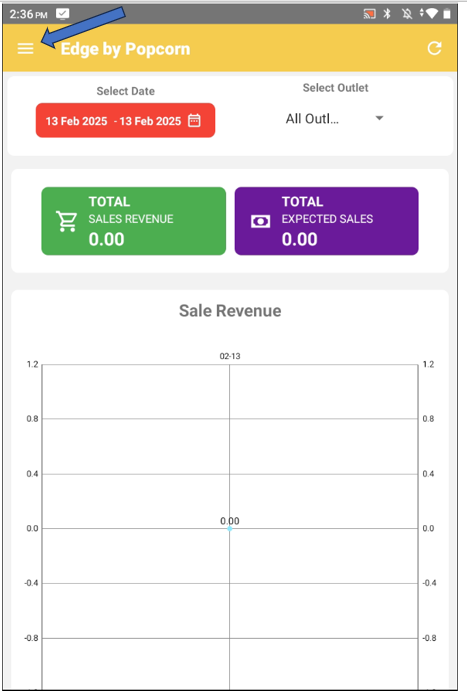
- click on ≡ on the top left corner to open the side bar menu
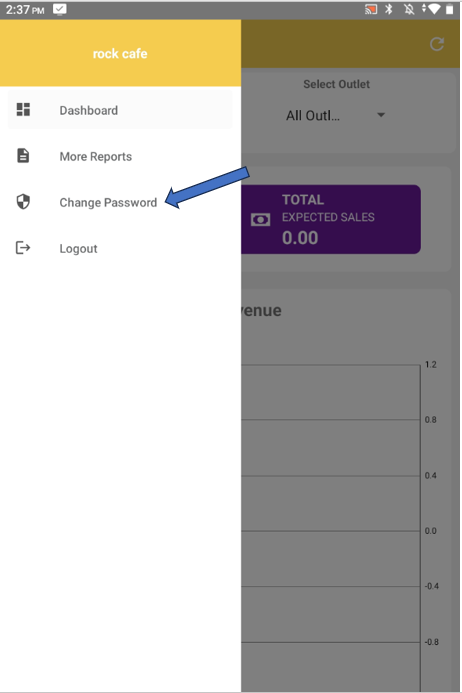
- Select "Change Password“ from the menu
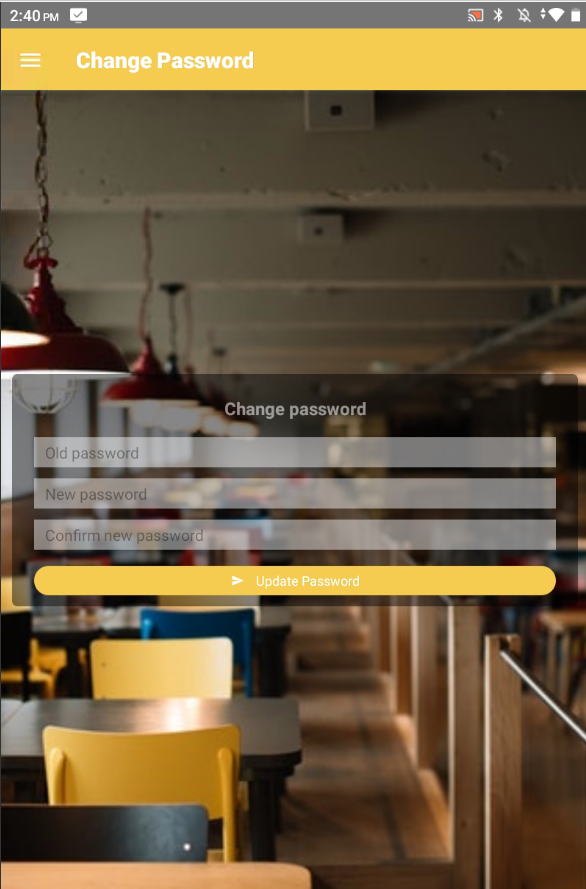
- In the Old Password field, enter your current password.
- In the New Password field, type your desired new password.
- Re-enter the new password in the Confirm New Password field to ensure accuracy.
- Tap the "Update Password" button to save the changes.
Still stuck?
Our team is happy to walk you through this step by step.
