BACKEND REPORT - Refund (Owner)
1. In your dashboard home page, scroll down to Transactions row and press Report.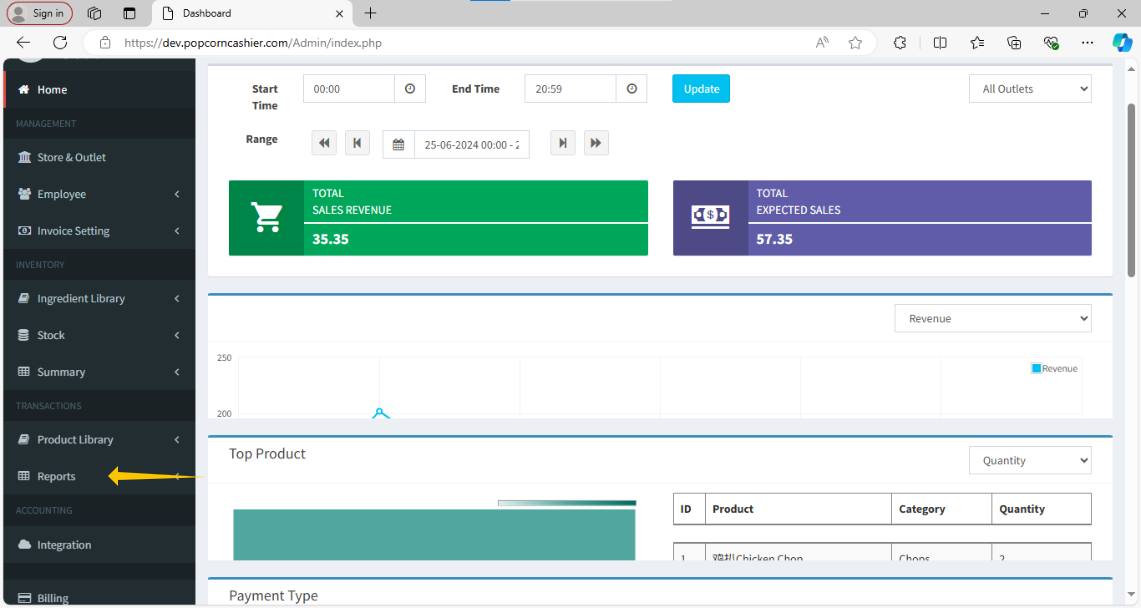
2. Then, click on Transaction. 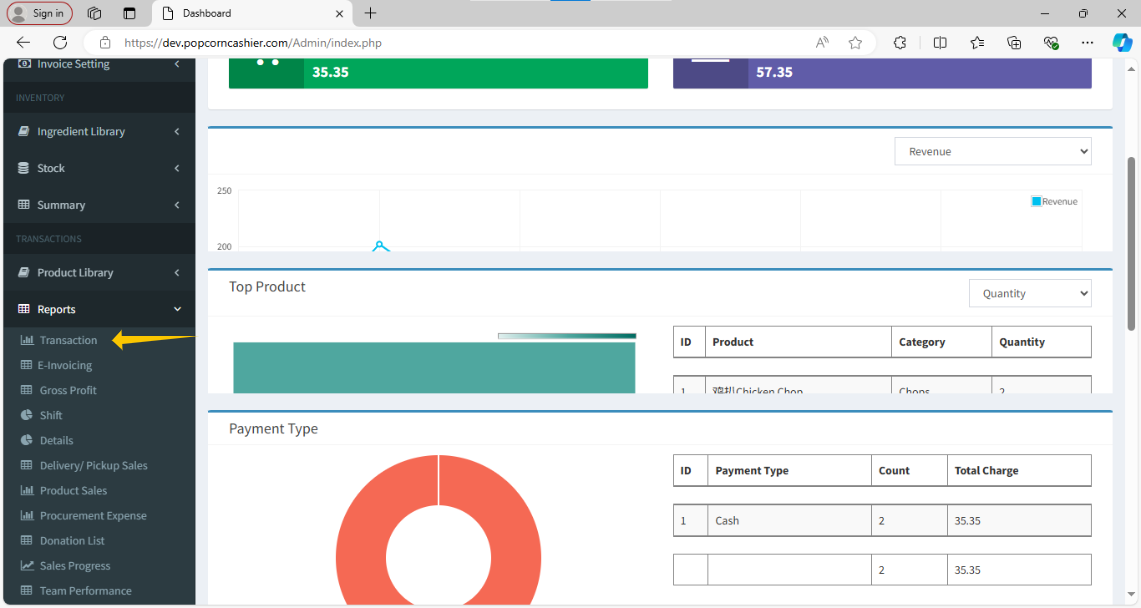
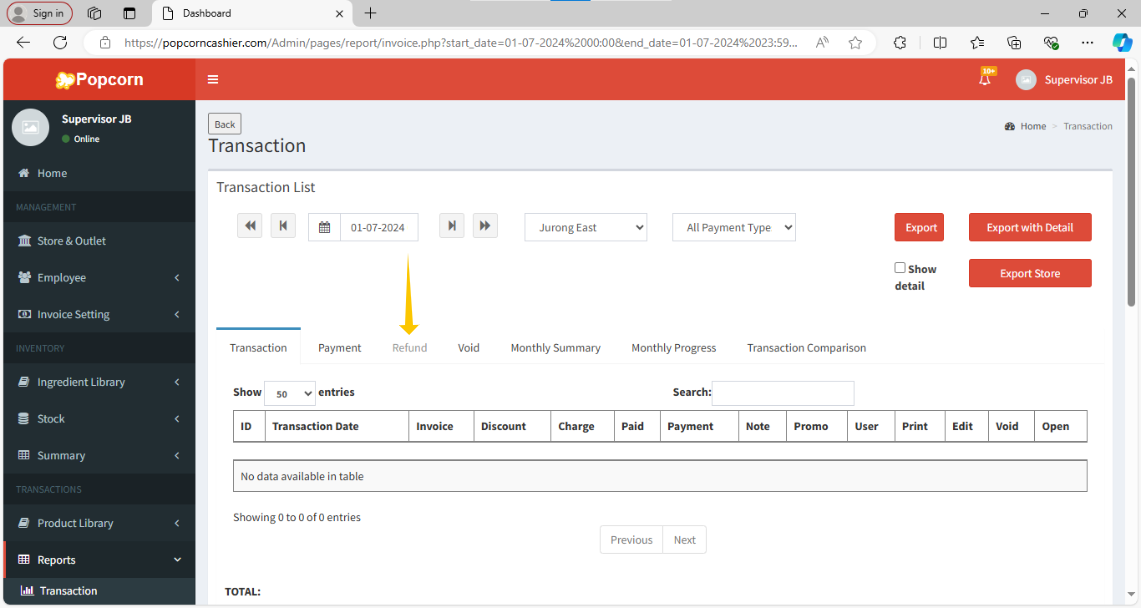
3. After click on Transaction in the right-hand side, click on Refund.
Still stuck?
Our team is happy to walk you through this step by step.
