Stock Process
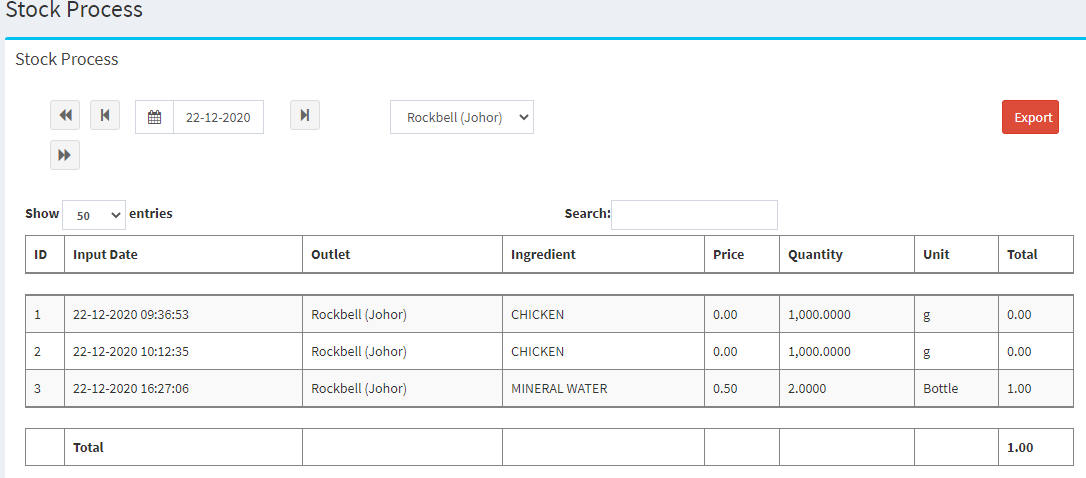
Go to Inventory > Summary > Stock Process:
Stock Process: This report will shows out the stock in records of W.I.P & Finished Good Ingredient
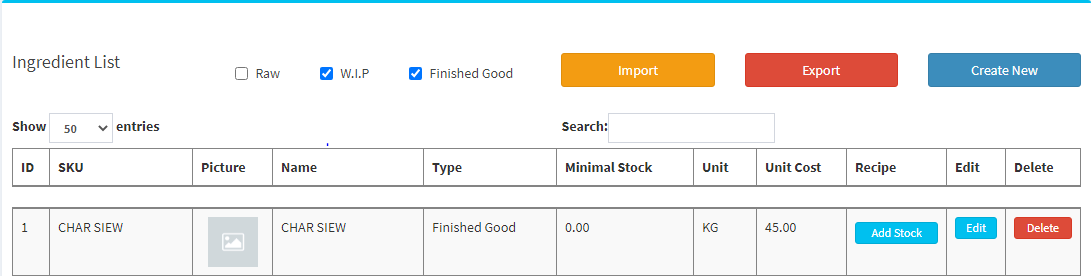
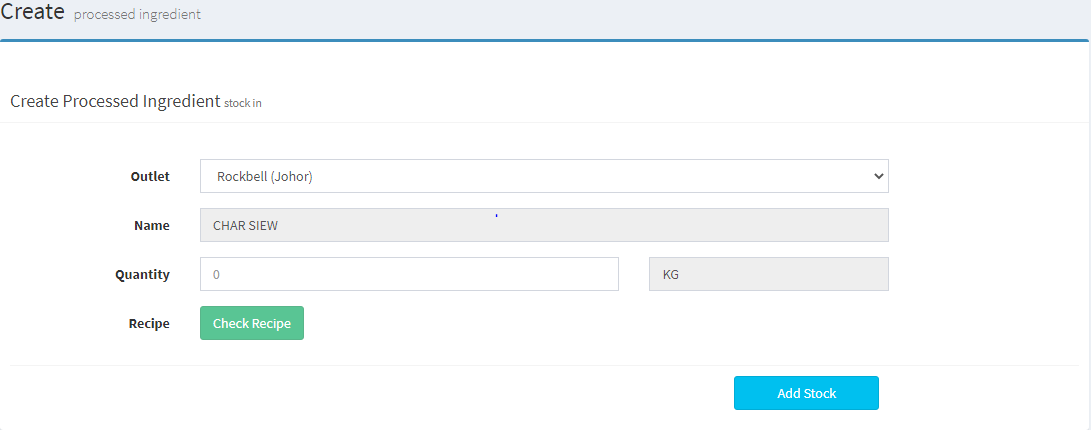
- For stock in W.I.P & Finished Good, you can go to Inventory > Ingredient Library > Ingredients, search the W.I.P & Finished Good in search bar or unchecked Raw ingredients selection beside Import button and click 
----------------------------------------------------------------------------------------------------------------------------------------------------------
Please refer to the video below for more information:
Still stuck?
Our team is happy to walk you through this step by step.
