Stock Opname
Go to Inventory > Summary > Stock Opname:
- Stock Opname: Function to adjust the stock quantity for different outlet
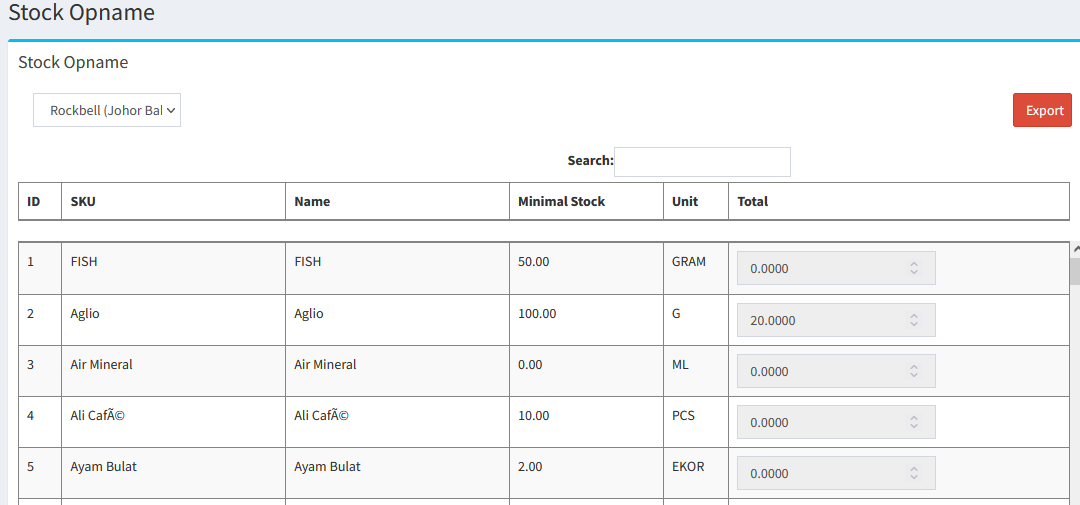

- You can adjust stock by clicking
 button
 - You can import the latest stock quantity by clicking

- Excel Template for Import Stock
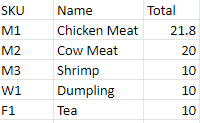
* For more information, please refer to the article [How to Import Stock]
----------------------------------------------------------------------------------------------------------------------------------------------------------
Please refer to the video below for more information:
Still stuck?
Our team is happy to walk you through this step by step.
