Step 2: Popcorn Pos System: E-Invoice Set Up
How to Set up E-invoicing Information
Go to www.popcorncashier.com
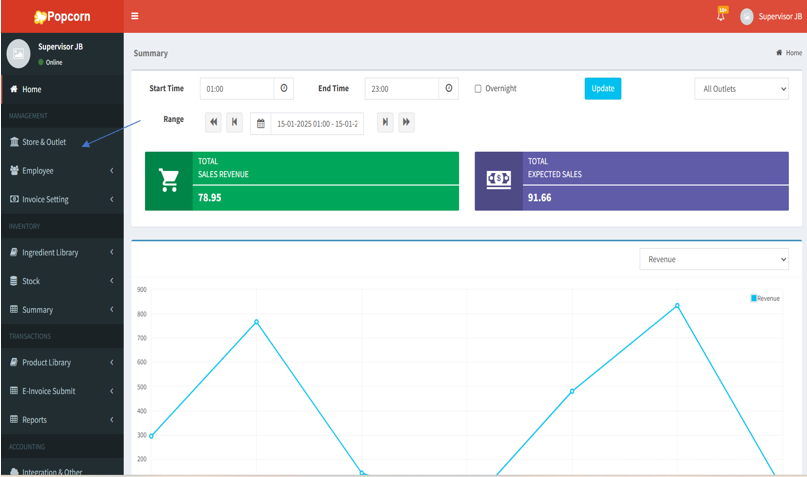
1. On the left-hand menu, click Store & Outlet under the Management section.
在左侧菜单中,点击 Store & Outlet。
Pada menu sebelah kiri, klik Store & Outlet.
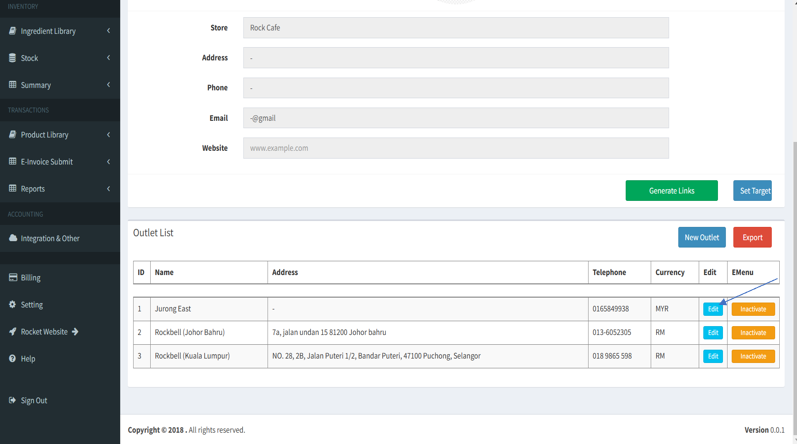
2. From the Outlet List at the bottom, locate the outlet you want to modify and click the Edit button corresponding to the outlet.
在底部的Outlet List中找到您想要修改的分店并点击对应分店的Edit按钮。
Pada Outlet List di bahagian bawah, cari outlet yang anda ingin ubah dan klik butang Edit yang sepadan dengan outlet.
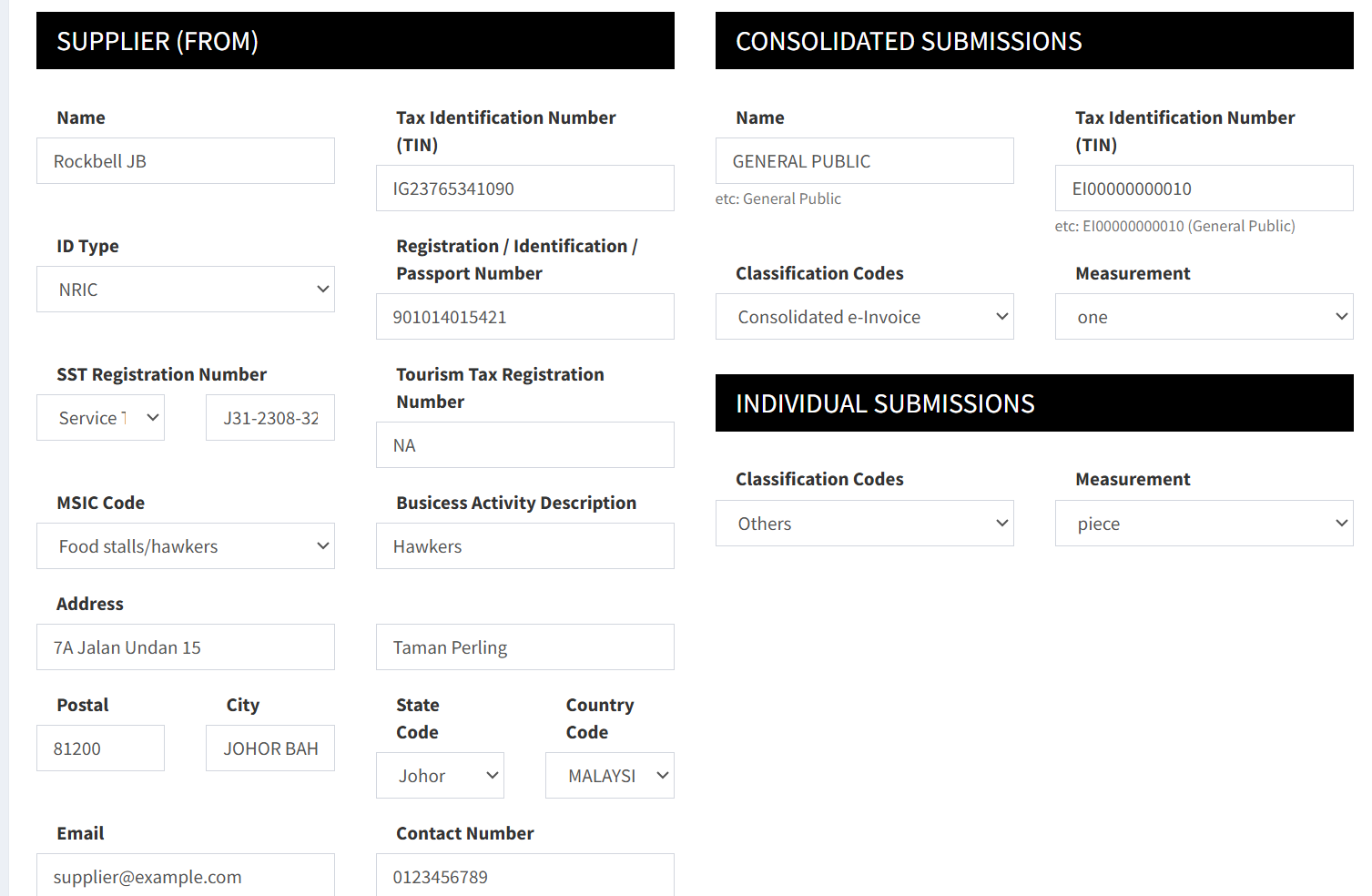
3. Scroll down to locate the E-Invoice Information section. Fill in all the information
向下滚动找到E-Invoice Information部分。填写所有的资料
Skrol ke bawah untuk mencari bahagian E-Invoice Information. Isikan semua info
Still stuck?
Our team is happy to walk you through this step by step.
