Introduction (Basic Setting)
Main Screen of Kitchen App:
- Used by kitchen staff in preparing product for customer more efficiently and effectively
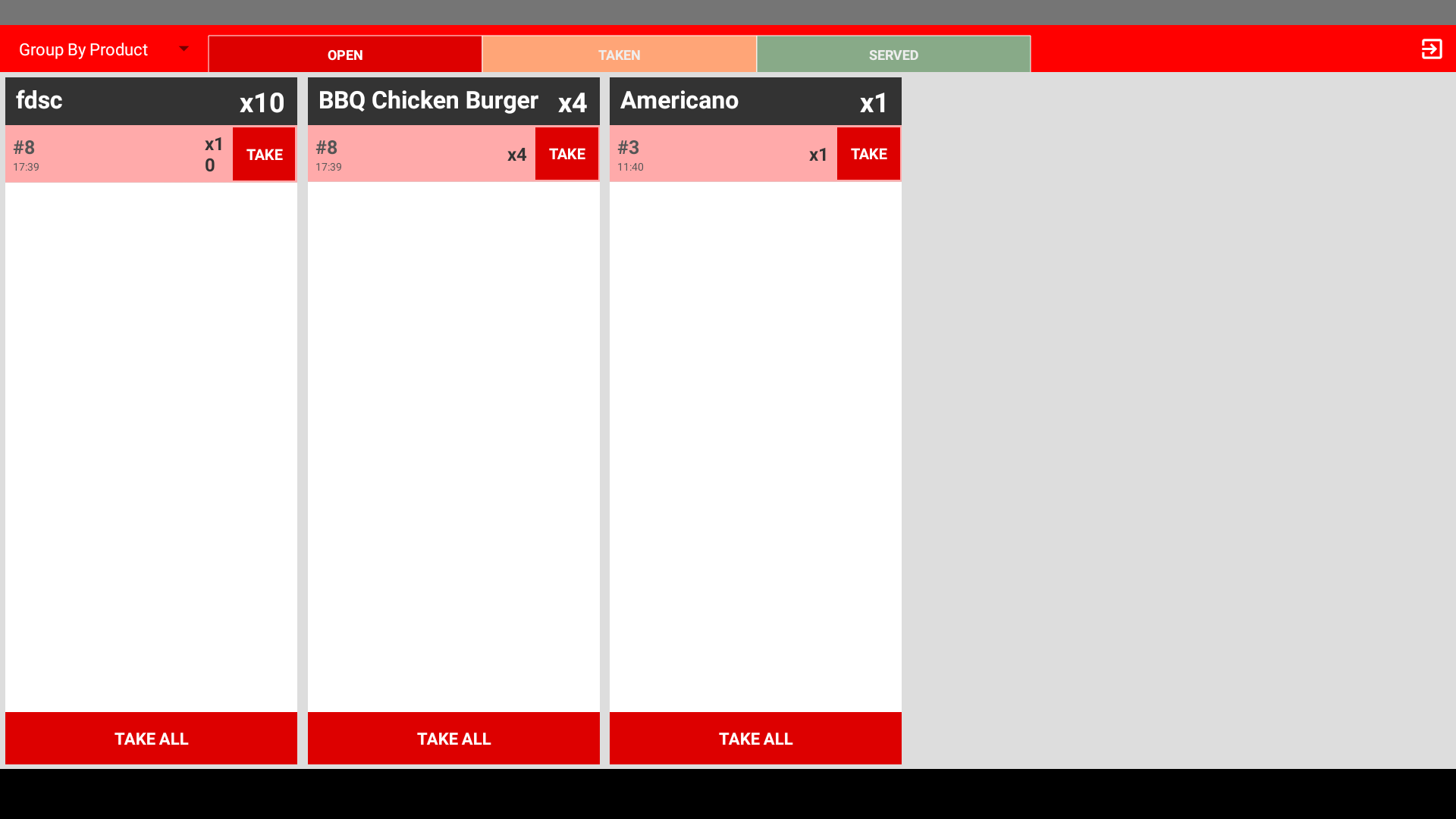
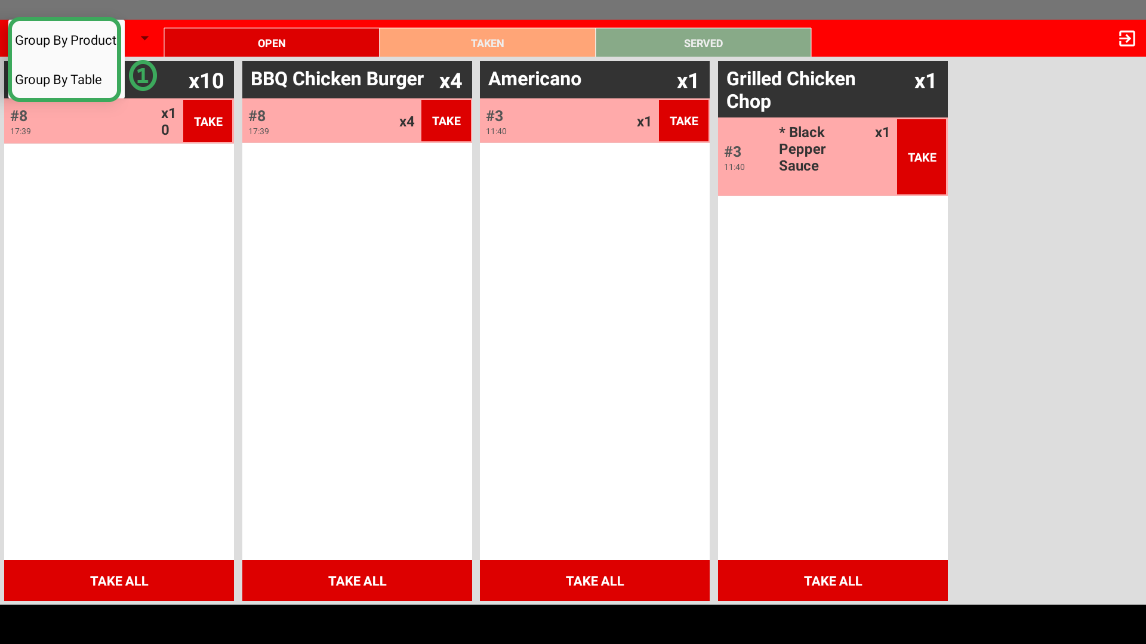
- Group(view) Method: -
- Ways to categorize your order
- Group by Product: Categorize order by certain specified product
- Group by Table: Categorize order by order placed by certain specified table
Group by Product: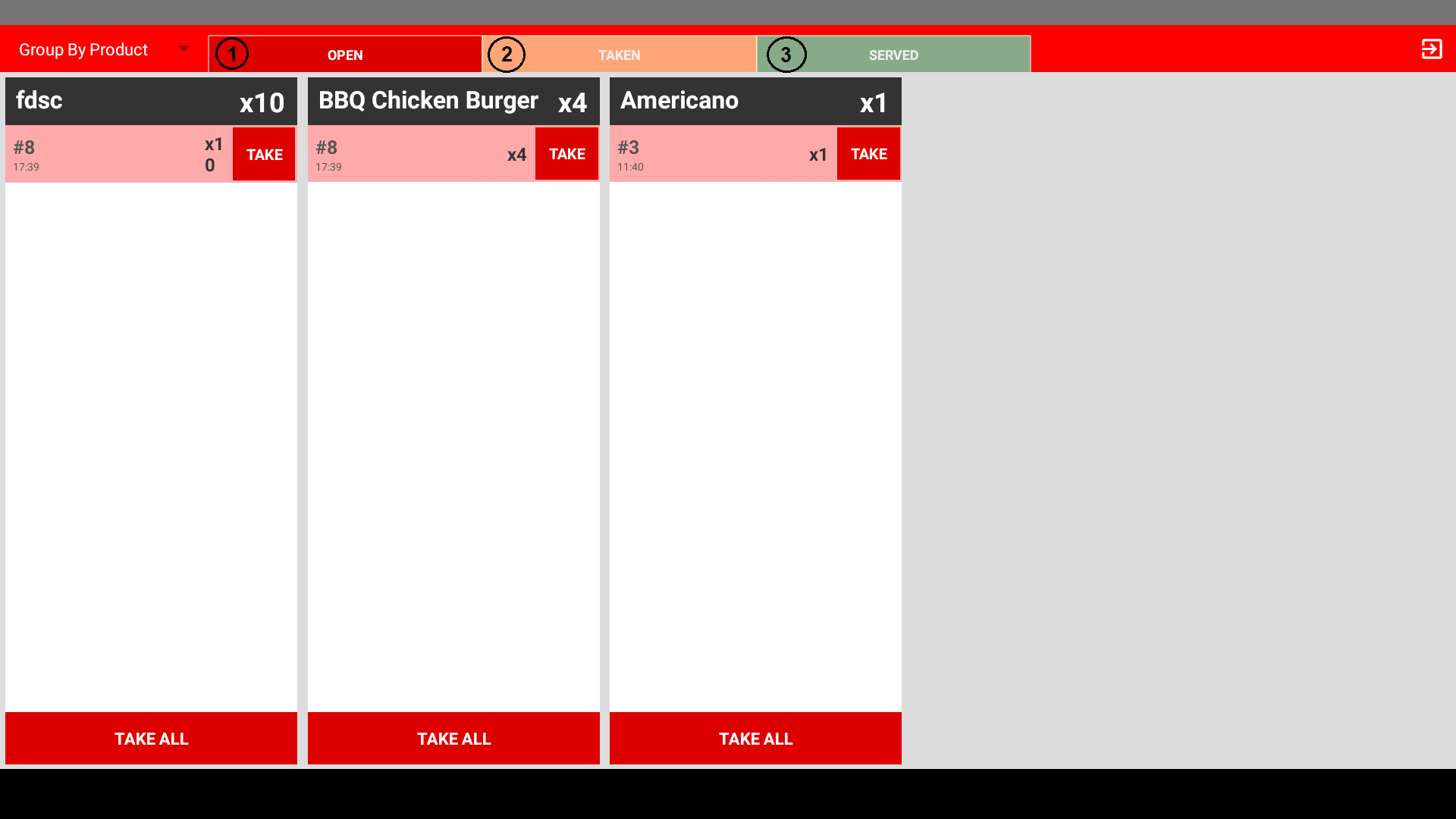
- OPEN: Ordered product just come in and not yet be seen and prepare by kitchen
- TAKEN: Ordered product that has been seen and in process of preparing by kitchen
- SERVED: Ordered product that is ready to be serve to customer
Group by Table:
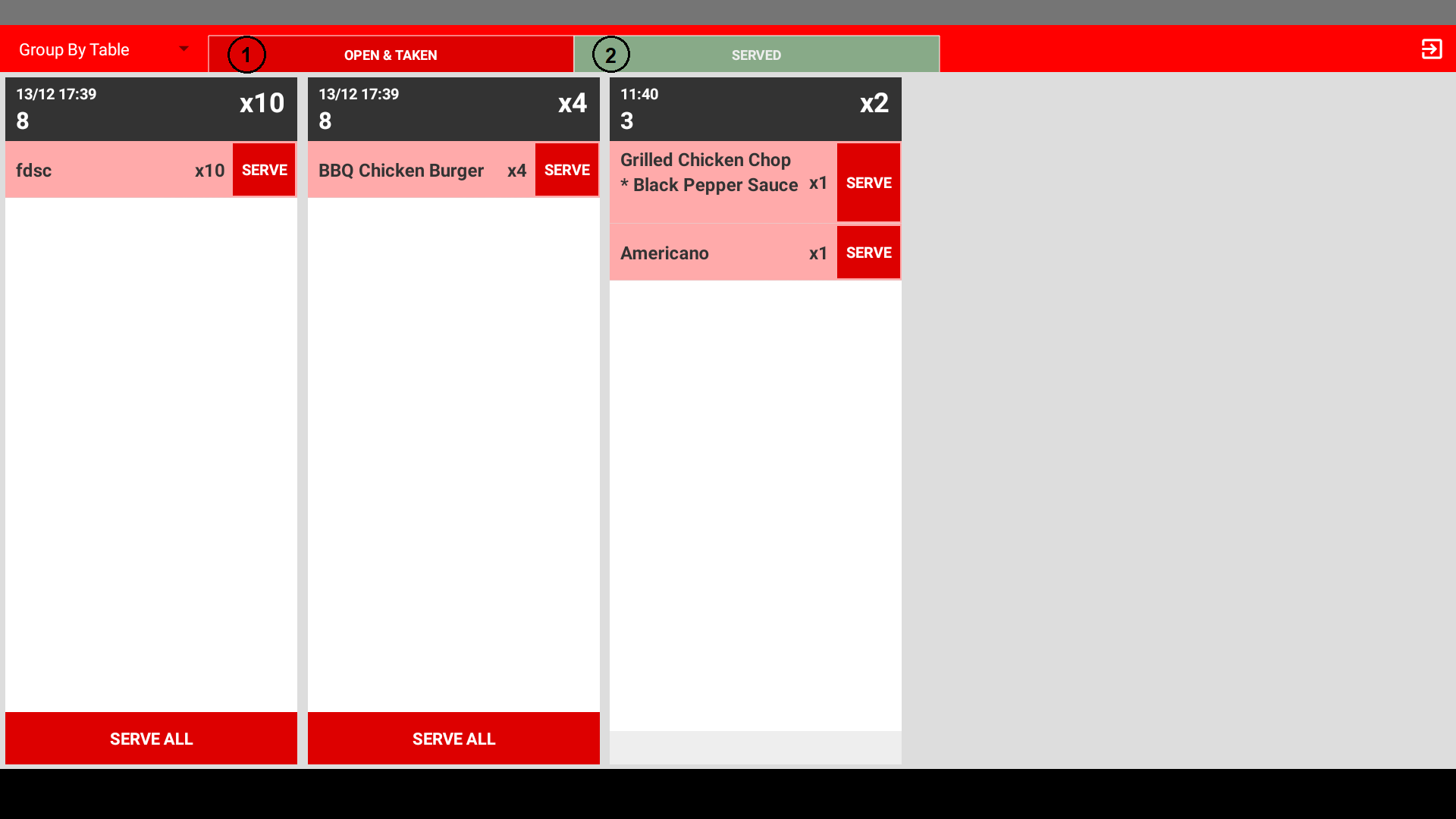
- OPEN & TAKEN: Ordered product from certain specified table received by kitchen and need to be prepare or in the middle of preparing
- SERVED: Ordered product from certain specified table that is ready to be serve
-------------------------------------------------------------------------------------------------------------------------------
Still stuck?
Our team is happy to walk you through this step by step.
