How to Set Product Category
- Open Popcorn Kitchen App

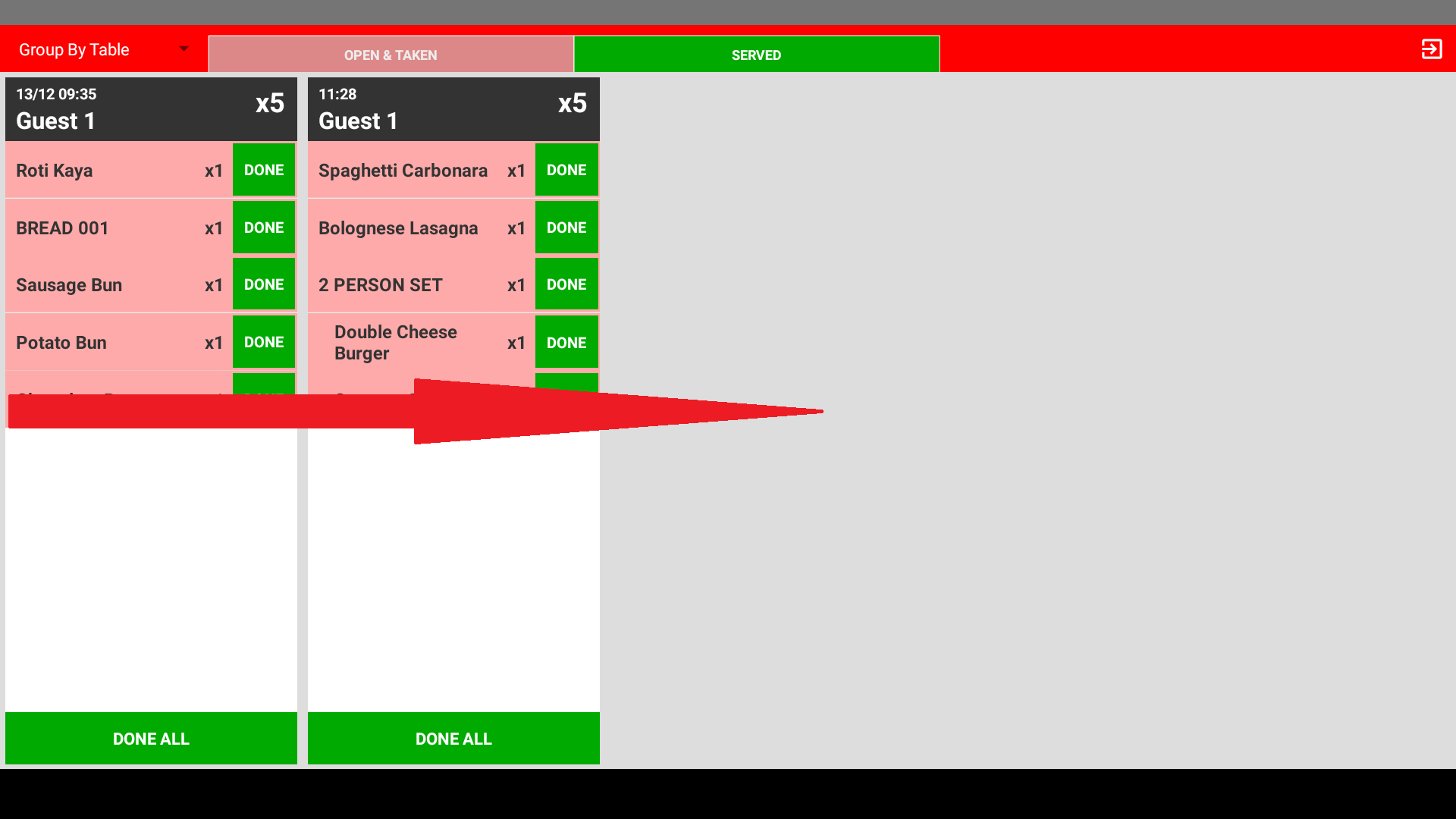
- Swipe/slide to right hand side to open side bar menu
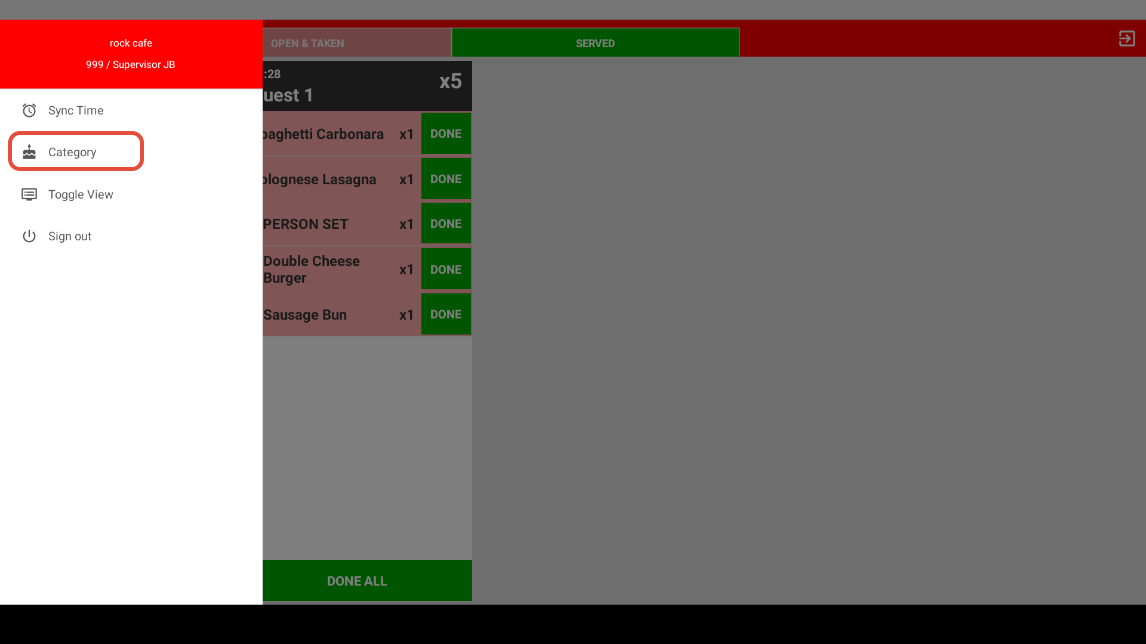
- Select Category
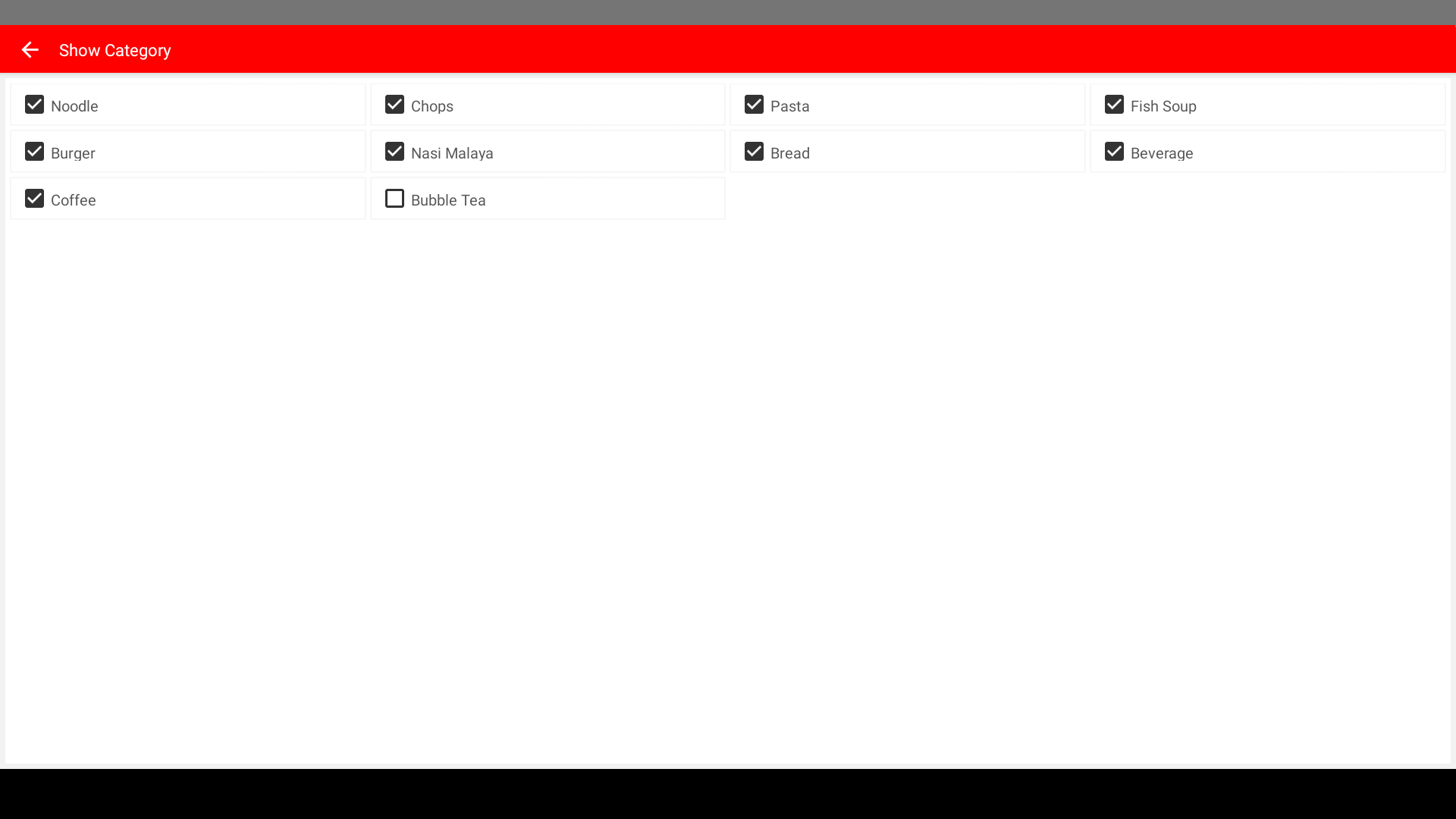
- Select the category of product you want to view on the device
------------------------------------------------------------------------------------------------------------------------------------------
Still stuck?
Our team is happy to walk you through this step by step.
