How To Key In Stock
Go to Inventory > Summary > Stock Opname:
- Stock Opname: To adjust the stock quantity to current stock balance or import the stock
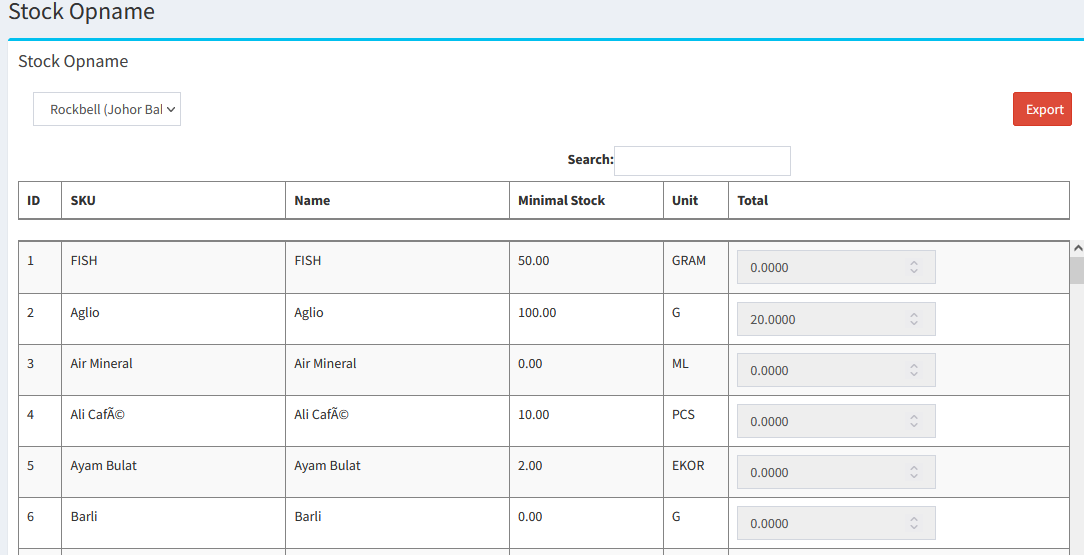

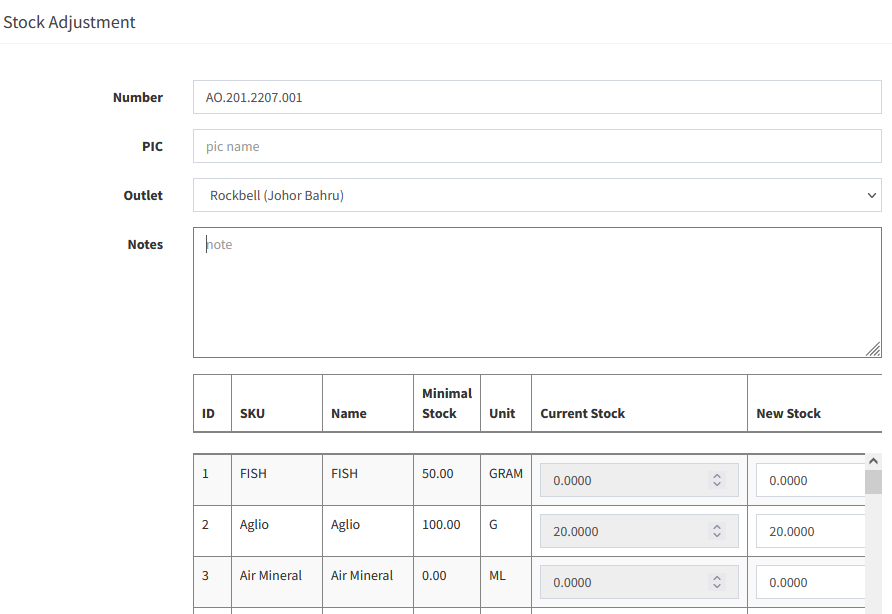
- Adjust Stock: Adjust the stock balance to current stock balance (Key in the current stock on hand in NEW STOCK column
- Import Stock: Import the stock balance to system.
- You can click
 to export the Stock Opname to Excel File first
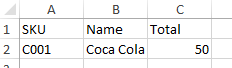
 - Then edit the Excel Column following the photo below:
* Only need item SKU, Name & Total (Please key in the current stock on hand in Total Column)
- After finish, please save the Excel File
- Then click on
 and browse the Excel file and click Import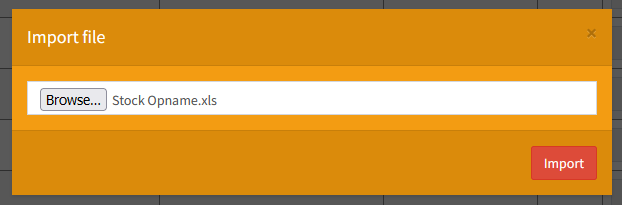
Still stuck?
Our team is happy to walk you through this step by step.
