How to Check SQL Port
Method 1:
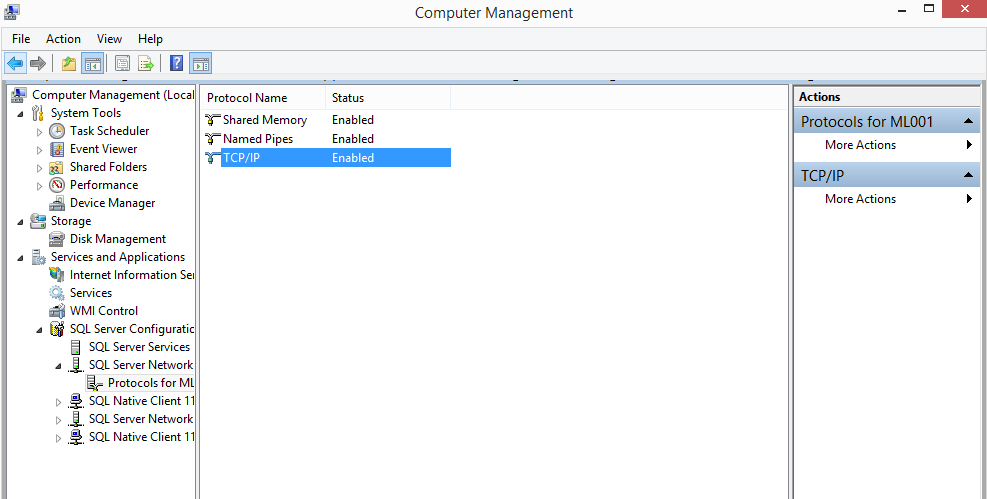
- Identify the PC SQL Server ML001 port number
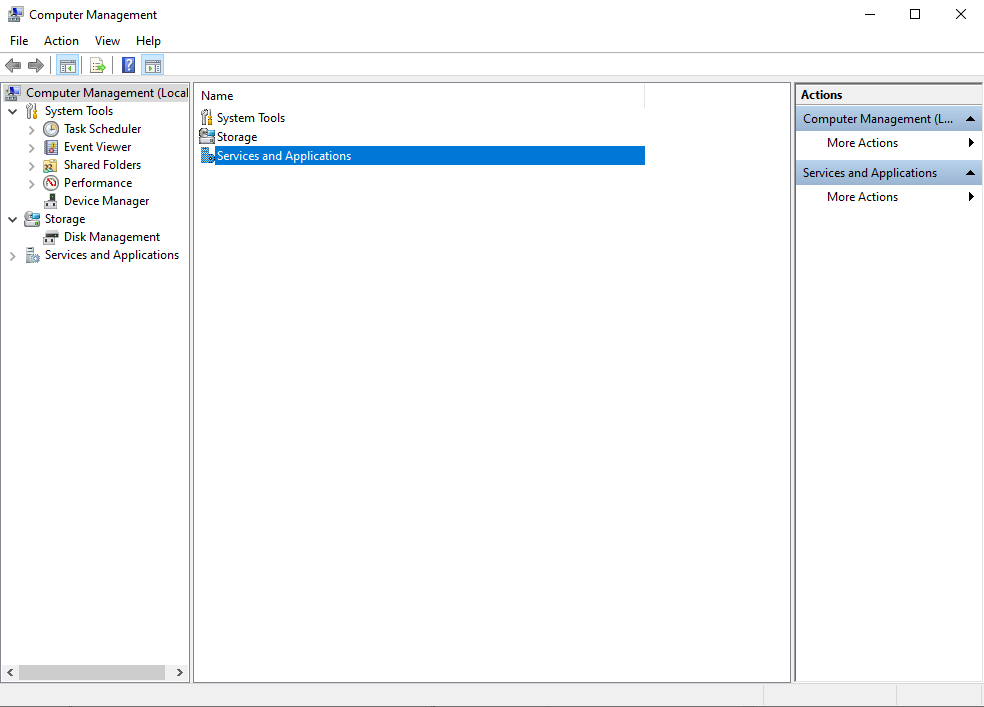
- Go to Computer Management & Select Services and Application
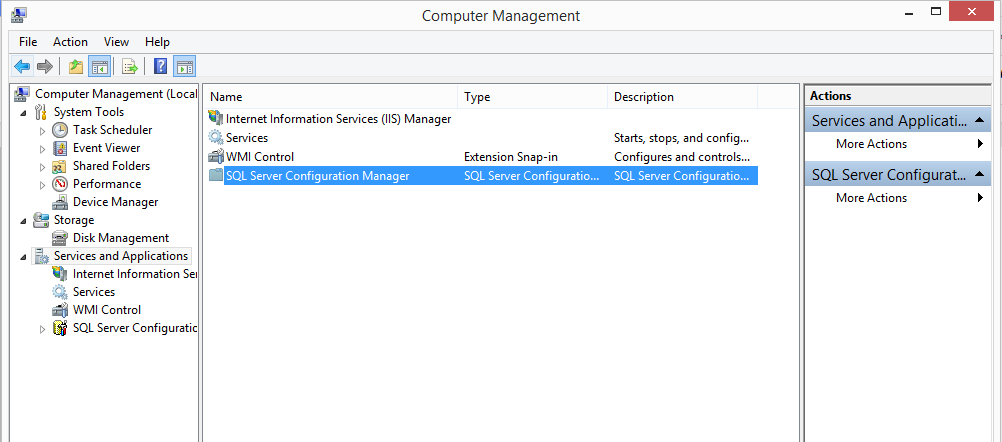
- Select SQL Server Configuration Manager
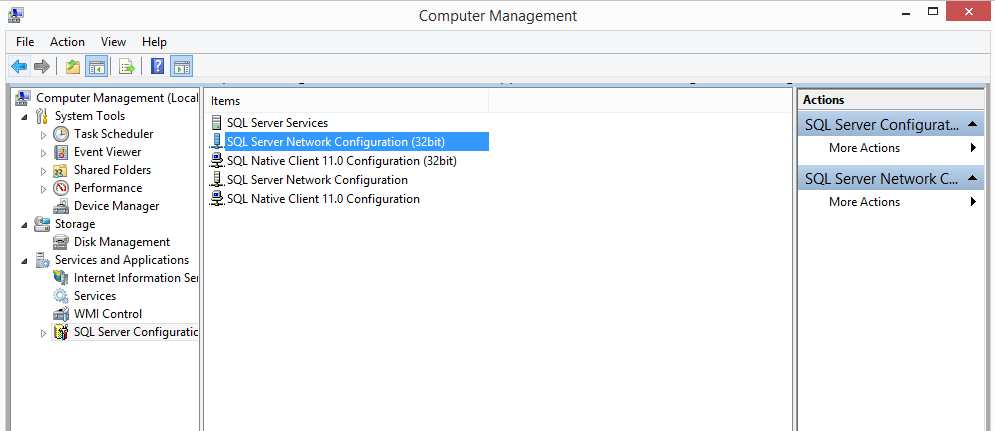
- Select SQL Server Network Configuration
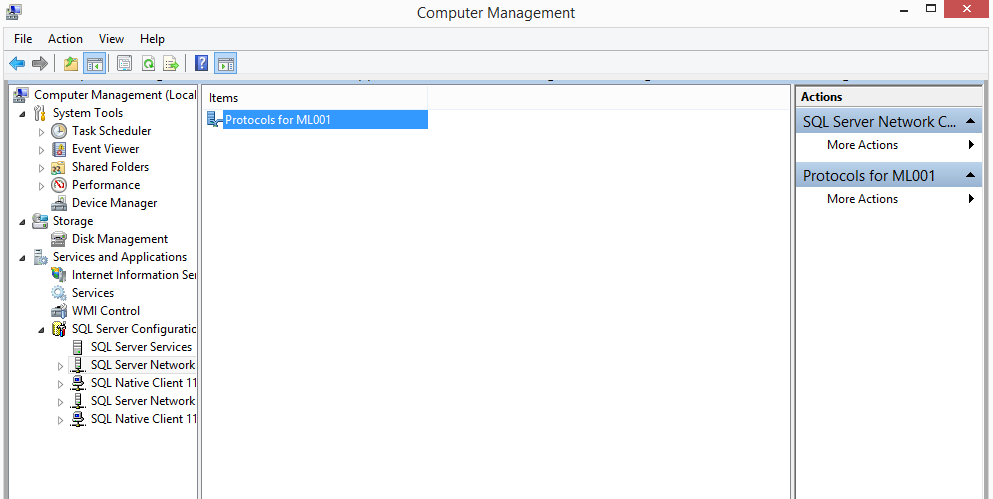
- Select Protocols for ML001
- Select TCP/IP
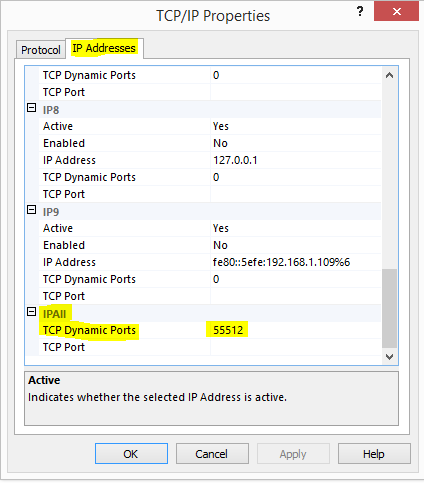
- Select IP Addresses & refer to TCP Dynamic Ports (This is the SQL ML001 Port)
Method 2:
Go to This PC > Local C Drive > Windows > SysWOW64 > Search for SQL Server Manager > Then repeat the steps from Method 1
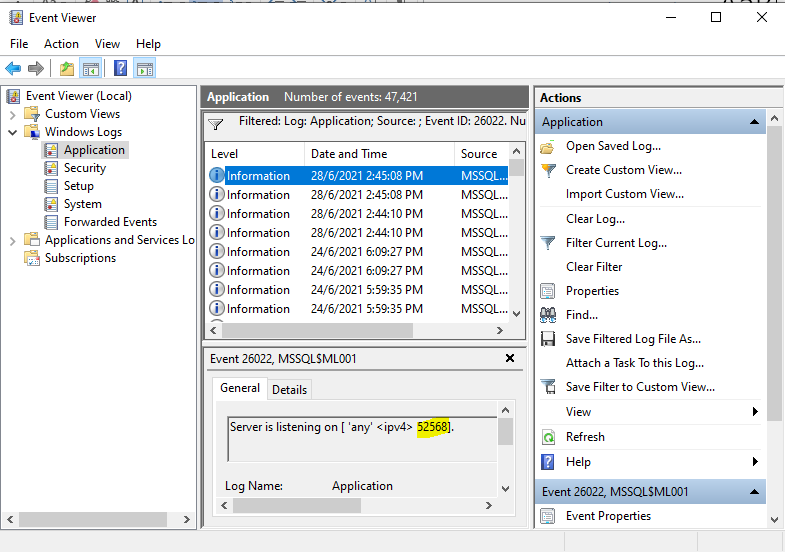
Method 3: Get SQL Server Port from using the Windows Event Viewer
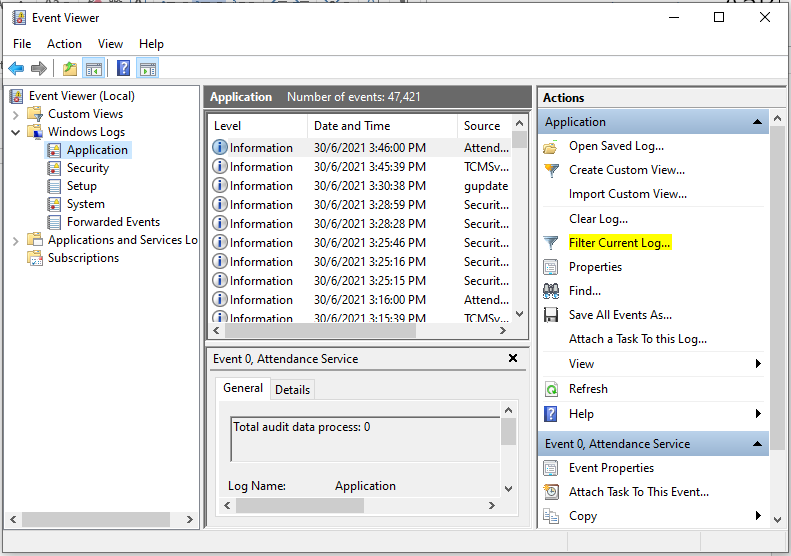
1. Go to Run and type eventvwr. It opens the windows event viewer console. Click on – Filter Current Log.
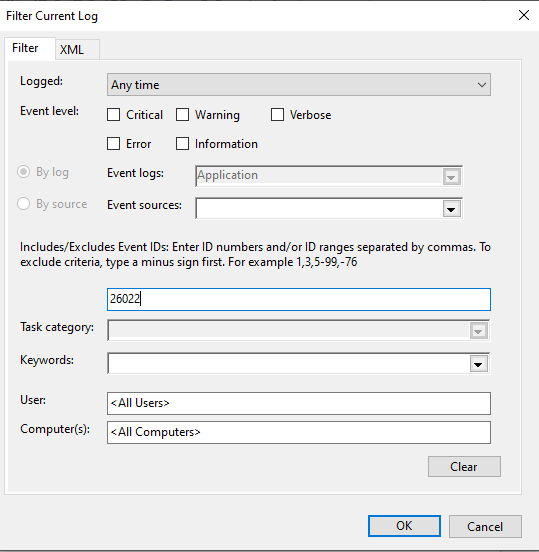
2. Specify the event ID 26022 and click OK
3. Then you can see the SQL Port Number
Still stuck?
Our team is happy to walk you through this step by step.
