How to Redeem Voucher in Merchant Store
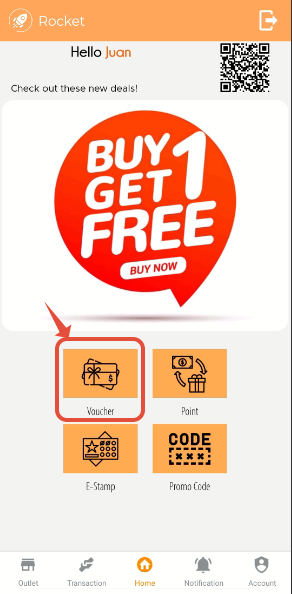
First login into your Rocket Membership App, and click on Voucher
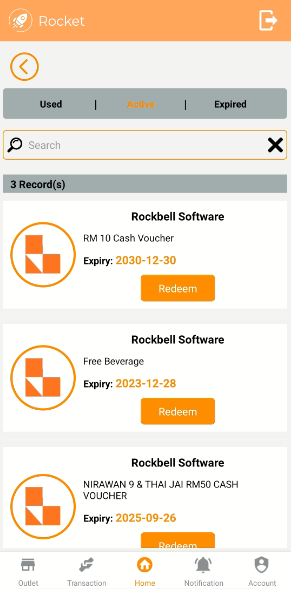
Select the existing voucher you want to redeem
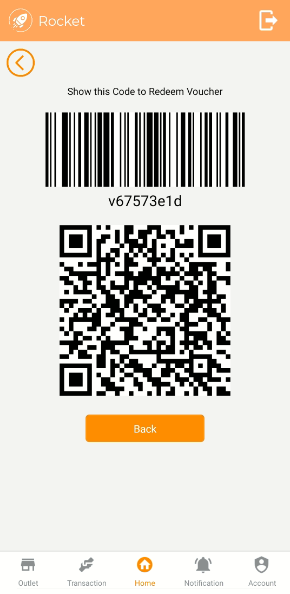
Show the code to the staff of the merchant store to redeem the voucher
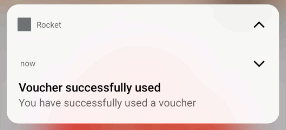
The voucher will automatically be deducted after it has been used, and you will receive a notification from Rocket Membership App
--------------------------------------------------------------------------------------------------------------
Still stuck?
Our team is happy to walk you through this step by step.
