How to Add New Staff Role
- In Backend (admin page), go to Management > Employee > Role
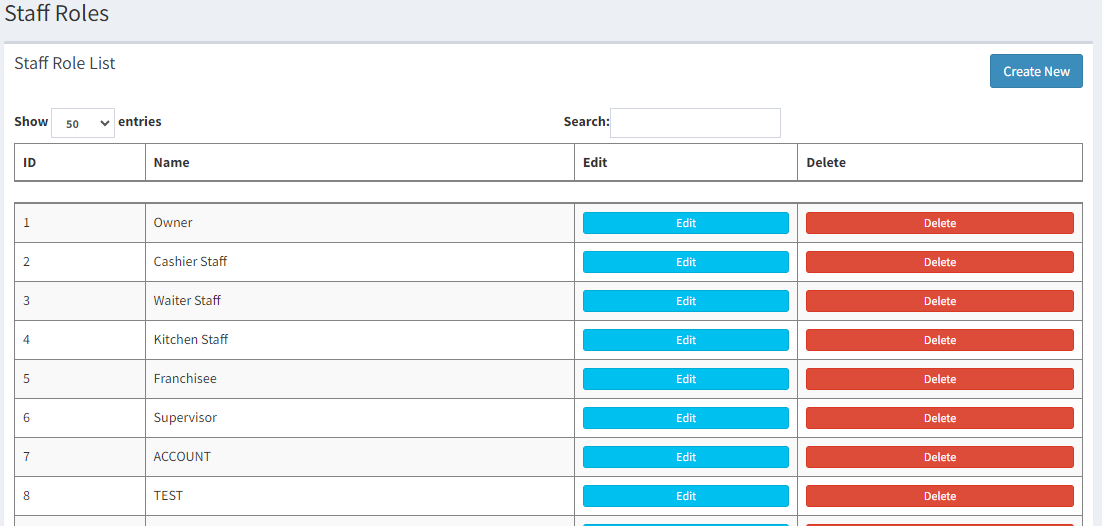
- Click on

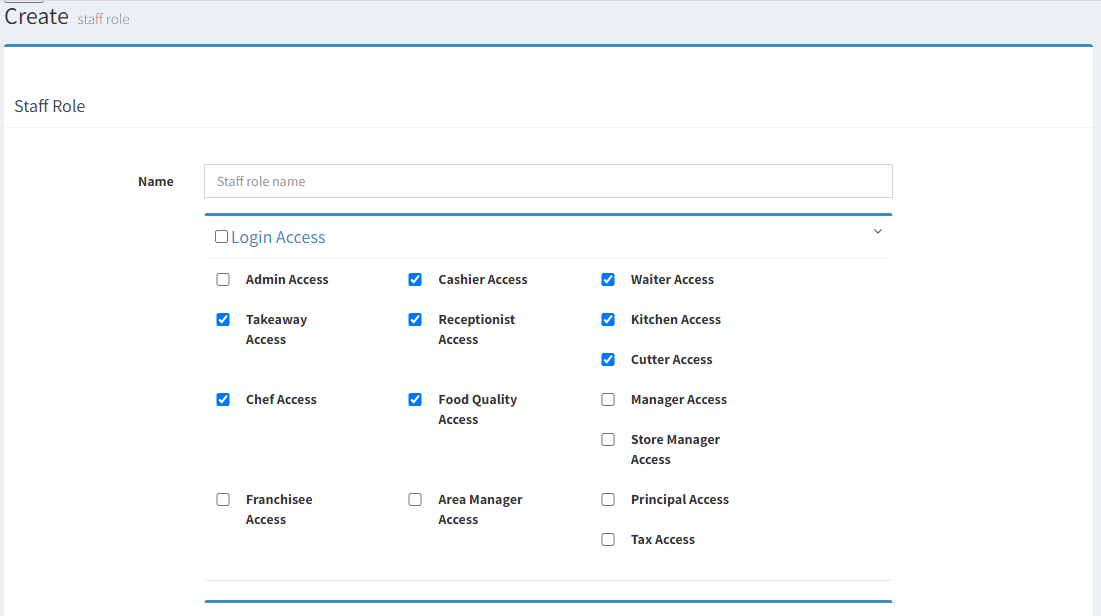
- Enter the name of the new staff role
- Click
 to save
------------------------------------------------------------------------------------------------------------------------
Please refer to video below for more information:
Still stuck?
Our team is happy to walk you through this step by step.
