How to Print Dynamic QR
Go to Popcorn Cashier App
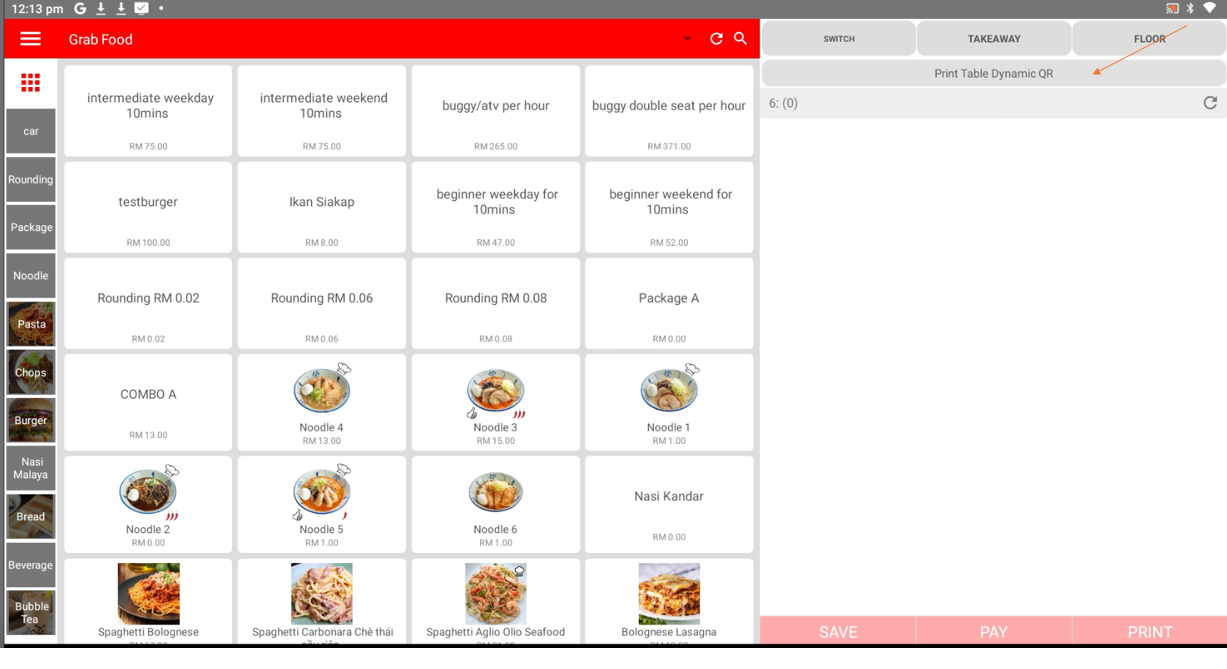
- Select the table and press "Print Table Dynamic QR" from the top menu.
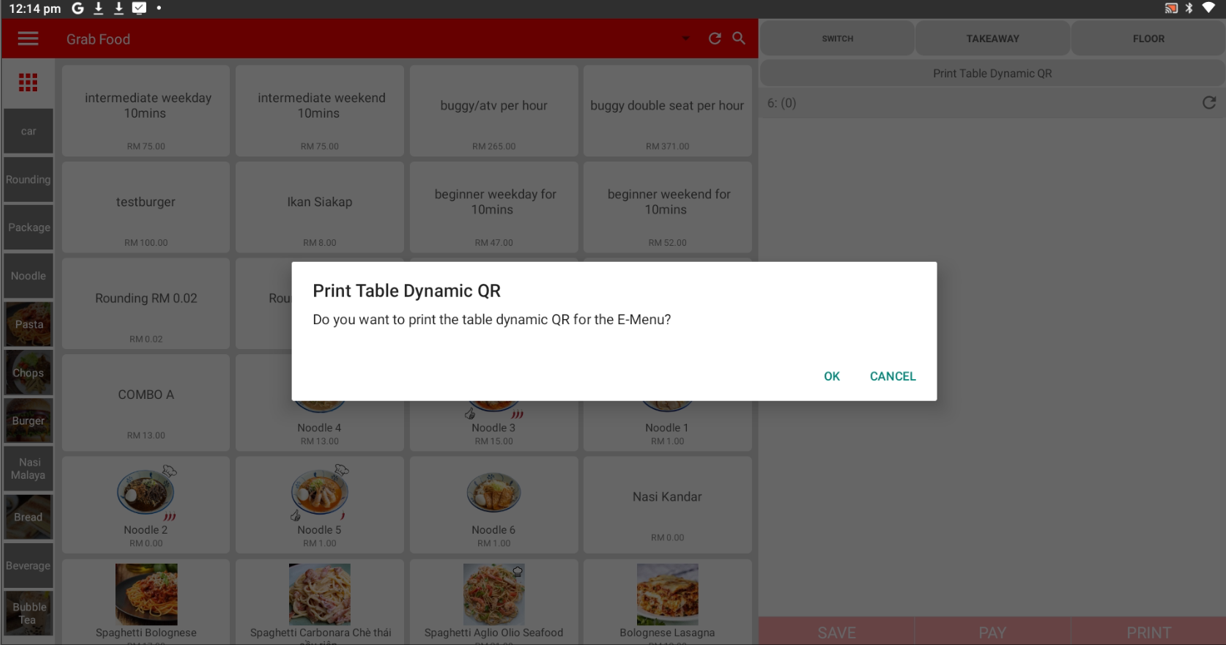
- Press "OK" to proceed with printing
Table Dynamic QR sample:
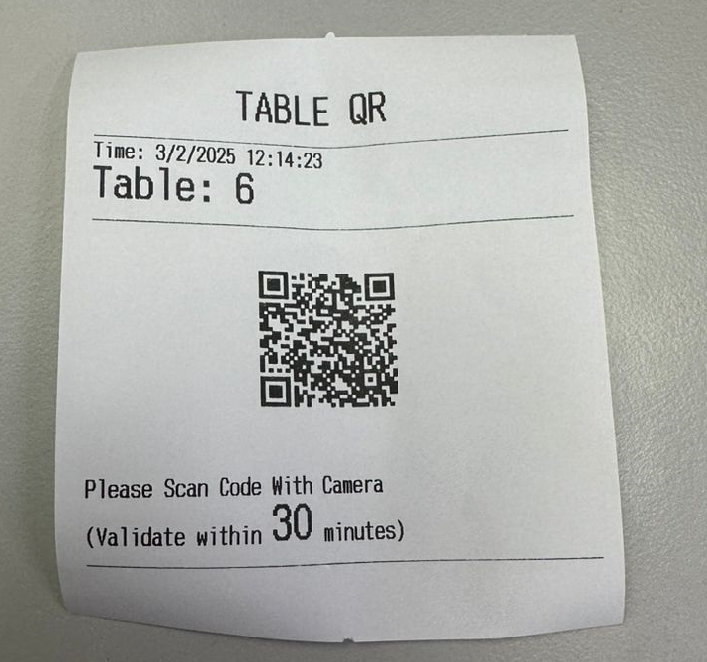
----------------------------------------------------------------------------------------------------------------------------------------------------------
Please refer to the video below for more information:
Still stuck?
Our team is happy to walk you through this step by step.
