How To Create Recipe
Go to Inventory > Ingredient Library > Recipe:
Recipe: Function to record recipe, maintain and control stock level
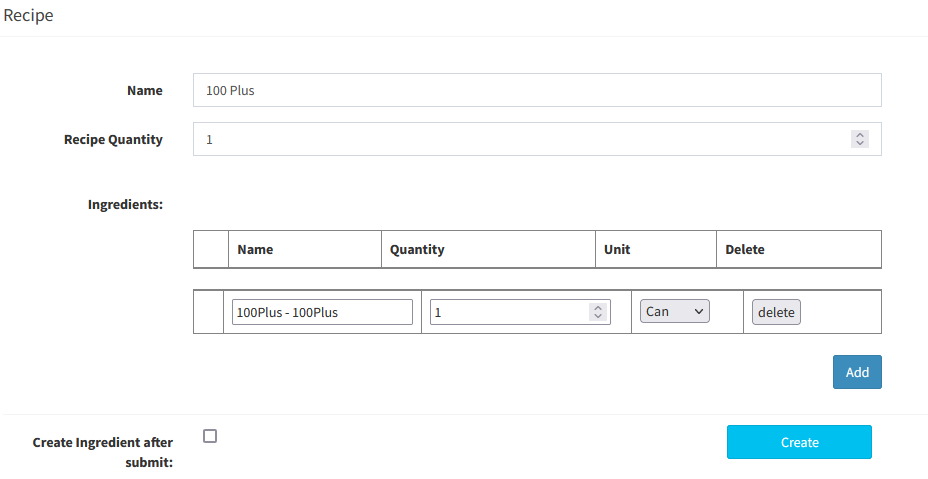
- Create New Recipe:
1. Key in recipe name
2. Recipe Quantity: Default can put 1
3. Select Ingredients and quantity used for this recipe
4. Can add multiple ingredients for one recipe
For example: Fried Rice will use 100gram of rice, 5gram of onion, 10gram of ham and so on.....
----------------------------------------------------------------------------------------------------------------------------------------------------------
Please refer to the video below for more information:
Still stuck?
Our team is happy to walk you through this step by step.
